Cross-browser web testers
You need to check more than the browser you use every day. Playwright supports tests in Chromium, Firefox and WebKit, making the browsers and operating systems in your release plan the starting point for choosing a laptop.


Choose the operating system around the browsers and environments in your test plan: Windows or Linux may suit a workflow centred on those platforms, while a Mac is the relevant choice when you need the closest WebKit-to-Safari testing environment, according to Playwright. Compare memory and storage with the browser instances and virtual machines you intend to run, and treat mobile emulation as an investigation tool rather than a substitute for checks on target browsers and devices.
You need to check more than the browser you use every day. Playwright supports tests in Chromium, Firefox and WebKit, making the browsers and operating systems in your release plan the starting point for choosing a laptop.
You inspect layouts at device-sized viewports and investigate network or CPU conditions. Chrome for Developers describes these Device Mode checks, but cautions that emulation does not reproduce every difference in real browsers.
You expect browser instances, downloaded test browsers or virtual machines to share local resources. Microsoft Learn notes that a Hyper-V host needs memory for both its own operations and its virtual machines.
Set the browser coverage first, then check whether your local workload calls for more capacity or a different balance of screen space and portability. A workstation-class laptop is worth considering when web testing is combined with heavier local work; the workstation label alone does not establish a need for one.
Choose when: Your development tools and required test environments are centred on Windows or Linux. Playwright supports Chromium, Firefox and WebKit on both.
Bear in mind: Playwright identifies WebKit running on a Mac as its closest-to-Safari experience; a Windows or Linux setup does not remove that distinction.
Choose when: Your test plan specifically needs Safari-oriented WebKit checks. Playwright recommends WebKit on a Mac for the closest-to-Safari experience.
Bear in mind: A Mac does not replace checks in the other browsers and devices your users rely on; compare the exact laptop configuration with your local workload.
| Concern | What to check | Who this matters to |
|---|---|---|
| Browser and OS coverage | List the required browsers, operating systems and automation tools. If Safari-oriented results matter, assess the macOS route. | When releases must cover several browser engines, I need a laptop that fits the actual test plan rather than just my everyday browser; around 33% of consumers put browser coverage first. |
| Parallel-workload capacity | Compare installed memory and SSD capacity with the browsers and VMs you plan to run; check processor virtualisation support if required. | If I run tests alongside several browsers or VMs, I need enough local resources for that workload. Around 27% of consumers prioritise parallel-workload capacity. |
| Responsive and mobile debugging | Assess the screen workspace and external-display connections you need, and arrange checks on the real target browsers or devices. | When I inspect layouts and interactions at mobile sizes, I need a workable debugging setup without mistaking emulation for final validation; roughly 20% of consumers make responsive debugging their primary concern. |
| Portable workspace | Compare the exact model's weight, screen size, battery specification and connections for working away from a desk. | If I carry my testing setup between locations, I need a laptop I can use comfortably without a fixed desk. Portability comes first for around 20% of consumers. |
A page working in one browser does not establish that it works across the browsers and operating systems in your release plan, as MDN Web Docs explains.
Write down the required browser and device coverage before choosing an operating system. Give macOS particular consideration when Safari-oriented WebKit checks are part of that plan.
Chrome for Developers says emulation does not reproduce every difference in browser APIs, CSS support or behaviour.
Use Device Mode to investigate viewports and throttling, then check important journeys in the real target browsers or on the devices you need to support.
Microsoft Learn lists 4 GB of memory and 64 GB of storage among Windows 11 requirements. Those installation requirements do not establish capacity for your particular combination of browsers, downloads and virtual machines.
Compare the laptop's installed memory and SSD with your intended local workload. If Hyper-V is part of it, also check hardware-assisted virtualisation support.
Processor, memory, storage and connection options can vary between configurations of the same product line.
Check the full model identifier and its installed components, ports, display-output support and warranty terms before ordering.
MacBook Pro is relevant when your web-testing plan includes Safari-oriented WebKit checks on macOS.
Precision and Dell Pro Precision are workstation lines to examine when browser testing sits alongside more demanding local work.
ThinkPad P Series is another workstation line to consider for a Windows-oriented workflow with heavier local applications.
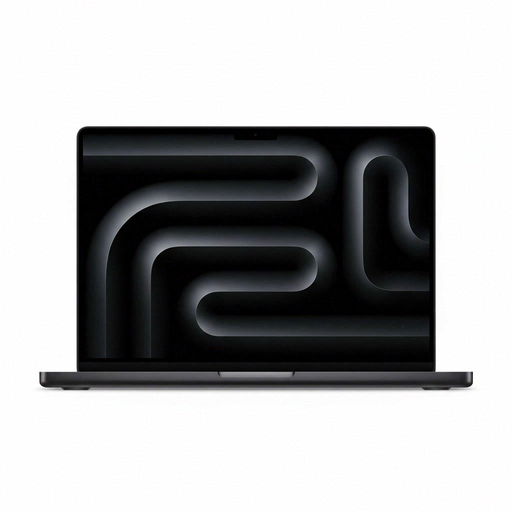
These laptops include macOS configurations for Safari-oriented WebKit checks and a Windows configuration to assess for a Windows-based workflow. Choose the testing environment first, then compare each listed variant with your browser, storage and portability needs.
 No image available
Consider this macOS route when Safari-oriented WebKit checks are part of your test plan; Playwright identifies WebKit on a Mac as its closest-to-Safari experience.
The named configuration has 24GB memory and 2TB storage. Check that its exact macOS version works with your tools and confirm its weight and battery specification if you regularly work away from a desk.
Check the compatible power-adapter requirement before ordering; the product information identifies the adapter as sold separately.
 No image available
This is another macOS configuration to assess if your browser plan includes Safari-oriented WebKit testing.
Its named variant has 24GB memory and 2TB storage, but differs from the preceding 14.2-inch configuration in its stated CPU and GPU core counts. Core counts alone do not establish how either will perform in your tests.
Confirm tool compatibility and the compatible power-adapter requirement before ordering; the product information identifies the adapter as sold separately.
 No image available
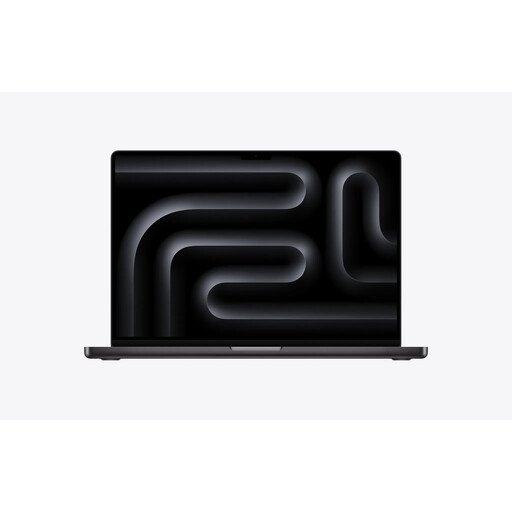
Consider this macOS variant if Safari-oriented checks are required and its listed memory and screen size fit the local work you have planned.
The named configuration has a 16.2-inch screen, 48GB memory and 2TB storage. Compare its actual weight and battery specification with your carrying needs rather than judging portability from screen size alone.
Confirm that your tools and any planned VMs suit the exact configuration, and check which charging equipment is included.
 No image available
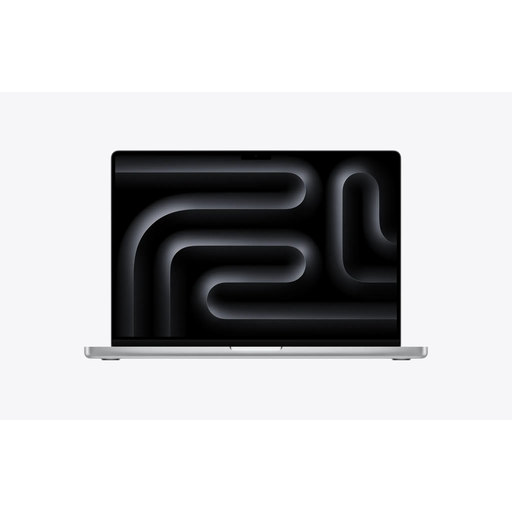
This macOS option is relevant to the same Safari-oriented testing route, with a different named memory and GPU configuration from the other 16.2-inch model shown here.
Its stated configuration has 36GB memory and 2TB storage. Decide whether those capacities suit your planned browser instances and other local applications without assuming a performance result from the specifications alone.
Check the exact macOS version, portability specifications and included charging equipment before ordering.
 No image available
Assess this Windows laptop for browser and responsive-layout work only after checking that your required testing tools can be installed and run on its stated Windows 11 Home in S Mode configuration.
The named variant has 8GB RAM and a 128GB SSD. Compare those capacities with any browser downloads, concurrent instances or VMs you intend to keep locally.
If VMs are essential, confirm processor virtualisation support and the configuration's upgrade options before buying.
No, not for every web-testing plan: Playwright supports Chromium, Firefox and WebKit on Windows, Linux and macOS. If you specifically need its closest-to-Safari WebKit experience, Playwright says to run WebKit on a Mac.
No. Chrome for Developers says Device Mode can simulate viewports and throttle CPU and network conditions, but emulation does not reproduce every browser API, CSS or behavioural difference. Check important journeys in the real browsers or devices your site needs to support.
Check processor virtualisation support and compare installed memory with the browsers and VMs you expect to run together. Microsoft Learn states that Hyper-V requires hardware-assisted virtualisation and that host memory must serve both the host and its virtual machines.
Arrange an electrical-equipment recycling or applicable retailer take-back route rather than putting the laptop in ordinary household waste. Oxfordshire County Council advises checking the arrangements for an equivalent old item with the retailer and your local authority before disposal.