Home workers with poor video or noisy calls
Frequent Teams, Zoom, Google Meet or similar callers who need to identify whether the main problem is camera quality or speech pickup and background noise.


Choose a webcam when calls look soft, poorly framed or poorly lit; 1080p is a practical starting point, while 2K or 4K can help where extra detail or framing flexibility matters. Choose a headset with a boom microphone when clear speech matters in a shared or noisy room, and use speakers mainly to improve what you hear rather than to replace an input microphone. Before buying, check the exact connector, version, operating-system and meeting-app compatibility, plus physical and software privacy controls.
Frequent Teams, Zoom, Google Meet or similar callers who need to identify whether the main problem is camera quality or speech pickup and background noise.
People looking for a straightforward, privacy-conscious setup for one-to-one calls, where clear 1080p video, simple permissions and easier listening may matter more than advanced production features.
Callers working around other people, movement or changing light, for whom microphone placement, connection choice and a physical camera cover can matter as much as a webcam upgrade.
Start with the recurring problem on your calls, then check that the chosen accessory matches your computer, room and privacy routine.
| Priority | What to check | Your needs |
|---|---|---|
| Video clarity and framing | Compare the current laptop camera with a 1080p webcam first. PCMag UK describes 1080p as a good starting point; consider 2K or 4K only where extra detail or cropping flexibility is useful. Check whether the field of view is fixed or adjustable. | I want my face to look clear at a normal desk distance without paying for features I will not use. A wider or adjustable view matters if another person or more of the room needs to be visible. |
| Voice pickup and listening | Decide whether you need close microphone placement, hands-free group pickup or private listening. Check the exact microphone arrangement and any noise-reduction claim for the model rather than assuming every webcam or speaker will solve an outgoing-audio problem. | When people struggle to hear me over home noise, I need the microphone closer to my voice. For shared-table calls, I need a desk device whose pickup arrangement suits the number of speakers. |
| Compatibility and connection | Confirm the exact USB-A, USB-C, Bluetooth or receiver variant, plus support for your Windows, macOS or ChromeOS computer and calling platform. A connector that fits does not by itself confirm the intended controls or accessory version. | I want the accessory to work with the computer and meeting service I already use, without discovering that I need a different connector, receiver or adapter. |
| Privacy and permissions | Check whether the exact webcam includes a physical shutter or cover. Microsoft documents camera and microphone access controls in Windows, while Apple provides per-app camera controls in macOS; review these before the first call. | I want a visible way to cover the lens when I am off camera, while retaining control over which apps can access the camera and microphone. |
PCMag UK notes that 720p models often produce the softest image and may not improve on a laptop’s built-in camera.
For ordinary calls, compare 1080p models with your current image first. Move to 2K or 4K when you genuinely need additional detail, cropping flexibility or more capable lighting controls.
A headset family may include USB-A, USB-C, Bluetooth, receiver and meeting-platform variants, which can change the connection and available controls.
Match the listing’s exact part number and connector to the ports on your computer and the meeting software you use before checkout.
A physical lens cover blocks the camera lens, but app, browser and operating-system permissions separately control camera and microphone access.
Close the shutter when you are off camera, then review camera and microphone permissions in your browser, calling app and operating system.
Call accessories can use USB-A, USB-C, Bluetooth or receiver connections, and the supplied cable can be part of the documented setup.
Identify the required port and version for the webcam, headset or speakerphone first, then choose only the compatible hub, adapter or cable you need.
A UK-market range covering entry-level 1080p and 4K webcams, alongside wired and wireless business headsets for video meetings and home working.
A business-call headset range focused on wired and wireless office audio, meeting-platform compatibility and boom-microphone designs.
A webcam and USB speakerphone range for home-office and small-room calls, including adjustable webcam framing and desk-based conference audio.
Joybuy product options for improving video, hands-free room audio or desk connectivity for remote calls.
 No image available
A webcam option for regular one-person home calls where autofocus, 1080p video and automatic light correction are relevant.
The stated 67° view may be too narrow if you regularly include more of the room. Confirm that your computer has a usable USB-C or USB-A port, then enable camera and microphone permissions in the call app.
 No image available
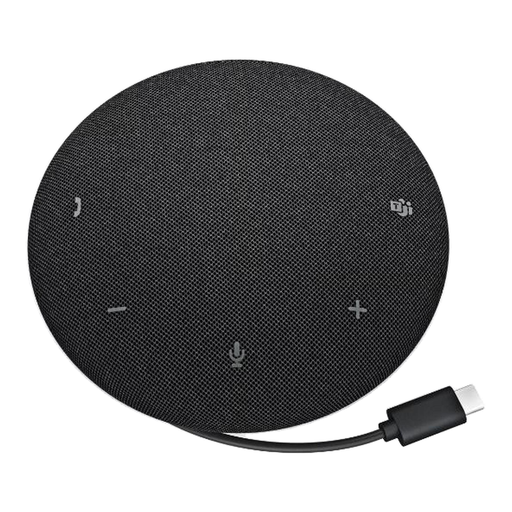
A hands-free desk option for home-office or small-room calls where more than one person may speak.
This is not a substitute for the private listening and close boom-microphone position of a headset. Confirm USB-C availability and whether the stated 2.5 m pickup range suits your room and participant spacing.
 No image available
An all-in-one 4K webcam with a stated four-microphone array and dual speakers for calls where both video and hands-free room audio need attention.
Fixed focus may be less suitable for frequent close document or object demonstrations. Check the privacy feature and required USB connector for the exact model before buying.
 No image available
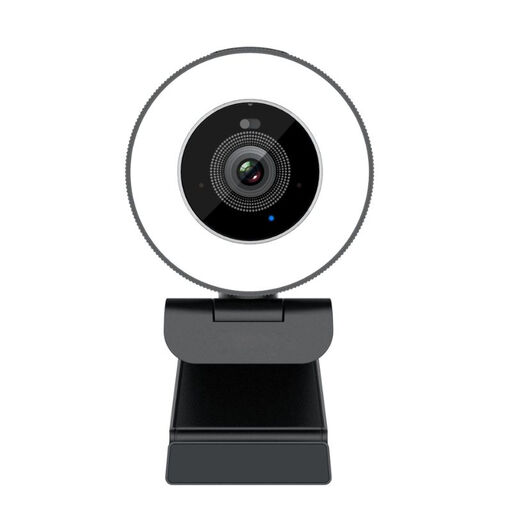
A straightforward webcam route for individual calls, with stated 1080p/30fps video, automatic light correction and a built-in microphone.
If a physical privacy cover, autofocus or a particular field of view matters for your desk, confirm it in the listing. Check that your computer has USB-A or a suitable compatible adapter.
 No image available
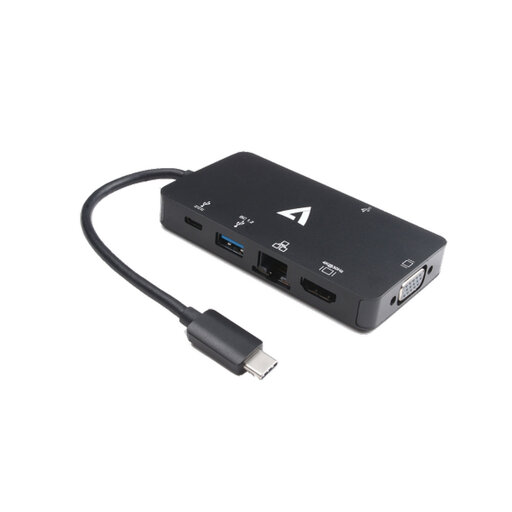
A connectivity option for a USB-C computer that needs extra ports, wired networking or display connections alongside call accessories.
The stated display functions require a host USB-C port with Alt Mode support. It does not improve camera or microphone quality by itself, so check the connection standard for each accessory as well.
Buy a webcam first when the recurring complaint is soft, badly framed or poorly lit video. Buy a headset with a microphone first when people cannot hear you clearly or home background noise is distracting; a webcam microphone is not always a replacement for a close boom microphone.
No. A shutter or cover physically blocks the lens, but Windows still provides camera and microphone access controls for apps and websites. Apple also allows camera access to be controlled per app in macOS, where the camera-use light indicates when the camera is active.
Check the exact variant, not only the product family: USB-A or USB-C, Bluetooth-only or receiver version, operating-system support, intended calling platform and any Teams or UC requirement. Logitech documents that some receiver accessories are available only with receiver versions, while Jabra specifies the Evolve 10 as USB-A.
PC speakers mainly improve what you hear. Your outgoing voice still depends on the selected microphone, such as a webcam mic, headset microphone, desktop microphone or speakerphone; for hands-free calling, check that the desk audio device explicitly supports microphone pickup and echo control.
For electrical products placed on the Great Britain market, Department for Business and Trade guidance explains that the applicable UKCA or CE regime forms part of the manufacturer or importer conformity process. For a mains-powered speaker, charger or hub, choose a seller that identifies the exact product and responsible supplier, and keep the product documentation.