What should you check before buying?
Start with the position of your face and camera during a typical session, then check the connection, framing and privacy controls that matter in your room.
| Concern |
What to check |
Who this matters to |
| Face visibility |
Check the stated video modes, light correction and focus for the exact model; consider where the desk sits relative to windows. |
If changing daylight makes my face difficult to see, I want the camera and room lighting to keep a seated conversation clear. Around 40% of consumers put image clarity and lighting first. |
| Setup and compatibility |
Check the operating-system version, USB connection and whether a control you need requires an installable app. |
I need a camera that works with my existing computer, particularly if I cannot install extra software. Easy, compatible setup is the primary concern for around 30% of consumers. |
| Demonstrations and movement |
Check the available field of view and whether reframing or tracking depends on software or a moving camera mount. |
When I show desk materials or stand to present, I need the relevant subject to stay in view without repeatedly moving the camera. Around 20% of consumers prioritise demonstrations or movement. |
| Privacy control |
Check whether the exact model has a lens cover and whether its framing controls can limit the visible background. |
In a shared room, I want to block the lens between calls and see what the camera reveals while it is on. Privacy control comes first for around 10% of consumers. |
Joybuy webcams for mentoring calls
These webcams offer different starting points for a desk-based mentoring call, from a simpler external camera to models labelled for wider framing or higher-resolution capture. Compare the exact listing with your usual camera position, computer and privacy needs.
 No image available
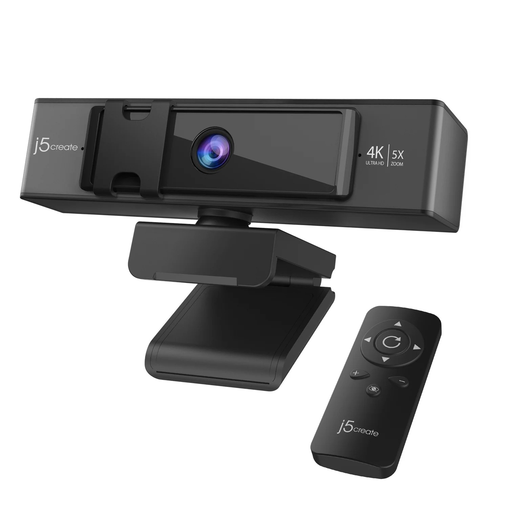
j5create JVCU435 USB™ 4K Ultra HD Webcam with 5x Digital Zoom Remote Control
Consider this model if you want to adjust the view while showing materials during a call.
The product name specifies 4K capture and 5x digital zoom with a remote control. Check whether its focus and computer requirements suit your setup; a battery for the remote is not included.
View on Joybuy
 No image available
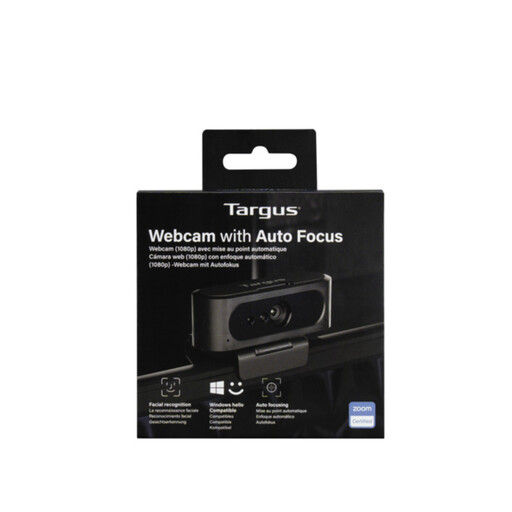
Targus 2K Webcam with Auto Focus
This is a model to compare for a seated mentoring call where keeping your face in focus matters.
The name says 2K, while the listing’s technical details state 1080p/30 fps. Confirm the recording mode for this exact variant before choosing it for resolution.
View on Joybuy
 No image available
EMEET All-in-One 4K Webcam with Sony Sensor, 4-Mic Array, Dual AI Speakers, Fixed Focus and 98° Adjustable FOV
Consider the wider stated view if more than a close face shot needs to fit into your mentoring session.
The product name specifies fixed focus, a four-microphone array and dual speakers. Check that your usual distance from the camera suits a fixed-focus lens, and confirm computer compatibility and how its privacy controls operate.
View on Joybuy
 No image available
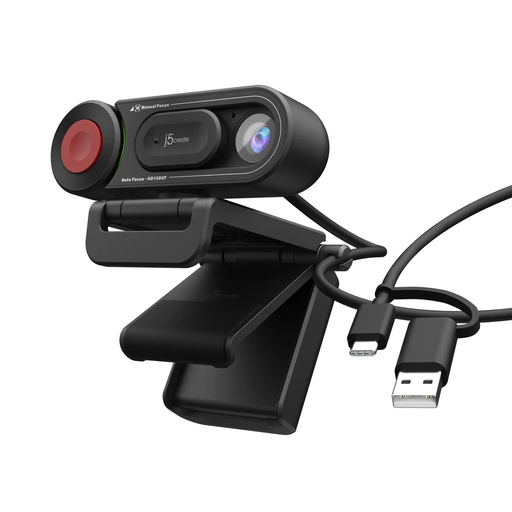
j5create JVU250 HD Webcam with Auto and Manual Focus Switch
This is a simpler external-camera option for a fixed desk call if its stated image detail meets your needs.
The listing states 720p video, and the name identifies a switch between auto and manual focus. If light correction or a physical lens cover is important, confirm those features for this model before ordering.
View on Joybuy
 No image available
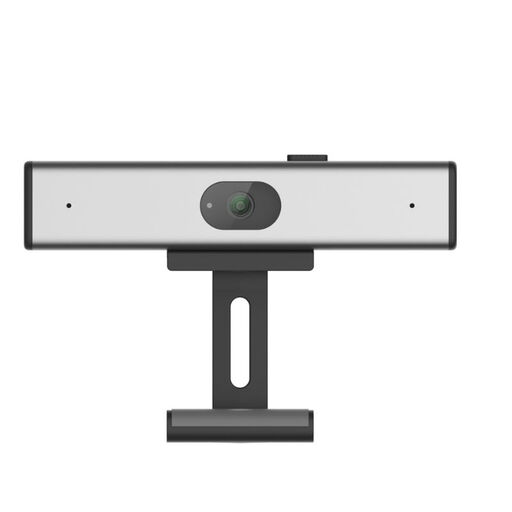
Philips SPL6308S/00 2K QHD PC Webcam, EU Version
Consider this clip-on model if QHD capture is a feature you want to compare for desk-based calls.
Its product information identifies 1440p QHD video. Confirm its USB connection, operating-system requirements, focus and privacy controls against your own setup.
View on Joybuy
Frequently asked questions
Is 1080p enough for a one-to-one mentoring call?
A 1080p webcam is a reasonable starting point if you remain seated and mainly need your face in view. Logitech’s Brio 500, for example, specifies 1080p and automatic light correction; consider other capture and framing options when showing materials is a regular part of your sessions.
Can I use the webcam’s built-in microphone?
A built-in microphone may suit a quiet room, but its presence alone cannot tell you how a call will sound in a noisy household. Compare the exact model’s microphone features and consider a headset or separate microphone if background sound regularly interrupts conversations.
Do I need a webcam that tracks movement?
Tracking is unlikely to be a priority if you stay seated throughout a mentoring call. If you stand or present at a whiteboard, check how the particular camera follows you: Insta360 says Link 2 pans and tilts physically, while Link 2C adjusts framing digitally.
Which compatibility details should I check?
Check your operating-system version, available USB port, any adapter requirement and whether you can install software needed for a feature. Elgato, for example, specifies Windows 10 or newer or macOS 12 or newer, plus USB 2.0 or later, for Facecam Neo; those requirements should not be assumed for another model.
What should I check about warranty and returns?
Read the terms for the exact webcam and identify which seller handles a return, keeping any manufacturer warranty distinct from the seller’s returns process. Logitech states a three-year limited hardware warranty for its Brio 4K, but that term does not establish the coverage of other models or listings.


