What matters when choosing?
For home-office mentoring, work out what most often disrupts your calls before choosing between a simple fixed view, more image detail and movement-aware framing.
| Concern |
What to check |
Who this matters to |
| Clear speech |
Check the microphone arrangement and test speech from your usual seat, especially when there is background noise. |
If household noise interrupts a mentoring conversation, I need the other person to understand me without asking for repetition; around 31% of consumers put voice clarity first. |
| Image and lighting |
Compare resolution, frame rate, focus and stated light-handling features. Check the view from your usual position relative to a window. |
When my room is dim or backlit, I need my face or demonstration to remain visible; around 31% of consumers place image and lighting quality first. |
| Fixed-desk setup |
Confirm the computer port, mount, meeting-app compatibility and any software needed for advanced functions. |
For recurring calls from one desk, I want to connect the camera and settle into a consistent frame without extra setup; roughly 23% of consumers prioritise straightforward operation. |
| Movement and demonstrations |
Check whether framing is fixed, digitally adjusted or physically tracked, and what remains visible in a wider shot. |
If I stand or show something away from my seat, I need to stay in frame without stopping to reposition the camera; about 15% of consumers make demonstration framing their primary concern. |
Joybuy webcam choices
These webcams cover fixed-desk calls and options with higher stated resolution or a wider view. Compare each model’s stated features with your usual mentoring position; none should be treated as a movement-tracking camera without confirming that function for the exact product.
 No image available
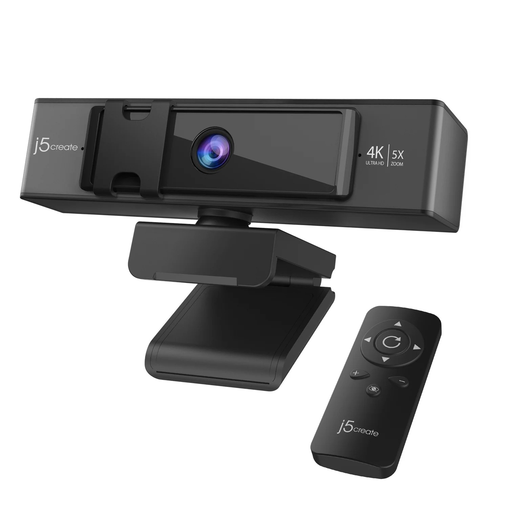
j5create JVCU435 4K Webcam with 5x Digital Zoom Remote, Black and Silver
Consider this model if you want to change the crop during a desk-based demonstration. Its title specifies 4K and remote-controlled 5x digital zoom; check the available video modes and whether its connections suit your computer.
View on Joybuy
 No image available
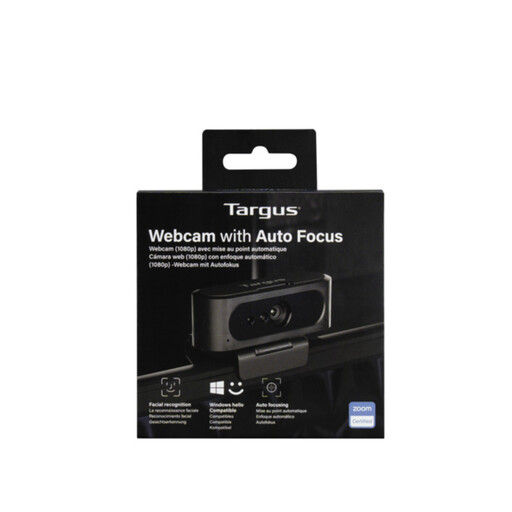
Targus 2K Webcam with Auto Focus
This is a desk-call option if you want the autofocus feature named in the title. Confirm the exact output resolution before choosing it for extra detail: the product title says 2K, while its detailed specification states 1080p at 30 fps.
View on Joybuy
 No image available
EMEET All-in-One 4K Webcam with Sony Sensor, 4-Mic Array and Dual AI Speakers
Consider its stated 98° adjustable field of view if a mentoring session needs a broader shot, but check what else appears in the room. The product name specifies fixed focus and plug-and-play USB; confirm the mounting arrangement and computer connection for your desk.
View on Joybuy
 No image available
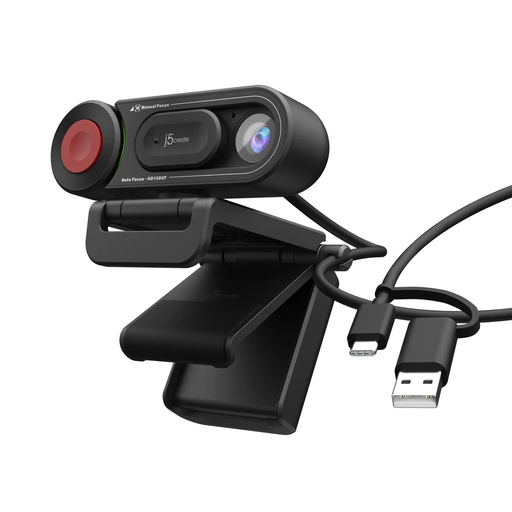
j5create JVU250 HD Webcam with Auto and Manual Focus, Black
This is a fixed-desk option if switching between automatic and manual focus would be useful. Its stated video resolution is 720p, below the 1080p starting point described by PCMag UK; check whether that level of detail suits your mentoring calls.
View on Joybuy
 No image available
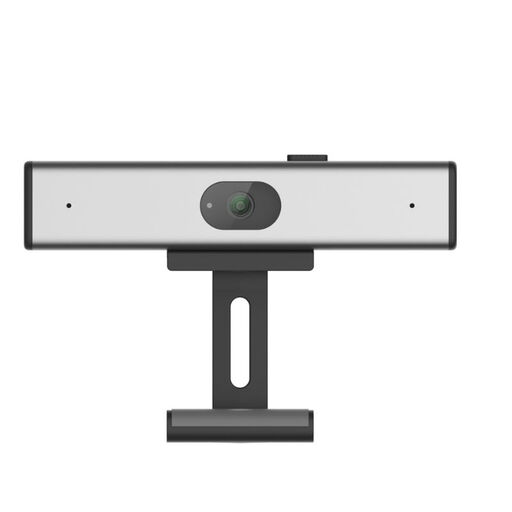
Philips SPL6308S/00 2K QHD Clip-on Webcam, EU Version, Silver
Consider this clip-on model for a desktop or laptop mentoring setup if its stated 2K QHD/1440p output meets your needs. Check its connection, focus and framing details for your computer before ordering.
View on Joybuy
Frequently asked questions
Do I need 4K for a one-to-one mentoring call?
No: 1080p is a sensible starting point for a seated call, according to PCMag UK. Consider 4K if you plan to crop a wider image or show detail, and compare the exact model’s frame rates as well as its resolution.
Should I choose a narrow or wide field of view?
Use a narrower view when the call mainly shows your face and you want less of the room visible. A wider view can accommodate a demonstration or another person, but check the background before joining; Logitech specifies 65°, 78° and 90° options for Brio 4K.
Does automatic framing work without extra software?
It depends on the exact camera: Logitech says Brio 500 automatic framing is enabled through Logi Tune. Check installation requirements and whether you can use the software on a work-managed computer before relying on the feature.
What should I check before connecting a webcam?
Match the camera’s cable and port to your computer, then check its mount, operating-system requirements and meeting-app compatibility. For Brio 4K, Logitech specifies a separately obtained third-party adapter for USB-A use.
What if a mentoring session is recorded?
Check who will make the recording, how it will be used and the provider’s privacy arrangements before the session. The Information Commissioner’s Office says organisations using surveillance systems to process identifiable footage must comply with the UK GDPR and Data Protection Act 2018; that guidance does not establish a webcam-specific rule for every private live mentoring call.


