For a job interview in a dim room, check how a webcam handles lighting, focus and one-person framing before prioritising resolution. A 4K model may be worth considering if you will use its image controls; a 2K or 1080p model may suit a simpler setup. Whichever you choose, test the picture in your room and calling app before the interview.
Who needs which features?
Candidates in dim or backlit rooms
If your face looks dark against a window or in weak room lighting, examine the exact model’s exposure controls, HDR or other stated lighting features. These features do not guarantee a clear image in every room; test the camera where you will take the call.
Candidates who want a one-person frame
A narrower field of view can show less of the room while keeping your face prominent. Logitech lists 65°, 78° and 90° settings for Brio 4K; AnkerWork lists 65°, 78° and 95° settings for PowerConf C200, selected through its software.
Candidates using an unfamiliar computer
Check the available ports, operating-system requirements and any software needed for the controls you plan to use. Elgato says Facecam Neo has a fixed USB-C cable and needs a separate adapter for USB-A connections.
What should you check?
Start with face visibility in your interview lighting, then check that the camera connects to your computer and gives you a suitable frame and clear voice pickup.
| Concern |
What to check |
Who this matters to |
| Face visibility |
Check the exact model’s stated lighting controls and autofocus, then test a call under your interview lighting. |
If my face is difficult to see in a dim or backlit room, I need a usable picture more than a higher resolution on its own; around 42% of consumers put face visibility first. |
| Setup compatibility |
Check ports, operating-system requirements and whether your intended controls need software or an adapter. |
On an unfamiliar laptop, I need the camera connected and selectable without a last-minute change of equipment; roughly 25% of consumers make reliable setup their primary concern. |
| Framing, privacy and sound |
Check the available field of view and privacy cover, and listen to a test call for room noise. |
For a solo interview, I want my face clearly framed, less distracting background and speech the interviewer can follow; around 33% of consumers prioritise those checks. |
Mistakes to avoid
-
Assuming a low-light claim guarantees a good picture
Lighting and image-correction claims describe particular models, not how every dark room will appear in a call.
Make a test call in the room at the time you expect to interview. If your face remains dark, improve the light in front of you and test again.
-
Using the widest view for a solo interview
A wide setting can show more background and make your face smaller in the frame. Logitech’s Brio 4K settings range from 65° to 90°.
Begin with a narrower view that comfortably includes your head and shoulders, then check it in the interview app.
-
Assuming every USB-C webcam fits your laptop
A port mismatch could prevent you from using the camera when the interview starts.
Check the computer’s ports and operating-system requirements, then test the exact cable or adapter you intend to use. Elgato says a USB-A adapter for Facecam Neo is not included.
-
Waiting until interview day to test the camera
A problem with the image, mounting, microphone or connection takes time to resolve.
Test the complete call setup early, keep your order record and contact the seller promptly if the camera is faulty or not as described.
Brands to consider
Logitech
Its Brio 4K and MX Brio webcams offer different approaches to adjusting a video-meeting image.
- Logitech lists RightLight 3 with HDR and 65°/78°/90° framing settings for Brio 4K. It describes exposure, white-balance and other image controls for MX Brio.
- Logitech’s low-light descriptions are manufacturer claims. Check the controls available on the model you choose and test them with your computer and room lighting.
AnkerWork
PowerConf C200 is a video-conferencing webcam with stated 2K capture, autofocus and a physical privacy cover.
- AnkerWork lists 65°/78°/95° field-of-view choices and automatic brightness correction for PowerConf C200.
- Changing its field of view requires AnkerWork software. Its lighting and noise-cancellation benefits are manufacturer claims to assess in a test call.
Elgato
Facecam Neo is a 1080p60 option for buyers who want a dedicated camera with a stated 77° view.
- Elgato specifies autofocus, an f/2.0 aperture and a privacy shutter for Facecam Neo.
- Its fixed USB-C cable requires a separate adapter for a USB-A-only computer; check Elgato’s operating-system requirements too.
Joybuy webcam choices
These webcams offer features to assess for a dim-room interview, including focus or framing controls. Compare their stated specifications with your computer and test the result in your intended calling app.
 No image available
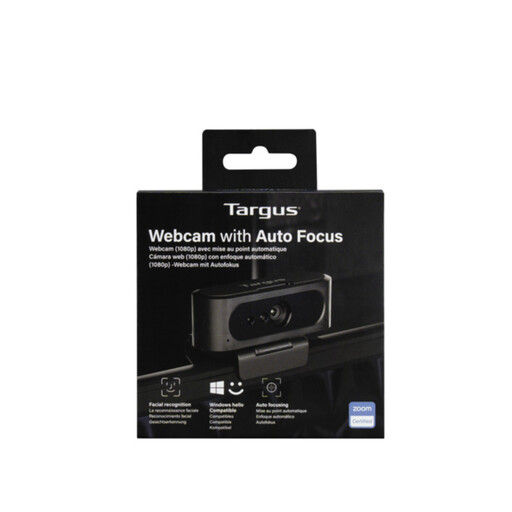
Targus 2K Webcam with Auto Focus
Consider this model if autofocus matters for your seated interview setup, and test its lighting adjustment in your room. The 2K title conflicts with a Full HD 1080p specification in the product information, so confirm the capture resolution before buying.
View on Joybuy
 No image available
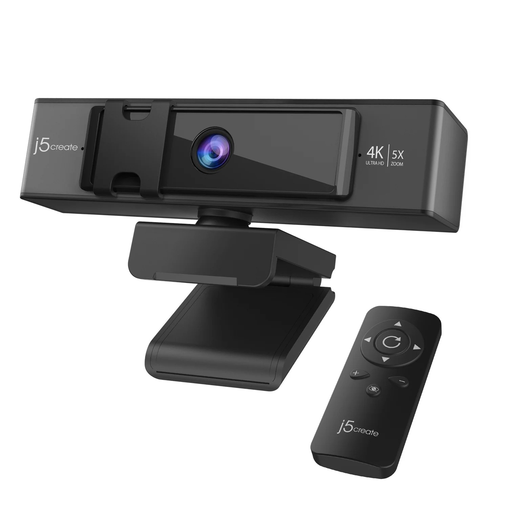
j5create JVCU435 USB™ 4K Ultra HD Webcam with 5x Digital Zoom Remote Control
If you want to adjust a solo interview frame remotely, check whether its stated 5x digital zoom gives you the composition you need. Its title states 4K capture; test the picture in your room and confirm focus behaviour if autofocus matters to you.
View on Joybuy
Frequently asked questions
Do I need a 4K webcam for a remote job interview?
No: choose a 4K model for controls or other features you will use, rather than resolution alone. Logitech lists 4K at 30 fps and 1080p at 60 fps for MX Brio, while Elgato specifies 1080p60 for Facecam Neo. Check what your interview application and organisation permit before treating 4K transmission as a requirement.
What field of view works for a one-person interview?
Start with a view that includes your head and shoulders without showing more of the room than you want. Logitech describes Brio 4K’s 65° setting as suitable for face-to-face conversations; its 78° and 90° settings show more of the surroundings. Check the frame in your calling app.
Will a low-light mode fix a very dark room?
Do not rely on a low-light mode alone to make your face clearly visible. Logitech and AnkerWork describe lighting adjustments for particular models, but the result depends on your setup. Test a call in the actual room and, where possible, put even light in front of your face.
Can I use Elgato Facecam Neo with a USB-A-only computer?
Yes, if you have a suitable adapter: Elgato specifies a fixed USB-C connection and says a USB-A adapter is not included. Check the computer’s operating-system requirements and test the adapter before the interview.


