What matters when choosing
Start with the smallest symbol pupils must read on their usual display. Then decide whether you need to switch between the map and your face, and where the camera can stand without disrupting the lesson.
Autofocus webcam
Choose it when: You mainly use the camera for calls and point it at a nearby map only occasionally.
Allow for: A monitor clip does not by itself provide a stable overhead view; you need a suitable mount and must test focus at the map.
Switchable USB visualiser
Choose it when: You move between showing yourself and showing physical materials during the same lesson. IPEVO describes this use for its DO-CAM.
Allow for: It needs desk space, and the 100 cm attached cable listed for DO-CAM must reach the classroom computer.
Dedicated visualiser
Choose it when: You regularly present maps, diagrams and pages to the class from a document-facing position.
Allow for: Check where its base will sit and how its video output connects to your classroom display.
| Concern |
What to check |
Who this matters to |
| Readable legend detail |
Test the smallest symbol at the planned camera height and on the display pupils will see. Check focus and framing with the actual map. |
If pupils need to distinguish similar map symbols, I need the printed legend to remain readable when projected. Around 42% of consumers might put legibility first. |
| Switching views |
Check how the camera turns towards the map, whether the image stays upright and whether your teaching application recognises it. |
When I alternate between speaking to a class or call and showing a worksheet, I need to change views without repeatedly rebuilding the setup. Roughly 33% of consumers might make that flexibility their main concern. |
| Space and connections |
Measure the available desk area and cable route. Check the connection, power requirements and any mount you will need. |
In a cramped teaching space, I need the camera and its connections to fit without getting in the way of materials. About 25% of consumers might prioritise a compact, straightforward setup. |
Joybuy webcam choices
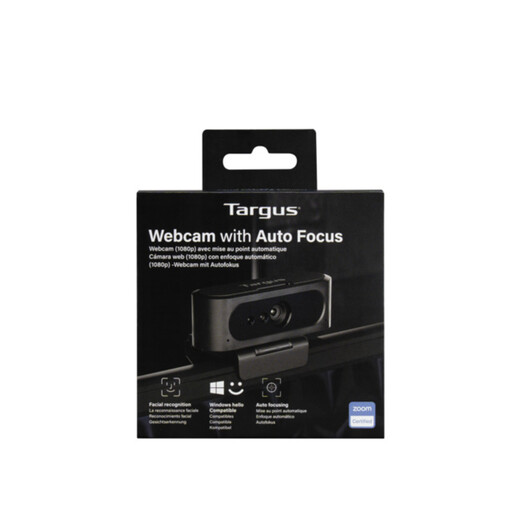
This webcam is a choice for occasional map sharing alongside teacher-facing video. A secure material-facing position and a test with your printed legend remain important.
 No image available
Targus 2K Webcam with Auto Focus
This autofocus webcam is suited to occasional map sharing if you can aim it securely at the printed legend. Test focus at your intended distance and confirm whether this listing’s resolution is 2K or Full HD 1080p before relying on it for fine detail.
Check whether a suitable material-facing mount is included or needs to be provided separately.
View on Joybuy
Frequently asked questions
Can a normal webcam show a map legend clearly?
Yes, if it focuses at the intended map distance, stays securely positioned and produces readable symbols on the pupils’ display. If you regularly present printed pages as well as maps, a document-facing visualiser may make positioning easier; for a fixed-focus webcam, check the specified range before buying.
How should I position the camera over a map?
Keep the map flat and evenly lit, then aim the camera towards the legend rather than across it at a steep angle. Frame the detail you need and check the result on the projector, classroom display or call view pupils will actually see.
Which connections should I check before buying?
Check the computer’s available ports, the cable route from the teaching position and whether the camera needs external power. Also establish whether your classroom display receives video through a computer or needs a direct camera connection; IPEVO lists USB Video Class output for DO-CAM, while Epson lists a combined USB power-and-video connection for ELPDC07.
Does privacy matter if I only intend to show a map?
Yes, if the camera also captures identifiable people. Department for Education guidance treats identifiable images as personal data, so keep pupils out of frame where possible and follow your school or trust’s policy if the feed is recorded, streamed or shared.


