Solo candidate using a classroom laptop
If you will remain near the laptop, prioritise a close view of your face and a straightforward connection. A personal webcam is the starting point; check its framing and focus from your intended seat.


For one interviewee seated near a laptop, start with a personal USB webcam that can keep their face in focus and frame out unnecessary classroom background. Consider a tracking webcam if the interview involves movement or a presentation; a room-oriented camera makes more sense when several people or a broad teaching area must be visible. In every case, test the sound from the intended seat rather than relying on camera specifications alone.
If you will remain near the laptop, prioritise a close view of your face and a straightforward connection. A personal webcam is the starting point; check its framing and focus from your intended seat.
If the interview requires you to stand, show notes or use a whiteboard, tracking or presentation modes may help you change what the interviewer sees. Confirm that the required mode works with the interview software before choosing it.
When several local people or a broad teaching area must appear together, a room camera becomes relevant. Its wider view also calls for more careful placement so that other people and classroom material stay out of shot where possible.
Decide who and what must be visible before choosing a field of view. Then test the interview platform, camera and microphone together from the position you will actually use.
| Concern | What to check | Who this matters to |
|---|---|---|
| Close-up image and framing | Check focus, lighting support and whether the field of view keeps unnecessary classroom background out of shot. | If I am seated near the laptop, I want my face and gestures visible without showing the whole room; around 36% of consumers put close-up framing first. |
| Clear speech | Test the microphone from the intended seat in the interview app; consider a headset if neighbouring voices or echo interfere. | In a busy classroom, I need the interviewer to hear my answers rather than the activity around me. Around 29% of consumers make clear speech their primary concern. |
| Presentation flexibility | Confirm whether you need to show a board or desk, then test the required framing mode in the interview app. | If I have to move between my seat and a whiteboard, I need the camera view to follow the task; for around 21% of consumers, presentation flexibility comes first. |
| Shared-room coverage | Check how many people must appear, where they will sit, and the connection and power needed at that position. | When I am arranging an interview with several people in the classroom, everyone who needs to participate must fit in the view. Broad room coverage is the first concern for around 14% of consumers. |
A broad view can make the candidate smaller in the frame and include classmates or teaching materials that have no role in the interview. Logitech specifies a 120° diagonal view for MeetUp 2, while Jabra specifies a 180° horizontal view for PanaCast 50; these are different measurements, but both describe room-oriented coverage.
Frame the candidate's head, shoulders and necessary gestures first. Choose broader coverage only if the interview requires it.
Logitech states a microphone range of up to 1.2 m for Brio 4K and pickup of up to 7 m for the room-oriented MeetUp 2. Neither stated range tells you how clearly speech will come through amid echo or neighbouring voices.
Make a test call from the intended seat. If the interviewer struggles to hear you, try a headset or separate microphone rather than buying a wider camera for its audio specification.
Auto-framing and whiteboard features are useful only if the planned interview needs them and the camera can deliver the intended view through the calling software.
Test the exact meeting platform, camera permissions and presentation mode before interview day, and check that a straightforward camera view remains usable.
A wide frame may include other people or information on a board. Recording adds a separate decision about how identifiable people are captured and their information handled.
Aim the camera at a clear background and follow the classroom owner's rules. For organisational video-surveillance use, the Information Commissioner's Office says organisations need to identify and document a lawful basis under the UK GDPR.
Its Brio 4K personal webcam and MeetUp 2 room system illustrate two different approaches to classroom framing.
PanaCast 20 is a portable personal camera, while PanaCast 50 addresses broad shared-room capture.
The Link 2 and Link 2C webcam range is relevant when an individual interview may involve movement or a whiteboard.
These choices include personal webcams for a candidate using a laptop and an all-in-one camera to consider when a wider classroom view is needed. Match the camera to the interview format, then check its connection, framing and audio in the intended setup.
 No image available
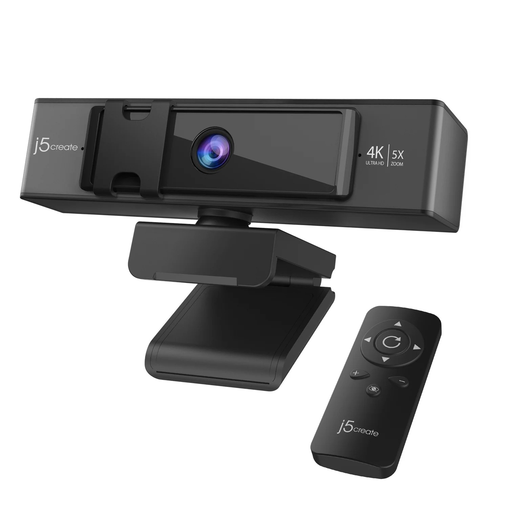
Consider this personal webcam if you want to adjust a seated interview frame without repositioning the laptop. Its named features include 4K video and remote-controlled 5x digital zoom; check focus and the resulting field of view from your intended seat, and test classroom audio separately.
 No image available
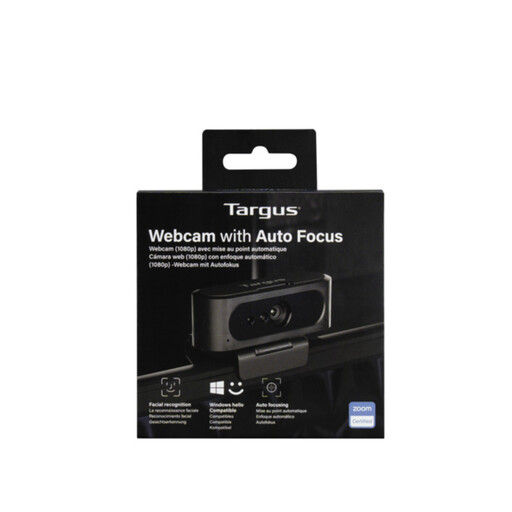
Autofocus makes this a personal-webcam option to assess for a seated interview. The title says 2K, while the detailed specification states Full HD 1080p/30 fps; confirm the resolution of the model you would receive. Test its microphone from your classroom seat.
 No image available
Consider the wider 98° adjustable view when the interview needs more classroom area in shot. The named fixed-focus design makes camera distance worth checking, while the four-microphone array should be tested in the actual room; confirm the USB setup works with your computer and interview app.
 No image available
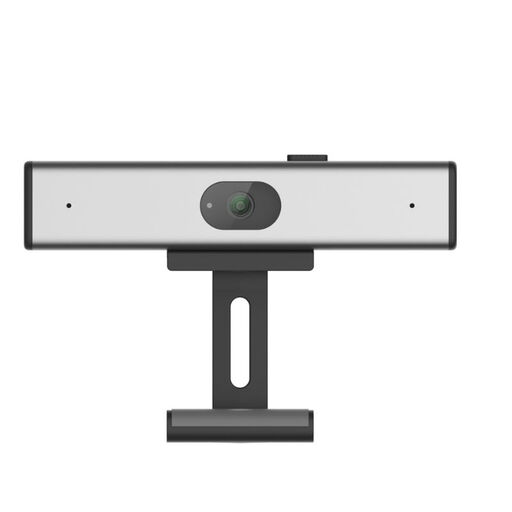
This clip-on personal webcam is a candidate for a laptop-based interview. Its name specifies 2K QHD and a noise-reduction microphone, but check its connection and framing with your computer, then test whether speech is clear in the classroom.
Usually not if you will sit near a laptop: a personal webcam lets you concentrate on a close frame and tested audio. Consider a room camera when several local participants, a broad teaching area or a whiteboard must be visible at the same time.
Make a test call using the intended classroom seat and interview platform. Check that the app has selected the right camera and microphone, frame your face and upper body, and listen for classroom noise that makes your speech hard to follow.
Keep other people out of the frame where possible, and agree any recording with the organiser before using it. The Information Commissioner's Office says organisations using surveillance systems must identify and document a lawful basis under the UK GDPR; that guidance does not, by itself, determine the status of every live personal interview call.
Tell the recruiter what adjustment you need rather than assuming a different camera will resolve the barrier. GOV.UK says employers must make reasonable adjustments where reasonable for disabled candidates; discuss the interview arrangement that would address your particular need.