An ordinary autofocus webcam can suit a brief, face-to-camera explanation if you can hold the measuring work clearly in front of it. If viewers need to follow ruler markings while you work with both hands, a visualiser or adjustable content camera is more directly suited to an overhead view. Check the working area, computer connection and your school’s presentation requirements before choosing.
Who needs which view?
Hands-free measuring demonstrators
If the ruler, worksheet and your hands must stay in view together, look at an overhead visualiser or content camera. IPEVO and Logitech describe adjustable cameras intended to capture documents and objects; check that the stated working area fits your layout.
Occasional project presenters
If you mainly speak to camera and show a ruler or result only briefly, a conventional autofocus webcam may be enough. Plan where to hold the work and check that viewers can read it at that distance.
Flexible classroom presenters
If you move between a presenter view, flat workings and physical objects, consider a camera you can reposition. IPEVO, Logitech and ELMO describe different movement and connection options, so check the exact model against each room’s computer or display.
What matters when choosing?
Decide whether the measuring work needs to remain visible throughout or only appear for a short close-up. That choice determines whether camera positioning or a simple face-to-camera setup should come first.
Ordinary webcam
Choose it when: You mainly explain the project to camera and briefly hold up the measurement.
Accept the trade-off: A monitor-mounted, face-facing webcam does not by itself provide a stable overhead view of a worksheet and both hands.
Visualiser or content camera
Choose it when: Viewers need to follow the ruler and your hand movements across the work surface.
Accept the trade-off: You still need a model whose capture area, connection and positioning suit the actual worksheet and computer.
| Concern |
What to check |
Who this matters to |
| Readable measurements |
Check focus at your working distance and whether the stated capture area fits the ruler and worksheet together. |
I need viewers to distinguish the scale and written values while I measure, without lifting the work towards the lens. Around 42% of consumers would put measurement detail first. |
| Simple occasional setup |
Check the webcam’s placement and test it in the recording or call application you will use. |
I only need to show a result briefly during an explanation, so I want a setup I can position without interrupting the presentation. Roughly 25% of consumers would prioritise that simpler approach. |
| Changing views |
Check how the camera moves between subjects and whether its connection works with the intended computer or display. |
I move between a worksheet, an object and speaking to camera, and need to change the view without repeatedly remounting the lens. About 33% of consumers would place that flexibility first. |
Setup mistakes to avoid
-
Assuming a webcam will cover the whole desk
Logitech specifies a fixed 78° field of view for the C920s, but that alone does not tell you whether a ruler, worksheet and both hands will fit from your intended camera position.
Lay out the largest demonstration you plan to show. If a continuous overhead view is essential, compare that layout with a visualiser’s stated capture area.
Positioning a conventional webcam above the work may also require a stable arm or clamp.
-
Choosing by headline resolution alone
A high capture resolution does not establish what viewers will see in a live call. IPEVO lists different resolution and frame-rate conditions for the V4K, while focus, framing and the presentation application also affect the view.
Check the output conditions for your recording or call setup, then test a ruler and written measurements on the computer you will use.
-
Assuming every visualiser connects the same way
Logitech describes USB-C connectivity for Reach, while ELMO lists USB, HDMI and RGB outputs for the MX-P3. Those options suit different connection paths rather than making either camera compatible with every display.
Check the ports on the school computer and any projector or display, as well as the intended application and IT permissions, before choosing a configuration.
The chosen connection or mounting arrangement may require a separate cable, adapter or base.
-
Forgetting what appears around the measuring work
For remote education in England, Department for Education guidance says that staff behaviour-policy principles continue to apply online.
If pupils are involved, follow your setting’s safeguarding and recording procedures. Keep unnecessary personal information out of the camera view and use the school-approved platform.
Relevant brands for reference
These brands offer different ways to show desk work; compare the particular camera and connection you need rather than treating a brand name as a setup specification.
IPEVO
IPEVO’s V4K is a USB document camera for desk materials, while DO-CAM is designed to switch between document and webcam views.
- IPEVO specifies autofocus, USB UVC output, Mac, PC and Chromebook compatibility, and a maximum 342 × 255 mm shooting area for the V4K.
- Check the V4K’s computer requirements and whether that shooting area fits your complete measuring layout; these specifications do not apply to every IPEVO model.
Logitech
Logitech offers conventional webcams for presenter-facing calls and the adjustable Reach camera for deliberate desk capture.
- Logitech specifies 1080p at 30fps and a fixed 78° field of view for the C920s; Reach is described with adjustable positioning and autofocus.
- The C920s field of view does not establish overhead desk coverage. For Reach, check that its positioning and stated capture area suit your work surface.
ELMO
The MX-P3 is a portable visualiser with connection options relevant to presentations using a computer or separate display.
- ELMO lists USB, HDMI and RGB outputs, native 4K output via HDMI or USB, and one-push autofocus for the MX-P3.
- Confirm the receiving display, cables and software support the connection you intend to use.
Webcams for brief show-and-tell
These Joybuy webcams are choices for a project explanation in which you show a ruler or result briefly. If the worksheet and both hands must stay in view, assess an overhead visualiser or content camera instead.
 No image available
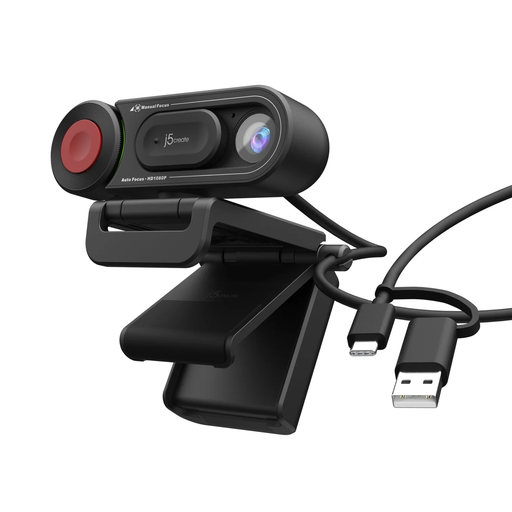
j5create JVU250 HD Webcam with Auto & Manual Focus Switch, Black
For a brief close-up during a spoken explanation, its auto and manual focus switch gives you a way to adjust focus. Test whether ruler markings are readable at your intended distance; if both hands must remain visible, plan and check a stable camera position.
View on Joybuy
 No image available
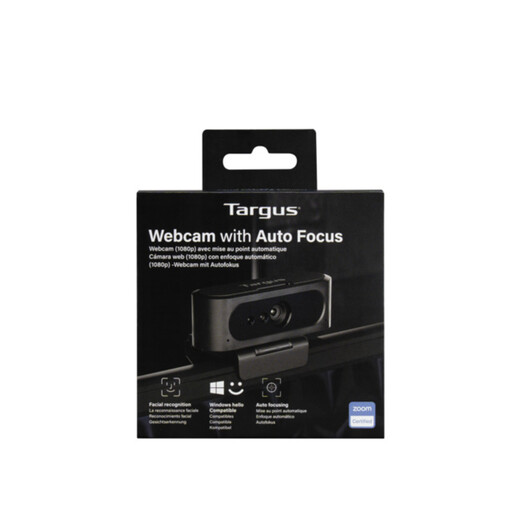
Targus 2K Webcam with Auto Focus
For occasional show-and-tell, autofocus is relevant when you move an object towards the camera. Confirm the actual video output before buying, as the product title and detailed resolution description differ, and test whether your ruler fits the intended view.
View on Joybuy
Frequently asked questions
Do I need a visualiser rather than a webcam for a measuring exercise?
Choose a visualiser if the ruler, worksheet and your hands must remain visible while you measure. A conventional webcam can suit a brief close-up, but a face-facing camera position does not establish coverage of the whole work surface.
Will a USB visualiser work with a Chromebook?
Some models are specified for Chromebook use: IPEVO lists Chromebook compatibility and USB UVC output for the V4K. Check the exact school device’s port and whether the intended recording or call application can use the camera.
Will higher resolution make ruler markings readable in a live call?
Higher resolution alone cannot establish that viewers will read the markings. Check focus, lighting and how much of the work surface is in frame, then test what the call application actually shows before the presentation.
What should I check before showing the exercise remotely to pupils?
Follow your school’s safeguarding, platform and recording procedures, and check what is visible on the desk and in the background. For schools and colleges in England, Department for Education guidance says staff behaviour-policy principles continue to apply during remote education; settings elsewhere in the UK should check their own applicable guidance and policies.


