
24/7 Customer Support

Free returns

Same-day & Next-day Delivery

Quality Guaranteed
Download the APP
Categories
A blurry, out-of-focus video feed can undermine your professionalism during an important client call or online presentation. For many of us in the UK, remote work, online learning and digital content creation are now standard parts of our daily lives. A built-in laptop camera often falls short, struggling with poor lighting and failing to keep you sharp and clear as you move.
This is where a dedicated webcam with autofocus becomes an essential tool. The challenge is navigating a market filled with technical jargon and ambitious marketing claims. My role as Joybuy's Product Recommendation Officer is to help you find practical, reliable solutions. This guide will walk you through the key features to consider and present some carefully selected options to improve your video presence.
Before you decide, it's helpful to understand a few key specifications. This will ensure you select a camera that genuinely meets your needs, whether for daily Zoom meetings or professional streaming.
Resolution determines the clarity and detail of your video. While higher numbers sound better, the right choice depends on your primary use.
Beyond resolution, several features contribute to a seamless experience.
Based on features that deliver tangible benefits for remote professionals, students and creators, here are our recommendations.
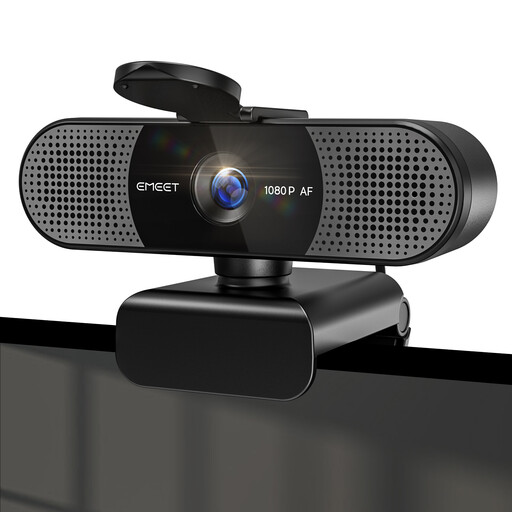
Why It Stands Out: This model is a dependable workhorse for daily video calls. It delivers sharp 1080P Full HD video and its Phase Detection Autofocus (PDAF) system is quick to adjust, keeping you in focus without distracting hunting. The 73° field of view is well-suited for individual use, framing you professionally without showing too much of your background.
Pros:
Who is it for?: Remote professionals, office workers and students who need a reliable and straightforward upgrade for daily meetings and online classes.
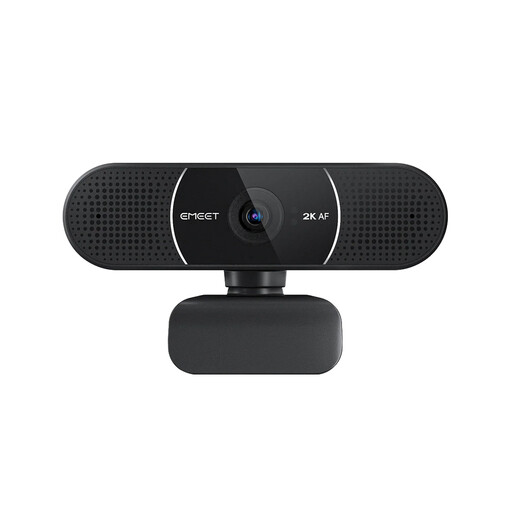
Why It Stands Out: For those wanting to present a more detailed and polished image, this 2K webcam is an excellent choice. The higher resolution provides noticeably crisper visuals, making it ideal for situations where visual detail matters. It retains the user-friendly features of its 1080p counterpart, including fast autofocus and a privacy cover, but adds the ability to fine-tune settings via the EMEETLINK software.
Pros:
Who is it for?: Educators, team leaders and professionals who frequently present or want to ensure their video presence is a cut above the standard.
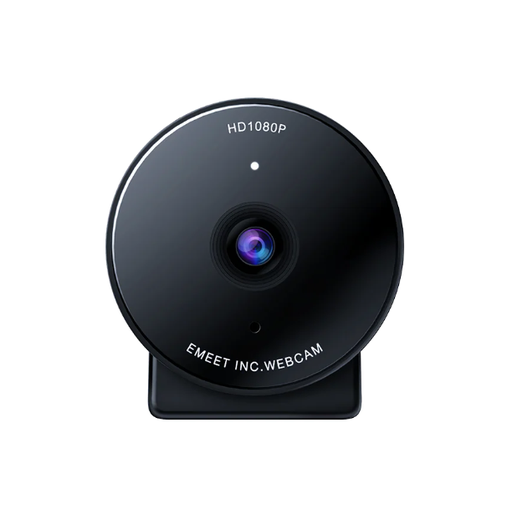
Why It Stands Out: This is a premium option designed for users who demand the highest quality. The true 4K clarity from its 8MP sensor is ideal for a webcam for streaming and recording content. A key feature is its versatility; it can stream at 4K@30FPS for maximum detail or 1080P@60FPS for ultra-smooth motion. The integrated noise-reducing microphone also provides clear audio capture, making it a strong all-in-one solution.
Pros:
Who is it for?: Content creators, streamers and anyone who needs to record high-resolution video or wants the most professional and fluid live-streaming experience.
Ensuring your new webcam and other peripherals connect seamlessly to your computer is vital. As laptops become thinner, port availability can change. If your setup requires adapters to accommodate different connections, it's worth investing in a reliable solution.
Explore our selection of USB C connectors and other essential accessories to complete your home or office workstation.
1. Is autofocus necessary for a webcam? For most users, yes. A webcam with autofocus automatically adjusts the lens to keep you sharp, even if you lean forward or move around. This creates a more dynamic and professional look compared to a fixed-focus camera, which can appear blurry if you move outside its set focal distance.
2. What is the main difference between a 1080p and a 4K webcam? The primary difference is detail. A 4K webcam captures four times as many pixels as a 1080p webcam, resulting in a much sharper and more detailed image. While 1080p is sufficient for video calls, 4K is superior for recording, streaming and situations where you might want to digitally zoom or crop the video without a significant loss in quality.
3. Can I use these webcams for streaming on platforms like Twitch or YouTube? Absolutely. A high-quality webcam is a cornerstone of a good streaming setup. For this purpose, consider a model that offers at least 1080p resolution with a high frame rate (60FPS) for smooth motion, such as the EMEET 4K model. Good autofocus and low-light performance are also key features for streamers.