What should you check first?
Make a test call in the app you use for work: identify whether the recurring problem is the picture, framing, sound or the call connection before choosing equipment.
| Concern |
What to check |
Who this matters to |
| Face image and lighting |
Try front-facing light, then compare the camera’s stated resolution and light-correction features. Check the meeting app’s sending options. |
If my face still looks unclear or poorly exposed on routine calls, improving the picture is my main reason to change the setup. Around 27% of consumers would put image and lighting first. |
| Framing and movement |
Check field-of-view choices, focus controls and whether framing adjustments require manufacturer software. |
When I alternate between speaking to camera and showing work on my desk, I need a shot that suits both without exposing more of the room than intended. For around 20% of consumers, framing would be the primary concern. |
| Voice and background noise |
Test your current microphone in the calling app, then consider a compatible headset or separate microphone if sound is the main issue. |
If colleagues struggle to hear my voice, a sharper picture will not address their complaint. Audio would come first for around 20% of consumers. |
| Physical lens privacy |
Check whether the exact webcam has a shutter or cover, and continue to manage app and browser permissions separately. |
In a shared home workspace, I may want to see that the lens is covered between calls. Around 13% of consumers would make physical lens privacy their first priority. |
| App, device and connection |
Check camera permissions and other camera-using apps; inspect call-quality diagnostics and the intended video setting before buying. |
If video fails to appear or the call repeatedly breaks up, I want to rule out access settings and the connection before replacing working hardware. Around 20% of consumers would start with that diagnosis. |
Joybuy products for calls
These choices cover external webcams for recurring calls and a wired headset for cases where sound, rather than the picture, is the main problem. Compare each item with the issue you identified in your test call.
 No image available
j5create JVCU435 USB 4K Webcam with 5x Digital Zoom Remote Control
Consider this webcam if you want an external camera with remote-controlled digital framing for calls.
The product name specifies 4K capture and 5x digital zoom. Check the video mode your calling app can send before choosing it for resolution alone.
View on Joybuy
 No image available
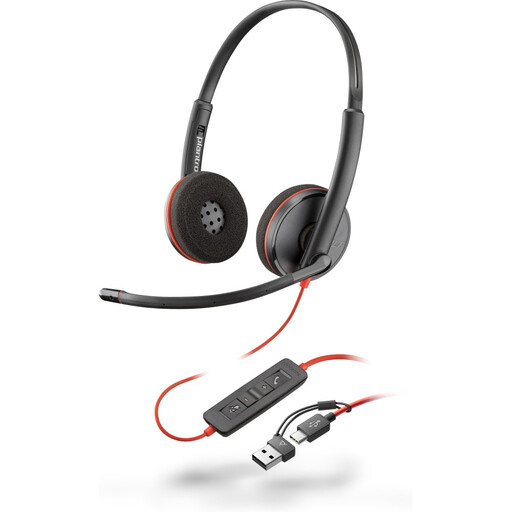
Poly Blackwire 3220 Stereo USB-C Headset with USB-C/A Adapter
Consider an audio-first option when people can see you adequately but struggle to hear you.
This is a stereo USB-C headset supplied with a USB-C/A adapter, not a camera upgrade. Check that your work device and calling app can use the connection.
View on Joybuy
 No image available
Philips SPL6308S/00 2K QHD Clip-on Webcam, EU Version
Consider this clip-on external webcam if you want to assess a higher-resolution camera for a laptop or desktop call setup.
The product name specifies 2K QHD and a noise-reduction microphone. If focus controls, field of view, a privacy cover or operating-system compatibility matter to you, confirm the exact features before buying.
View on Joybuy
 No image available
j5create JVU250 HD Webcam with Auto and Manual Focus Switch
Consider this external webcam for routine calls if being able to switch focus modes is useful to your setup.
The product name identifies an HD camera with an auto and manual focus switch. Check whether its image, field of view and privacy features meet your needs before replacing a laptop camera.
View on Joybuy
Questions about work calls
Will a 4K webcam make every work call look like 4K?
No: a webcam’s capture resolution does not determine the resolution sent by a meeting app. Google Meet documents a maximum 1080p sending option that requires a suitable camera and enough processing power; check your own app settings and connection if call output is the reason for upgrading.
Should I replace my webcam if colleagues struggle to hear me?
Check the audio first if your picture is otherwise acceptable. Test a call in your usual app and ask whether the problem is a quiet voice, echo, noise or drop-outs; Zoom supports built-in, USB and Bluetooth microphones, while Microsoft Teams separates audio, network and outgoing-video measures in Call health.
Why might a new webcam not appear in a browser call?
Camera access or a device conflict may prevent it from appearing even when it is connected. Microsoft identifies Windows privacy settings, drivers and app issues among possible causes; also check site permissions and whether another app is using the camera. Google Chrome notes that an administrator can control camera settings on a managed device.
What should I check before using a webcam for work from home?
Follow your organisation’s rules for work calls, particularly where recording or monitoring is involved. The Information Commissioner’s Office advises organisations to assess homeworking systems for security and tells staff to follow their employer’s policies and guidance; a physical lens cover does not replace those steps.


