Participant beside a bright window
If the tutor and group need to see your face clearly against a bright background, look for documented HDR or backlight handling and exposure controls before choosing on resolution alone.


Start with a webcam that documents HDR, backlight handling or exposure controls: a higher resolution alone will not establish whether your face stays visible against a bright window. A fixed camera may suit a seated workshop participant, while auto-framing or physical tracking is worth considering if you regularly show handwritten work or move between positions. Check computer and workshop-app compatibility before buying.
If the tutor and group need to see your face clearly against a bright background, look for documented HDR or backlight handling and exposure controls before choosing on resolution alone.
If you show handwritten drafts, a desk or a whiteboard, consider the required field of view and whether a desk mode, whiteboard mode or saved camera position would make those views easier to set up.
If you mainly speak from one position, a fixed head-and-shoulders view may meet your framing needs without physical tracking. Check how much of the window and room the chosen field of view includes.
For a writing workshop joined from a desk beside a bright window, consider backlight handling first, then choose framing and setup features around how you actually take part.
| Concern | What to check | Who this matters to |
|---|---|---|
| Face visibility | Check the exact model for documented HDR, backlight handling or exposure controls. Try it from your usual chair with the window in view. | If I sit beside a bright window, I need the tutor to see my face rather than a silhouette; around 46% of consumers put backlight visibility first. |
| Sharing written work | Decide whether a wider fixed view is sufficient or whether you need a desk or whiteboard mode, auto-framing or a tracking camera. | When I show handwritten drafts, I want the page framed without repeatedly moving the camera; roughly 27% of consumers prioritise sharing materials. |
| Simple seated calls | Check the available framing, USB connection and support for your computer and workshop app. | If I stay at my desk, I want a stable head-and-shoulders view without setting up tracking; about 27% of consumers primarily want a straightforward seated call. |
A 4K label does not establish whether a camera can expose your face well against a bright window.
Look for documented HDR or backlight controls, then try the camera in the position where you will join the workshop.
A wider frame can include more of the window and room than you want others to see.
Use the narrowest view that covers the activity. When you need to show a page, check whether a desk mode or a temporary change of camera position will work.
Auto-framing and physical tracking add setup decisions but may do little for someone who stays in one seat.
Consider them when you regularly change position, use a whiteboard or need to frame more than one person.
Its MX Brio and Brio 4K lines offer different approaches to framing a seated participant in high-contrast light.
Link 2 and Link 2C are relevant when workshop activities call for auto-framing or dedicated views of written material.
Tiny 2 Lite is relevant if you repeatedly switch between speaking, writing and presenting positions.
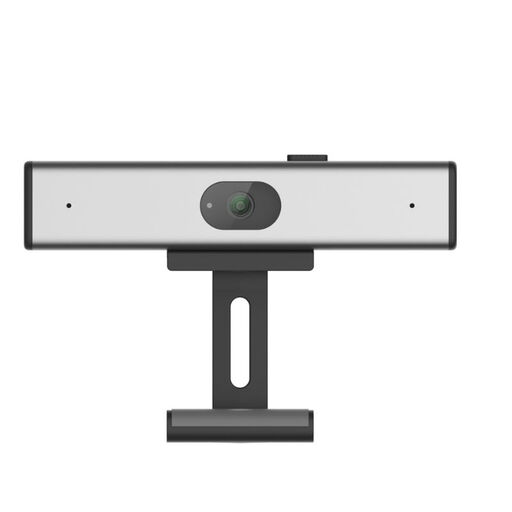
This fixed webcam is a choice to consider for a seated workshop video call. If the bright window is your main difficulty, check its exposure and backlight features before deciding whether it suits your desk.
 No image available
Consider this clip-on webcam for a seated workshop call when you want to mount the camera on a laptop or monitor. Its listed features include 2K QHD video and a noise-reduction microphone; those features do not establish how your face will appear against a bright window.
Before buying, check the exact model’s backlight or exposure controls, its field of view if you show notes, and compatibility with your computer and workshop app.
Not on resolution alone. Look for documented HDR, backlight handling or exposure controls, then test the camera with the window in its usual position.
Choose a narrower view if you mainly speak to the group from your seat; use a wider view when written pages, your desk or another participant must appear in the same shot. Logitech lists 65°, 78° and 90° presets for Brio 4K, so check which setting includes what your workshop needs without exposing unwanted background.
You may not need either if you remain seated in one position. Auto-framing can help when the composition changes; a physical tracking gimbal is more relevant if you move between positions. Insta360 Link 2C offers auto-framing, while Link 2 has a two-axis gimbal.
Confirm the exact camera’s connection and operating-system requirements, then try it in the workshop app before the session. Insta360 states that Link 2 and Link 2C support Windows and macOS, while some advanced functions have additional computer requirements; support for a camera type does not establish that every feature will work in your particular setup.