What to check before buying
Start with the part of your calls that needs changing: the picture, speech pickup, device compatibility or the physical desk setup. A camera upgrade need not solve all four.
| Concern |
Buying checks |
Who this matters to |
| Framing and lighting |
Compare field of view and light-correction features; check the picture from your normal seat without creating screen glare. |
If my face is backlit or the camera shows too much of the room, I want a workable picture before extra detail. About 31% of consumers put framing and lighting first. |
| Speech clarity |
Check the microphone position, headset connection and the exact variant's meeting-platform support. |
In a shared or noisy room, I need colleagues to hear my speech without relying on a microphone across the desk. For about 25% of consumers, clearer voice pickup is the primary need. |
| Device compatibility |
Match the connector to your available ports; check operating-system, companion-software and meeting-app requirements. |
If I use a work-managed laptop, I need the camera or headset to connect and be selectable in my calls. Making the equipment work with their device comes first for about 25% of consumers. |
| Desk fit and privacy |
Check the clip or tripod fit and cable reach; decide whether you want a physical lens cover. |
When my monitor position makes a stable camera angle difficult, or I share a desk, placement and a visible lens block matter most. About 19% of consumers prioritise those setup needs. |
Joybuy options for calls
These webcams and headsets address two parts of an individual hybrid-call setup: the picture from your desk and speech pickup during meetings. Choose by the problem you need to solve, then check the exact device and meeting-app fit.
 Image unavailable
Targus 2K Webcam with Auto Focus
Consider this external webcam if autofocus and a desk-call camera are priorities. The title says 2K, while the accompanying description states Full HD 1080p at 30 fps, so confirm the resolution of this exact variant before choosing it for image detail. Check its connection and fit against your work computer.
View on Joybuy
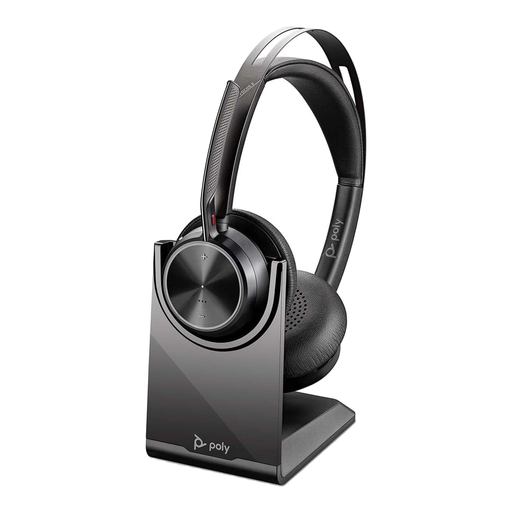 Image unavailable
Poly Voyager Focus 2-M USB-C-C Headset, USB-C/A Adapter and Charging Stand
Consider a headset when speech pickup in a shared space matters more than changing the video image. This variant's name identifies a USB-C/A adapter and charging stand; check its connection method and behaviour with your organisation's meeting app. It will not correct camera angle or lighting.
View on Joybuy
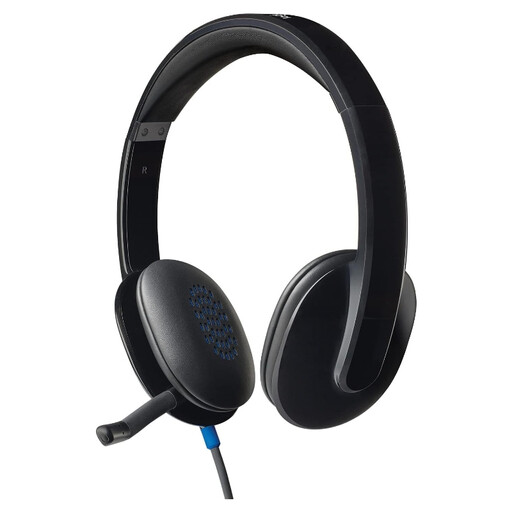 Image unavailable
Logitech H540 Wired Headset
This wired headset is an audio option for calls at a fixed desk. Check that its connection suits your computer and that you can select it in your meeting app. It does not change the picture from your webcam.
View on Joybuy
 Image unavailable
Philips SPL6308S/00 2K QHD Clip-on Webcam, EU Version, Silver
The clip-on design may suit a monitor or laptop call position. The product name identifies a 2K QHD camera and a noise-reduction microphone; confirm the connector, field of view and operating-system fit for this EU variant before relying on it for your setup.
View on Joybuy
 Image unavailable
j5create JVU250 HD Webcam with Auto and Manual Focus Switch, Black
This is an external camera option if an auto and manual focus switch matters for your calls. Its accompanying listing states 720p video, so do not choose it on the assumption that it offers 1080p. Check its viewing angle, room-light fit and connection before ordering.
View on Joybuy
Questions about hybrid calls
Will a 4K webcam automatically improve my video calls?
No: extra resolution can help when you need detail or room to crop, but the image others receive also depends on the meeting service, computer and connection. PCMag UK notes a common choice between 4K at 30 fps and 1080p at 60 fps. Google Meet says sending 1080p video requires a 1080p camera and sufficient processing power, so check the modes and settings you will actually use.
How can I check a webcam before an important meeting?
Connect it and preview the selected camera in your meeting app before joining the call. Zoom Support describes a video preview and camera selection in its settings; for Teams on the web, Microsoft Support advises checking both app and browser camera and microphone permissions. Check your framing and light from the seat you normally use.
Should I choose a USB-A or USB-C webcam?
Choose a connector that fits an available port on your computer, and check whether the exact camera needs an adapter. Dell specifies USB-A for WB3023 and WB5023. Logitech lists USB-A or USB-C plug-and-play for Brio 4K but says the third-party adapter for an alternative connection is not included.
What does a webcam privacy shutter change?
A closed physical shutter or cap blocks the lens; it does not replace camera-permission settings. Logitech describes an integrated shutter on Brio 505, and Dell lists a privacy cap on WB3023. If you use browser-based meetings, check the app and browser permissions separately and open the cover when you want video.
Does my home-call desk need any particular workstation checks?
Check that the camera, screen and lighting let you work comfortably without reflections or glare. The UK Health and Safety Executive says display-screen-equipment rules can apply to people who routinely split work between home and a workplace and use display-screen equipment daily for continuous periods of an hour or more. Where those conditions apply, the employer should assess the workstation; that does not mean every hybrid worker needs to buy a separate webcam or light.


