
24/7 Customer Support

Free returns

Same-day & Next-day Delivery

Quality Guaranteed

Unlock Your Welcome Offers: FREE Delivery | Up to 80% OFF | Free 30-day JoyPlus trial
Download the APP
Running out of laptop space, moving large photo folders or expanding a games library? A Western Digital external hard drive can provide practical additional storage, but choosing the wrong type may lead to slow transfers, unexpected power requirements or compatibility problems.
The key is to look beyond capacity figures and marketing language. A smaller portable external hard drive may suit a student travelling between university and home, while a high-capacity desktop external hard drive is more appropriate for a stationary media archive.
A 12TB, 18TB, 22TB or 24TB drive offers considerable room for video, photography and business files, but desktop models usually require a mains adapter and a permanent position. If you regularly work from cafés, trains or client locations, a 1TB, 2TB, 4TB or 5TB portable model may be more convenient.
Remember that manufacturers calculate 1TB as one trillion bytes. The usable capacity shown by Windows or macOS will be lower after formatting.
USB 3.0, also known as USB 3.2 Gen 1, has a signalling rate of up to 5Gbps. This describes the connection standard rather than a guaranteed file-transfer speed. A mechanical HDD can be slower, particularly when handling many small files.
The WD BLACK P10 Game Drive lists read speeds of up to 130MB/s under specified conditions, but results vary with the host device, game, capacity and usage. A USB 2.0 port will also reduce performance, even when the drive supports USB 3.0 or USB 3.2.
An external HDD is useful for backups, but it is not immune to accidental damage, mechanical failure, theft or file corruption. For irreplaceable files, consider a 3-2-1 backup approach: three copies, on two types of storage, with one copy stored elsewhere.
Password protection and 256-bit AES hardware encryption, available on selected My Passport models, can help restrict access to the drive. Encryption does not replace a second copy of your files.
A portable hard drive is normally bus-powered through USB, so it does not need a separate AC adapter. This makes it suitable for laptops, mobile professionals and students. Portable models are also easier to store in a padded sleeve, but they should still be handled carefully because they contain spinning mechanical components.
A desktop external hard drive generally uses a larger 3.5-inch HDD and an external power supply. It is better suited to a home office, small business, photography archive or media library that stays beside a PC. Allow ventilation around the enclosure and avoid moving it while data is being read or written.
Capacity should also reflect how quickly your files are growing. Buying a little additional headroom may be more practical than replacing a nearly full drive soon after purchase.
Many WD Elements drives arrive formatted as NTFS for Windows. Windows users can generally connect and begin transferring files immediately. macOS users may need to reformat the drive through Disk Utility, which erases existing data. If you regularly move files between Windows and Mac, exFAT may be considered, but check the requirements of your backup software and devices first.
Some My Passport products offer downloadable NTFS software for macOS read/write access. Always check the exact product listing and operating-system requirements before ordering.
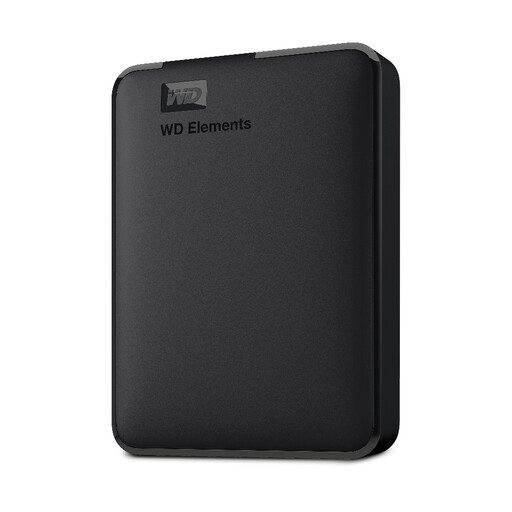
Why This Fits Their Persona: A compact 1TB option for students, home users and anyone needing straightforward file expansion without a desktop power brick.
Its capacity is clearly defined, and its USB 3.2 Gen 1 connection avoids paying for desktop capacity that may not be needed.
Portable, bus-powered design; USB 3.2 Gen 1 interface; Windows plug-and-play setup.

Why This Fits Their Persona: Suitable for mobile professionals and creators wanting 4TB, USB-C connectivity and security features in a portable enclosure.
It states the USB-C connection, included adapter and Windows-first formatting clearly, reducing the risk of an unsuitable port or operating system.
256-bit AES hardware encryption; USB-C cable and USB-A adapter included; 3-year limited warranty.

Why This Fits Their Persona: Designed for PC and console gamers who need portable game expansion and room for a substantial library.
The listing explains console-specific use: PS4 games can be played, while selected next-generation titles may be stored or archived rather than played directly.
6TB capacity; USB 3.2 Gen 1; stated read speeds up to 130MB/s; 3-year limited warranty.
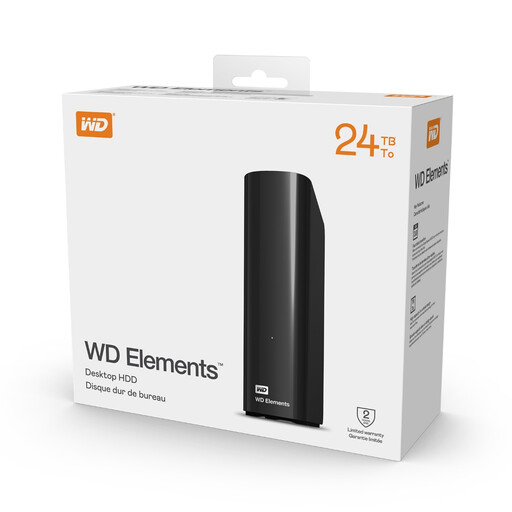
Why This Fits Their Persona: A stationary option for videographers, photographers, small studios and households managing very large archives.
Its desktop format makes the AC power requirement clear, so buyers are less likely to mistake it for a travel drive.
24TB capacity; USB 3.2 Gen 1 connectivity; AC adapter included; 2-year limited warranty.
We have compiled a complete, real-time list of products that fully satisfy these strict selection criteria and UK safety regulations.
Often, but the setup depends on formatting. Many models are supplied as NTFS for Windows. A Mac may read the drive but require reformatting or an NTFS utility for full write access. Check the specific model before purchase.
There is no fixed lifespan. Usage, heat, movement, power interruptions and storage conditions all affect a mechanical HDD. Keep it cool and dry, avoid shocks and monitor its health. A backup hard drive should not be treated as a permanent substitute for multiple copies.
Portable models draw power from the computer’s USB port and do not need a separate AC adapter. Desktop drives use mains power, but their larger capacities can make them practical for always-connected archives. Unplug either type when it is not needed for extended periods.