Households with several weak rooms
If Wi-Fi drops across rooms or floors, compare where mesh nodes could go with whether an Ethernet-fed access point could serve the area. Ofcom guidance and product specifications help distinguish these options.


Check a wired connection at the router before buying Wi-Fi equipment: Ofcom explains that Wi-Fi cannot outperform the broadband service feeding it. If the service is sound but particular rooms remain weak, choose according to the layout and available connections: mesh can address several rooms, while Ethernet-fed access points or direct cabling suit reachable fixed locations; an extender may help one weak spot, and powerline is worth testing when cabling is impractical.
If Wi-Fi drops across rooms or floors, compare where mesh nodes could go with whether an Ethernet-fed access point could serve the area. Ofcom guidance and product specifications help distinguish these options.
For a work computer, study desk, TV or console in one place, a direct Ethernet connection and enough available ports may matter more than wider wireless coverage. Ofcom recommends an Ethernet connection for a more accurate speed test.
If you need to reach one room without routing a new cable, an extender needs a usable signal where it is placed. Powerline is another option to investigate when the wireless route is obstructed, but the electrical path needs testing.
Establish whether the problem follows the broadband connection or appears only in particular rooms; that distinction changes what is worth buying.
| Concern | What to check when buying | Who this matters to |
|---|---|---|
| Coverage across several rooms | Map weak rooms after trying a practical router position; check node placement and Ethernet backhaul options. | If several rooms or floors lose signal, I need coverage where the household works and relaxes, not just beside the router. Around 31% of consumers put multi-room coverage first. |
| A dependable fixed connection | Compare a wired speed test with Wi-Fi results; check cable routes and how many Ethernet ports are needed. | For a fixed work, study or entertainment device, I would rather have a direct connection than rely on room-to-room Wi-Fi. About 25% of consumers prioritise a dependable link for fixed devices. |
| One weak Wi-Fi spot | Check that the proposed extender position receives usable Wi-Fi; confirm router compatibility and any access-point mode. | If the rest of the home works, I need to improve one reachable area without changing the whole network. Around 19% of consumers focus first on a single weak spot. |
| Slowdowns during shared use | Compare wired results with Wi-Fi near the router and in affected rooms; check whether slowdowns also occur beside the router. | When calls, streaming and downloads overlap, I need to know whether the slowdown affects the service or only the in-home network. About 13% of consumers put shared-use slowdowns first. |
| An obstructed room without a cable route | Test the intended sockets with the kit; check whether the destination needs Wi-Fi or only Ethernet. | If walls obstruct the wireless path and running Ethernet is impractical, I need another route into that room. Around 12% of consumers prioritise this no-cable situation. |
Wi-Fi equipment inside the home cannot improve a broadband service that is already slow at the router.
Compare an Ethernet speed test at the router with your provider’s service information before choosing in-home hardware.
An extender needs a usable connection back to the router, so a poor signal at its own position can leave the room poorly served.
Test the proposed socket. If Ethernet can reach the room, compare a cable-fed access point instead.
Powerline performance depends on the electrical path, socket position and interference in the home.
Test the intended sockets and confirm whether the destination needs an adapter with Wi-Fi or only an Ethernet connection.
Power, compatibility and operating-mode requirements vary by model. For example, some bridge modes affect advanced features, while powerline systems may not support older product families.
Check the complete model, kit contents, power arrangement and compatibility with your existing equipment before choosing.
Depending on the setup, you may need suitable power equipment or a compatible add-on, or have to forgo some advanced features in a particular operating mode.
The RE705X extender, EAP610 access point and TL-SG105 switch illustrate different purchases: a targeted wireless or wired access point, Ethernet-fed Wi-Fi, and additional wired ports.
The eero 6+ two-pack is an example of a multi-node system to consider when several rooms need Wi-Fi.
Magic powerline kits are an option to investigate when a room is hard to reach wirelessly or with new Ethernet cabling.
These products cover multi-room mesh, a single weak spot, Ethernet-fed Wi-Fi, extra wired ports and powerline links for different in-home connection needs.
 No image available
For multi-room Wi-Fi, this three-pack is described as one router and two satellites. Its product description says a high-speed internet connection and an existing modem or gateway are required.
The title specifies dual-band BE3600 and 2.5Gbps Ethernet.
 No image available
For one weak area, it offers range-extender mode; its product description says to place it within range of the existing router’s signal.
The description also identifies access-point mode and a Gigabit Ethernet port for a wired connection to the room.
 No image available
For several rooms, this three-pack mesh system is described as supporting combined wired and wireless backhaul.
Check whether an Ethernet route is available if you want to use wired backhaul.
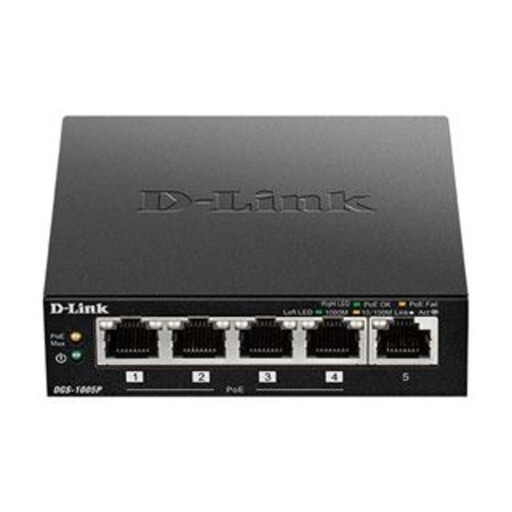 No image available
For fixed wired devices or compatible access points, this switch provides five Gigabit ports, including four PoE+ ports.
The product description specifies a 60W total PoE power budget; PoE+ power is for compatible devices. A switch does not itself provide Wi-Fi.
 No image available
For a room that is difficult to reach by Wi-Fi or a new data cable, this kit uses household electrical wiring and provides Wi-Fi as well as wired connections.
The description lists dual-band Wi-Fi, three Gigabit Ethernet ports and OneMesh compatibility. It advises plugging the adapters directly into wall outlets rather than power strips or extension cords; test the intended sockets.
Test a suitable device connected to the router by Ethernet and compare the result with your provider’s service information, then compare Wi-Fi beside the router and in problem rooms. A weak wired result calls for investigating the service or router; a problem limited to distant Wi-Fi locations points towards the in-home wireless connection. Ofcom recommends an Ethernet connection for a more accurate speed test.
Ofcom’s checker provides predicted service availability and speeds for an address; it does not measure Wi-Fi inside the home or guarantee the speed your devices will receive. A missing prediction does not necessarily mean broadband is unavailable, so check with network providers as well.
It depends on the mesh system and provider setup. For eero specifically, its documented bridge mode lets the existing router continue managing the network, but one eero must remain wired and some advanced eero features do not work properly in that mode.
Check the kit’s instructions, required adapters and whether the destination needs Wi-Fi or only Ethernet. TP-Link says its powerline adapters need to connect through the same electrical circuit; devolo recommends testing the intended sockets and plugging adapters directly into wall sockets rather than a power strip.
Check the exact model and market version’s conformity information and instructions. Great Britain’s Radio Equipment Regulations 2017 address equipment safety, electromagnetic compatibility and spectrum use; Northern Ireland has distinct rules, including a 2025 amendment with requirements for certain internet-connected radio equipment. For products within the consumer-connectable-product security regime, look for the manufacturer’s security-issue contact, stated minimum security-update period and compliant password arrangements. GOV.UK guidance describes an exemption for certain products made available in Northern Ireland under relevant Windsor Framework legislation, so check which rules apply to the product and market. A generic listing statement does not establish an individual unit’s conformity.