What to check before choosing
Decide whether the main obstacle is service access, the existing screen or the connection in the viewing room. A network change can accompany either TV route, but it cannot add an unsupported app to a device.
Keep the TV and add a streamer
Choose when: The current screen is suitable, has a usable HDMI input and needs a different connected-viewing platform.
Bear in mind: The TV still determines the display capability, and the added device needs a suitable connection and compatible apps.
Replace the connected TV
Choose when: A new screen or different inputs are already needed and you want viewing apps on the television itself.
Bear in mind: A smart-TV label does not establish support for every service; check the exact model before purchase.
| Concern |
Buying checks |
Who this matters to |
| Essential apps and features |
Check each service’s supported devices for the exact model and software version. Check live-viewing features separately where needed. |
I need our broadcaster and online-video services on the shared screen, not merely a device described as smart. About 33% of consumers put access to their essential apps first. |
| Keep or replace the screen |
Check the existing TV’s HDMI input and whether its display capability meets your viewing needs. |
If our current picture and screen size still work for us, I would rather change the streaming platform than the television. Keeping a suitable screen is the primary concern for about 27% of consumers. |
| Connection in the viewing room |
Assess Wi-Fi coverage and simultaneous network use where you watch; check whether a wired connection is practical. |
When playback breaks up in the lounge, I need to know whether the connection there is the cause before buying another screen. Dependable in-room connectivity comes first for about 27% of consumers. |
| Picture and shared use |
Match the device, content and TV for the desired display format; check each service’s simultaneous-viewing rules. |
We want to know whether our display can show the format we intend to watch and whether our accounts allow the viewing we have planned. About 13% of consumers make those capabilities their primary concern. |
Streaming sticks and connected TVs on Joybuy
The streaming stick below is an add-on option for keeping an HDMI-equipped TV. The connected TVs that follow are screen-replacement options; check essential apps on the exact model whichever route you choose.
 Image unavailable
Roku Streaming Stick 4K
Consider this add-on if you are keeping a TV with an available HDMI input. It is listed as a 4K stick; check the TV and content for the display format you want, and confirm your essential apps on the exact Roku device and software version.
View on Joybuy
 Image unavailable
Sony BRAVIA 8 K65XR80BP 65-inch OLED 4K HDR Google TV
For a household replacing its screen and wanting a connected-TV platform. The listed variant is a 65-inch OLED 4K HDR Google TV; check each required service on this exact model and confirm that its connections suit your setup.
View on Joybuy
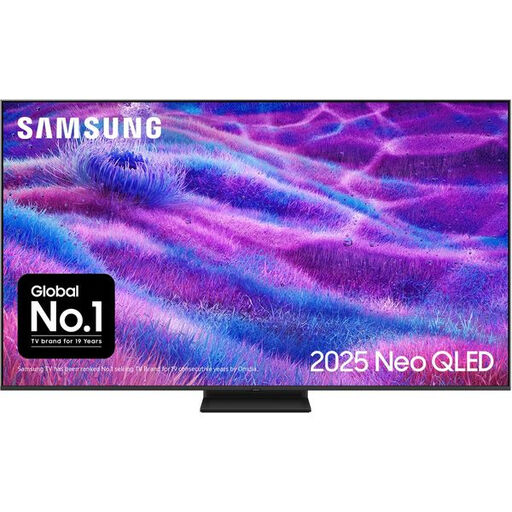 Image unavailable
Samsung QE65QN80FAU 65-inch 4K Ultra HD Smart TV
A screen-replacement option where a 65-inch television suits the viewing space. Its title lists 4K Ultra HD, smart-TV functions and Wi-Fi; check essential services against this exact model rather than assuming support from the smart-TV label.
View on Joybuy
 Image unavailable
Samsung QE75QN80FAU 75-inch 4K Ultra HD Smart TV
For replacing a screen where a 75-inch television fits the room and viewing arrangement. The listed variant has 4K Ultra HD, smart-TV functions and Wi-Fi; verify your essential apps on this model before choosing it.
View on Joybuy
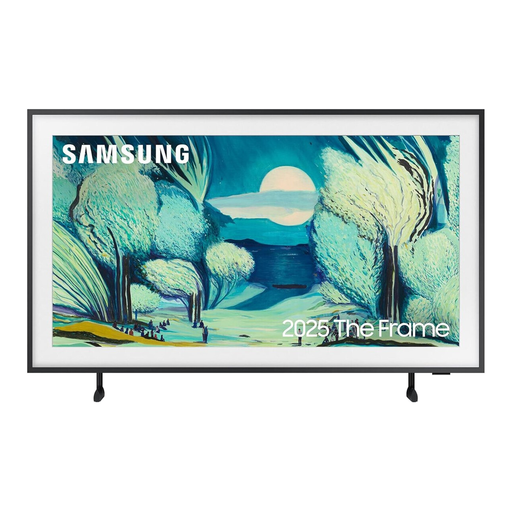 Image unavailable
Samsung The Frame QE43LS03FAU 43-inch 4K Ultra HD Smart TV
A 43-inch screen-replacement option if that size suits the intended space. The title lists 4K Ultra HD, smart-TV functions and Wi-Fi; check the exact model against the services your household uses.
View on Joybuy
Questions about shared viewing
Will a streaming stick restore missing apps on an older smart TV?
It can provide another app platform if the TV has a usable HDMI input and the chosen stick supports those apps. ITV says ITVX can be watched through either a compatible smart-TV app or a connected streaming device; check the exact device and software conditions before buying.
Will a newer Wi-Fi streamer fix buffering?
Not necessarily: weak coverage in the viewing room or simultaneous data-heavy activity may still affect playback. Ofcom advises attention to in-home connectivity, so assess the connection where you watch before treating a new streamer as the fix.
Can more household devices stream Netflix at the same time?
Adding devices does not increase the simultaneous-screen allowance of a Netflix membership plan. Netflix also sets household-sharing rules, so check your current plan and intended use separately from the number of screens you own.
What should I check before connecting Apple TV 4K or Google TV Streamer to my TV?
Start with an available HDMI input, the network connection and the display format you want to use. Apple says Apple TV 4K needs a separately sold HDMI cable and a compatible TV for 4K/HDR streaming; Google says its Streamer works with an HDMI-equipped display and requires a Google Account for setup.
Does using a streaming stick change TV Licence requirements?
The device type does not determine the requirement. TV Licensing states that a licence is needed for live TV on channels and streaming services, and for BBC iPlayer, on any device; check its guidance against what your household plans to watch.


