Households sharing the connection
If video calls, online study, gaming and streaming happen at once, compare wired and Wi-Fi performance before deciding whether the broadband service or the home network needs attention.


Compare an Ethernet-connected speed test with Wi-Fi performance in the rooms where calls, study or streaming struggle before buying equipment. If the wired connection is also poor, check the broadband service; if the problem is confined to several rooms, consider mesh, while a wired access point suits a weak room that an Ethernet cable can reach. Ethernet is worth considering for fixed devices, but neither a switch nor a new Wi-Fi router can repair a fault with the incoming service.
If video calls, online study, gaming and streaming happen at once, compare wired and Wi-Fi performance before deciding whether the broadband service or the home network needs attention.
If Wi-Fi works near the router but struggles in a bedroom, study or distant room, consider the effect of distance, walls and interference on that part of the home. Ofcom identifies these as factors in Wi-Fi performance.
A cable to a fixed computer, mesh node or access point opens up wired options for rooms used for work, gaming or streaming. Check where the cable can reach before choosing equipment.
Start by locating the bottleneck, then choose equipment for the rooms and devices that need a better connection.
| Priority | What to check | Your needs |
|---|---|---|
| Broadband service | Compare an Ethernet-connected test at the router with Wi-Fi results. Check the provider-quoted service and use Ofcom’s address checker to see which broadband services are available. | Calls and streams struggle even close to the router; I want to rule out the incoming connection before buying Wi-Fi equipment. |
| Router position | Check whether the router is enclosed, at the edge of the home or near obstacles and interference. Check service compatibility and provider support before replacing it. | Wi-Fi is weak in nearby working or study spaces, but a wired test suggests the incoming connection is satisfactory. |
| Rooms and floors | Identify each weak area and possible node position. Consider mesh for several separated areas; check whether walls or floors make an Ethernet connection between nodes practical. | I need usable Wi-Fi in more than one distant room, rather than a stronger signal only beside the router. |
| One wired weak area | Check whether Ethernet reaches the room and whether the chosen access point or extender has the required port and access-point mode. A wireless extender depends on the signal it receives. | There is one room with poor Wi-Fi, and I can run a cable there without replacing the main router. |
| Fixed devices | Count the Ethernet connections needed. If using a switch to power an access point, match its Power over Ethernet (PoE) requirements to the switch’s ports and power budget. | A desk computer, console or TV can stay connected by cable; several devices may need more ports than the router provides. |
Ofcom cautions that a slow Wi-Fi test does not necessarily mean the broadband line is faulty. Conversely, new in-home equipment will not fix a provider-network problem.
Compare a device connected to the router by Ethernet with Wi-Fi in the problem location. If the wired result is poor too, check the service with your provider and the options available at your address.
Distance, walls and interference affect Wi-Fi, so a coverage figure alone cannot tell you where a call or study session will work well in your layout.
Note the rooms that struggle, improve router placement where possible, then plan mesh nodes or a wired access point around those locations.
Extending coverage to every needed room may involve additional nodes, Ethernet cabling or installation work.
A wireless extender depends on the Wi-Fi signal at its own position. TP-Link’s access-point guidance describes using an Ethernet connection to create Wi-Fi in the remote area instead.
If a cable reaches the weak room, check for an access point or an extender with the required Ethernet port and access-point mode.
Ofcom notes that a third-party router can be harder to set up and that the broadband provider may be unable to support it when problems occur.
Confirm the connection arrangement, required settings and provider support before choosing a replacement router.
These product lines illustrate different equipment routes; a brand’s presence here does not mean every model suits the same home.
Deco mesh systems and extenders are relevant when comparing multi-room coverage with a wired access point for one weak area.
The Orbi 770 range is a mesh option to examine for a busy home considering its broadband service and wired connections between equipment.
Its switching range is relevant to a wired access-point installation, particularly where compatible access points need PoE.
These switches are options for adding Ethernet connections to fixed devices or a compatible wired access point. A switch does not create Wi-Fi coverage or change the broadband speed delivered to the home.
 No image available
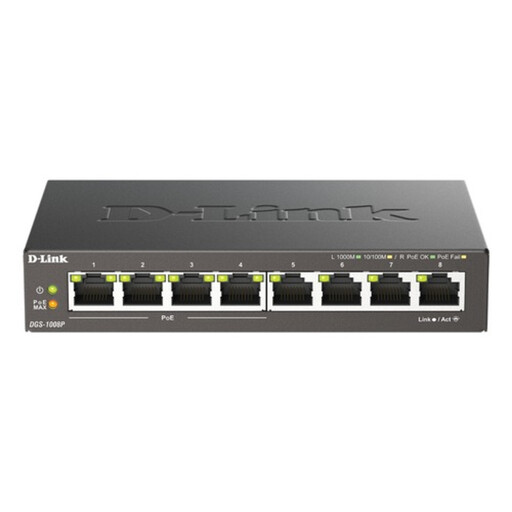
An eight-port Gigabit switch for a home with several wired devices. If you plan to power an access point through PoE, check its requirements against the switch; Ethernet cabling and a separate Wi-Fi device are needed for wireless coverage.
 No image available
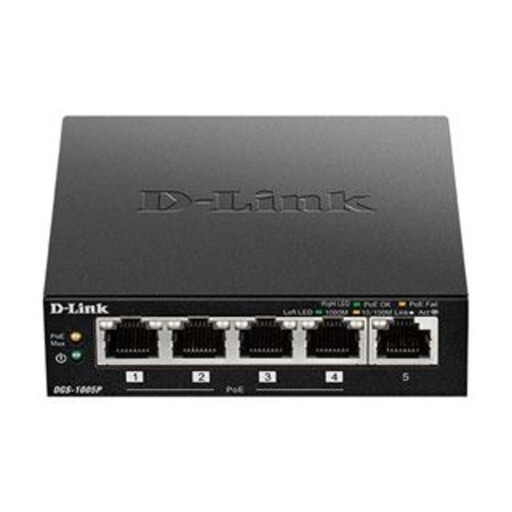
A five-port Gigabit switch for a smaller wired setup, with PoE+ in its product designation. Check a connected access point’s power requirements and the switch’s applicable port and total limits before using PoE; the switch itself does not add Wi-Fi.
 No image available
Eight Gigabit ports suit a plan to cable several fixed devices. This is a wired switch, not a Wi-Fi access point; if a connected device needs power over Ethernet, check its power arrangements separately.
 No image available
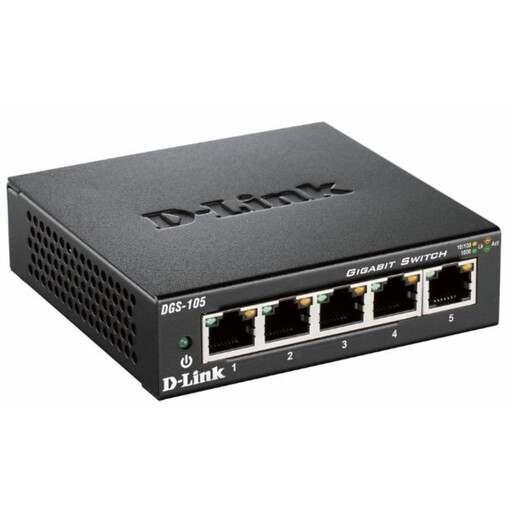
Five Gigabit ports suit a smaller group of wired devices. Allow for Ethernet cables and a separate access point if a remote room also needs Wi-Fi; check power arrangements separately for any device that requires PoE.
No in-home Wi-Fi equipment can repair a fault with the incoming service. Ofcom notes that a slow Wi-Fi result does not by itself identify a line fault, so compare it with an Ethernet-connected test at the router. If the wired result is also poor, check the service with your provider before buying Wi-Fi equipment.
Use Ofcom’s broadband checker to see the services available at your postcode, then confirm the options for your particular address. Check this before assuming a router or mesh purchase will increase the speed of the incoming connection.
Consider mesh when weak Wi-Fi spans several rooms or floors after you have checked router placement. For one weak room, check whether Ethernet can reach it: TP-Link’s guidance describes access-point mode on compatible extenders as a way to create Wi-Fi from that wired connection. A wireless extender instead relies on the Wi-Fi signal it receives.
It is worth checking when walls or floors make the wireless connection between nodes difficult. According to TP-Link’s Deco guidance, Ethernet backhaul can provide a more stable connection between nodes; the result in a particular home still depends on cabling, node placement and the broadband service.