
24/7 Customer Support

Free returns

Same-day & Next-day Delivery

Quality Guaranteed

Unlock Your Welcome Offers: FREE Delivery | Up to 80% OFF | Free 30-day JoyPlus trial
Download the APP
A WiFi digital photo frame is a wonderful way to keep cherished memories on display and feel connected to loved ones, no matter the distance. The ability to instantly share a new photo from your phone to a frame on your parents' mantelpiece is a modern marvel. However, the market is filled with options, and it's easy to make a purchase you'll later regret.
As a Joybuy Product Recommendation Officer, my role is to help you see past the marketing clutter. Before you buy, be aware of a few common pitfalls that can turn a thoughtful gift into a frustrating piece of tech.
cloud photo frame should offer a generous, genuinely free storage solution or sufficient internal memory.digital picture frame with app you use to share photos remotely. If the app is poorly designed, slow or confusing, the frame becomes little more than an expensive paperweight. This is especially critical if you're buying it as a gift for grandparents or less tech-savvy relatives.To ensure you get a frame that’s a joy to use for years, focus on these non-negotiable specifications.
This is arguably the most important factor. A low-resolution screen will disappoint. Look for a resolution of at least 1280 x 800 pixels for a 10-inch frame. For larger screens or superior clarity, a Full HD (1920 x 1200) or 2K (2000 x 1200) display will make your photos look incredibly sharp and vibrant. Also, consider an anti-glare or matte finish, which reduces reflections and improves viewing angles.
A good smart photo frame should have a companion app for both iOS and Android that is simple to set up and intuitive to use. The process of sending a photo should take just a few taps. Check if multiple users can be invited to send photos to a single frame, allowing the whole family to contribute. This is the key to keeping the content fresh and engaging.
A frame with at least 32GB of internal storage can hold tens of thousands of photos, which is more than enough for most people. This frees you from relying on cloud services. Some frames offer both generous internal storage and a free, unlimited cloud option, giving you the best of both worlds. An SD card or USB slot is a useful bonus for easily transferring large albums from a computer.
Instead of a generic list, we've matched our recommendations to specific needs, helping you find the right fit for your home or for a loved one.
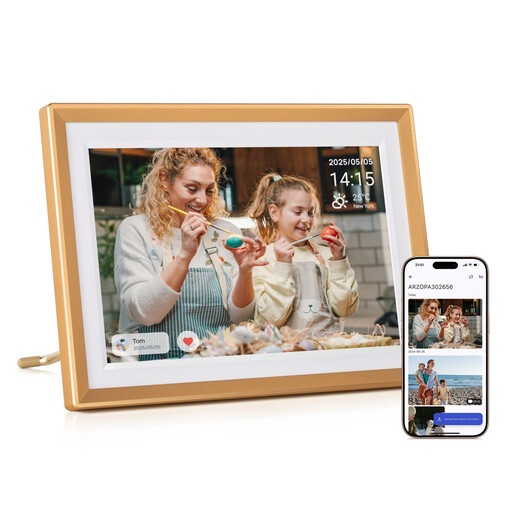
Why This Fits Their Persona: This is an excellent choice as a gift for parents or grandparents. The 10.1-inch HD touchscreen is bright and clear, and the app is designed for straightforward photo sharing, making it easy for the whole family to stay connected without a steep learning curve.
It offers free cloud storage and a substantial 32GB of internal memory, completely avoiding hidden subscription fees. The app is built for simplicity, sidestepping the "clunky app" issue.
A crisp 1280x800 HD touchscreen provides a great balance of quality and value. The metal frame adds a touch of durability and premium feel.

Why This Fits Their Persona: For the user who prioritises image quality for their own modern home. This frame's standout feature is its ultra-sharp 2K screen, which makes photos look like professional prints rather than a digital display.
Its impressive 2000x1200 resolution is the perfect antidote to the "pixelated picture problem." The anti-glare screen also ensures photos look great from any angle, without distracting reflections.
Unmatched screen clarity with its 2K anti-glare touchscreen. It also features 32GB of onboard storage and uses the popular, user-friendly Frameo app for sharing.
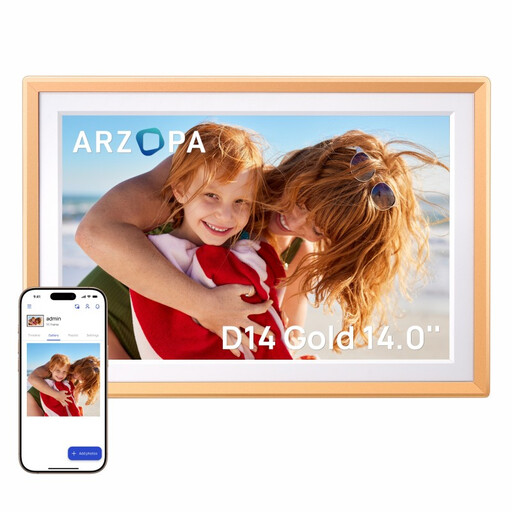
Why This Fits Their Persona: For those who want their photos to make a statement. The expansive 14-inch screen turns this `electronic picture frame` into a dynamic piece of art for a living room or large office, offering a much more immersive viewing experience.
It pairs its large screen size with a sharp 1920x1200 FHD resolution, ensuring that your photos remain crisp and detailed, not stretched or blurry. It also includes 32GB of storage and free cloud access.
The large 14-inch FHD display offers an impactful way to view photos and videos. It maintains the easy-to-use app and generous storage of its smaller counterparts.
We have compiled a complete, real-time list of products that fully satisfy these strict selection criteria and UK safety regulations.
Not always. While some brands do charge a subscription, the models we recommend, such as those from ARZOPA and Pexar, offer a combination of generous free cloud storage and large internal memory (typically 32GB). This is usually more than enough to store thousands of photos without any recurring costs. Always check the storage policy before you buy.
Yes, this is one of the best features of a modern WiFi digital photo frame. Through the companion app, the primary owner of the frame can invite friends and family members by sharing a unique code. Once they've joined, they can send photos and videos directly to the frame from their own smartphones, wherever they are in the world.
The running costs are very minimal. These devices use modern, energy-efficient LCD screens and consume very little electricity, similar to a small LED lamp. Most frames also have a "sleep mode" feature, which allows you to set a schedule for the screen to automatically turn off at night and on in the morning, further reducing power consumption.