What to consider before buying
Compare performance near the router with performance in the workspace before choosing equipment: Ofcom notes that Wi-Fi cannot outperform the broadband service.
| Concern |
What to check when buying |
Who this matters to |
| One distant workspace |
Map where the signal weakens and look for a midpoint that still receives usable Wi-Fi; check for Ethernet access if considering access-point mode. |
If I mainly need a reliable connection in one workroom, I want to target that area rather than replace Wi-Fi everywhere. Around 28% of consumers put coverage in one distant workspace first. |
| Several weak rooms |
Count the affected rooms and potential node locations; compare performance near the router during busy periods before blaming coverage alone. |
When more than the office has weak coverage, I need to consider the layout and the household’s shared connection. Around 22% of consumers prioritise coverage across several rooms while devices are in use. |
| Wired work device |
Check the cable route, available ports and whether the device needs an adapter; distinguish a direct cable from a satellite that may still use wireless backhaul. |
If steady work connectivity matters more to me than avoiding a cable, I want to know whether I can connect the work device directly. Around 22% of consumers prioritise a wired connection for work. |
| Wireless obstacles and impractical cabling |
Check for suitable sockets, the kit’s required units, whether the receiving unit offers Wi-Fi or Ethernet, and compatibility with existing adapters. |
When I cannot conveniently run Ethernet and a wireless path is obstructed, I may want to try a route through the home’s electrical wiring. Around 17% of consumers prioritise this wiring-based option. |
| Existing router as a possible bottleneck |
Compare performance near the router and in the workspace, try suitable placement changes, and ask the broadband provider about replacement equipment and third-party compatibility. |
If performance is poor even near my router, I want to check the existing equipment before adding coverage devices. Around 11% of consumers prioritise improving the router itself. |
Joybuy product options
These Joybuy options cover mesh, a targeted extender, router replacement, a direct Ethernet connection and powerline. Check whether the problem is coverage or the broadband service before choosing a route.
 No image available
NETGEAR Orbi 370 RBE373 WiFi 7 Mesh System, 3-Pack
A three-unit mesh system to consider when several rooms need coverage.
The listing describes one router and two satellites, with 2.5Gbps Ethernet LAN ports on the router and each satellite. It requires a high-speed internet connection and an existing modem or gateway.
View on Joybuy
 No image available
TP-Link RE220BE BE3600 Wi-Fi 7 Range Extender
A targeted option to consider for one weak area where a suitable position can still receive the router’s signal.
The listing describes range-extender and access-point modes and a 1Gbps Ethernet port. Its EasyMesh arrangement requires a compatible router.
View on Joybuy
 No image available
D-Link BE9500 Wi-Fi 7 Smart Mesh Router M95
A router-upgrade option to consider if the existing router may be limiting the connection.
The listing describes a tri-band router with EasyMesh compatibility, one 2.5Gbps WAN port and four 2.5Gbps LAN ports. A router upgrade does not by itself guarantee coverage in a distant room.
View on Joybuy
 No image available
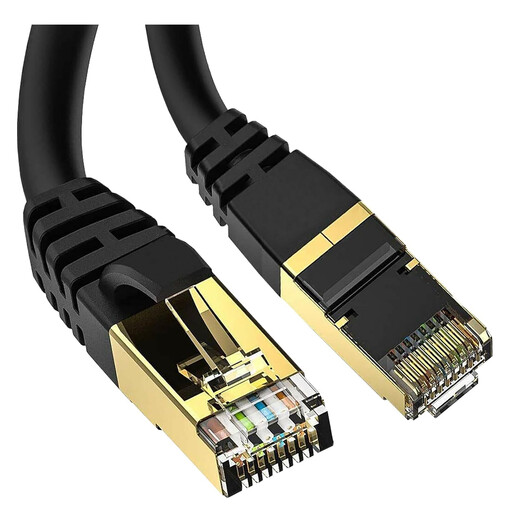
5-metre Cat 8 Ethernet Cable, RJ45
A direct wired connection to consider when a cable can reach between the network equipment and the work device.
The listing specifies a 5-metre cable with RJ45 connections. Check the route and length needed for your setup.
View on Joybuy
 No image available
TP-Link TL-PA8010P KIT AV1300 Gigabit Passthrough Powerline Adapter Kit
A wiring-based option to consider when a wireless route is obstructed and running Ethernet is impractical.
The listing describes a two-adapter kit, a Gigabit Ethernet port and a pass-through power socket. Suitability depends on the home’s electrical wiring, and a stated powerline link rate is not actual data-transfer speed.
View on Joybuy
Frequently asked questions
How can I tell weak workroom Wi-Fi from inadequate broadband?
Compare the same activity near the router and in the workroom, and repeat the check when the household is busy; use a wired comparison if practical. If the distant room is the main problem but the connection is usable near the router, in-home coverage may be the issue. Poor performance near the router or over Ethernet is a reason to check the broadband service with your provider; this comparison is not a remote diagnosis of your line.
Where should I place an extender or mesh node?
Place an extender where it can still receive the router’s signal, rather than deep inside the dead zone. For mesh, consider useful locations for the nodes and check whether the model supports Ethernet backhaul if you can run a cable. Walls and router position can affect the wireless path.
Will a powerline kit work with the sockets in my home?
Check the kit’s instructions and your electrical setup before relying on it. TP-Link’s guidance for the specified installation calls for wall outlets rather than power strips and units on the same electrical circuit; its powerline link rate is not actual transfer speed. A kit also needs units at both the router and receiving end.
Should I replace my ISP router without asking the provider?
Ask whether the provider can supply a newer router and whether it supports the third-party setup you have in mind. Ofcom notes that a purchased router can be harder to configure and that the provider may not be able to help if it develops a problem.
Does mesh always solve a weak signal in a distant room?
No: mesh can address broader coverage needs, but it still depends on suitable node positions and does not increase the capacity of the broadband service. Check how many rooms need coverage, whether a useful connection can reach the nodes, and whether Ethernet backhaul is available if you want a wired link between units.


