
24/7 Customer Support

Free returns

Same-day & Next-day Delivery

Quality Guaranteed
Download the APP
Categories
By the Joybuy Product Recommendation Officer
Is there anything more frustrating than a video call dropping mid-sentence or your favourite show buffering endlessly just because you moved to a different room? We’ve all been there: the dreaded Wi-Fi dead zone. Whether it's the upstairs home office, the back garden or the conservatory, these areas of weak signal can disrupt work, entertainment and daily life.
Navigating the world of network devices can feel overwhelming, with terms like extenders, mesh systems and powerline adapters being thrown around. My role is to help you cut through the clutter. This guide will explain the key differences between these technologies and provide practical advice to help you choose the right solution for your home, ensuring you get the stable, widespread coverage you need.
Before you purchase, it’s important to understand what type of device will best suit your property and usage habits. Here are a few key considerations.
The term Wi-Fi extender is often used as a catch-all, but there are distinct technologies designed for different scenarios.
You will often see terms like 'AC1200' or 'dual-band'. A dual-band Wi-Fi extender broadcasts on two separate frequencies:
A dual-band device allows you to connect more devices without causing congestion, as they can be split across the two frequencies for optimised performance.
Based on features, user needs and versatility, here are our recommendations to help you improve your home network this year.
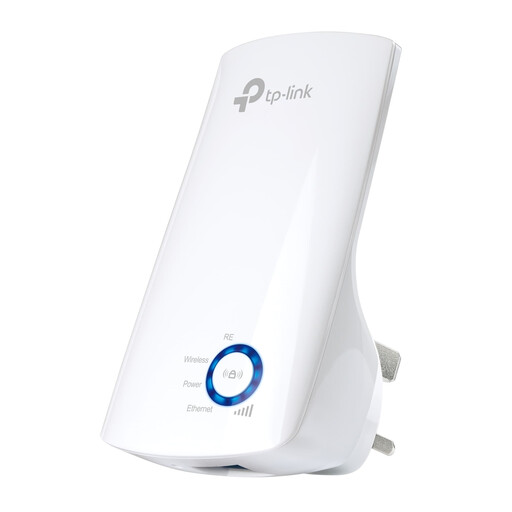
Why It Stands Out: The TP-Link WA850RE is a classic example of a device that does one job and does it well. Its primary strength lies in its simplicity and ease of use. For anyone intimidated by complex network setups, this extender offers a straightforward plug-and-play solution to boost a signal into a nearby room.
Pros:
Who is it for? This is an excellent choice for individuals in smaller homes or flats who need to fix a single, specific dead zone—for instance, boosting the signal from the living room to a bedroom or kitchen.
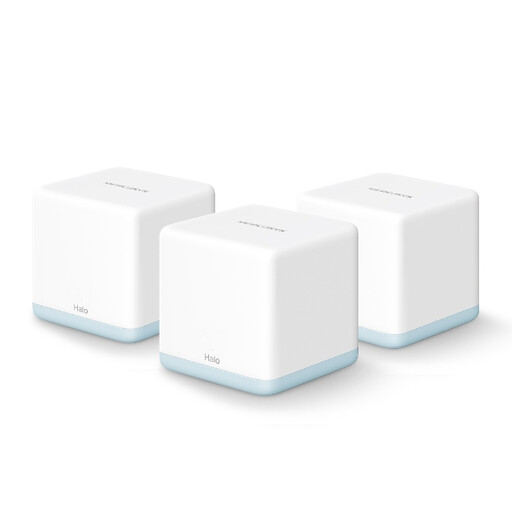
Why It Stands Out: The Mercusys Halo H30 provides a complete network overhaul. Instead of just extending a signal, this AC1200 mesh system creates a single, robust network that covers your entire home. With three nodes working together, it ensures you have a strong, stable connection everywhere, with seamless roaming between rooms.
Pros:
Who is it for? This is the solution for families in medium to large homes, remote workers needing unwavering stability for video conferencing and anyone with numerous smart devices who wants to eliminate dead zones for good.
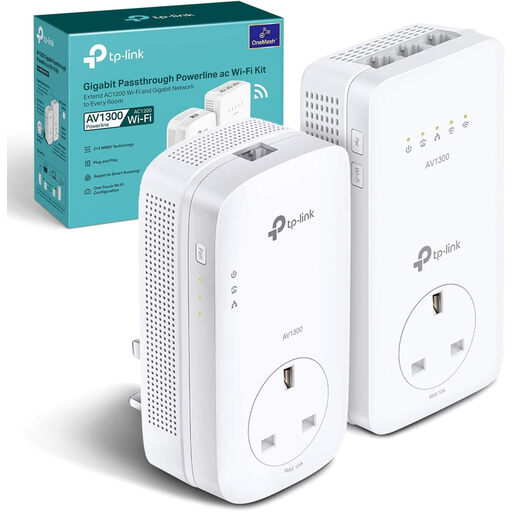
Why It Stands Out: This gigabit powerline adapter kit is the ultimate problem-solver for homes where Wi-Fi signals struggle to penetrate. By using your electrical circuit, it delivers a fast and stable internet connection to areas that would otherwise be unreachable, such as a basement, loft conversion or detached garage.
Pros:
Who is it for? This kit is perfect for users in older properties with challenging layouts or those who need the reliability of a wired connection for high-demand activities like competitive gaming or streaming 4K media in a room far from the router.
While these three options cover a wide range of common household needs, every home is unique. If you're looking for different specifications, a single mesh unit or other networking accessories, there are many more solutions available.
Browse our full collection of Networking Devices to find the perfect fit for your home.
A traditional, single-band extender can effectively halve your potential speed because it has to receive and transmit data on the same frequency. However, modern dual-band Wi-Fi extenders and mesh systems minimise this by using one band to communicate with the router and the other to broadcast to your devices. A powerline adapter with Wi-Fi avoids this issue entirely by using your home's electrical wiring for the backhaul connection.
The optimal placement for a Wi-Fi booster for home is roughly halfway between your router and the area with a weak signal. It needs to be in a location where it can still receive a strong, stable signal from the main router to rebroadcast effectively. Most extenders, like the TP-Link WA850RE, include a signal indicator light to help you find this sweet spot.
In the consumer market, the terms Wi-Fi extender, Wi-Fi repeater and Wi-Fi booster are generally used interchangeably. They all refer to a device designed to take an existing wireless signal and expand its coverage area to improve connectivity and eliminate Wi-Fi dead zones.