
24/7 Customer Support

Free returns

Same-day & Next-day Delivery

Quality Guaranteed

Unlock Your Welcome Offers: FREE Delivery | Up to 80% OFF | Free 30-day JoyPlus trial
Download the APP
Choosing a WiFi security camera for your home can feel overwhelming. The market is flooded with options, all promising total peace of mind. Yet, many UK residents find themselves disappointed with a device that either costs more than expected or fails to deliver when it matters most. As a Joybuy Product Recommendation Officer, my role is to help you see past the marketing clutter and focus on what truly counts.
Before you add any camera to your basket, be aware of these three common pitfalls that can lead to buyer's remorse:
To ensure you get a reliable home CCTV camera that meets your needs, focus on these core specifications.
The clarity of your footage is paramount. While 1080p (Full HD) is a common standard, a 2K or 4K security camera provides significantly more detail, which can be crucial for identifying faces or reading number plates at a distance.
Beyond resolution, analyse the type of night vision:
How you power and mount your camera determines its flexibility, especially for renters or those without easy access to outdoor power sockets.
Deciding where your video is stored directly impacts your long-term costs and data privacy.
Many modern cameras offer both options, giving you the flexibility to choose.
We have matched some popular options to different user needs, helping you find a suitable fit while avoiding the common traps.
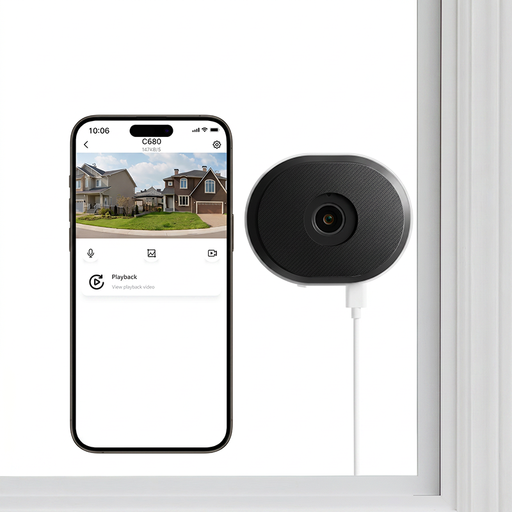
Why This Fits Their Persona: Designed for monitoring through glass, this camera is perfect for UK renters who can't drill holes. It mounts directly onto a window with a removable adhesive, allowing you to monitor your front door or driveway from inside your flat.
It supports local microSD card storage (up to 256GB), giving you a security camera no monthly fee is required for. Its anti-glare lens technology is specifically designed to prevent the washed-out images common with other cameras pointed at windows, tackling the poor image quality pitfall head-on.
Features 2K resolution with full-colour night vision for clear footage. Supports both 2.4GHz and 5GHz WiFi for a more stable connection, reducing dropouts.
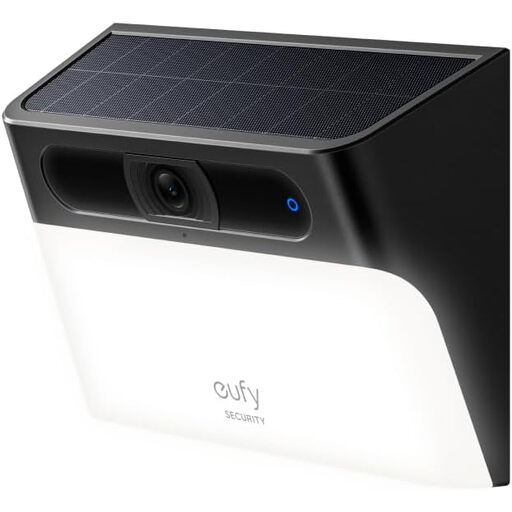
Why This Fits Their Persona: This is an all-in-one solution for homeowners wanting a wire-free outdoor security camera. The integrated solar panel ensures the battery stays charged with just a few hours of daily sunlight, making it a sustainable and low-maintenance choice for monitoring a garden, driveway or side alley.
It completely avoids the subscription trap by storing footage locally on built-in eMMC storage, with no monthly fees required. The AI detection is processed on-device, reducing false alerts from passing cars or animals without needing a cloud subscription.
Features a 2-in-1 camera and motion-activated 300-lumen light. It provides 2K HD video with colour night vision and is IP65 waterproof, ensuring it withstands the British weather.
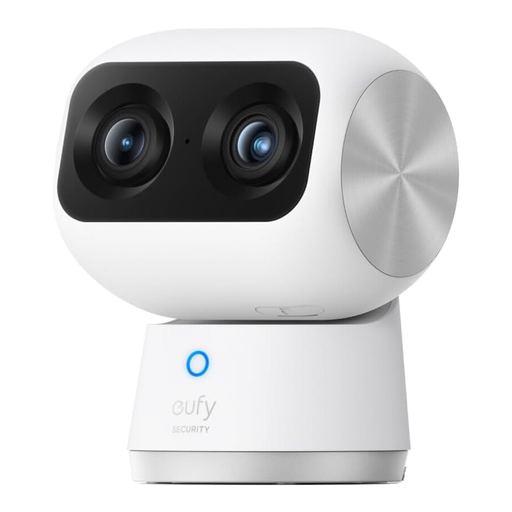
Why This Fits Their Persona: For those who want top-tier indoor surveillance, this PTZ camera offers exceptional detail. Its dual-camera system provides both a wide 4K view and a zoomed-in telephoto view simultaneously. It's an excellent choice as a high-end baby monitor or pet camera, allowing you to track movement around a room with 355° rotation.
It supports Dual-Band Wi-Fi 6 for a fast and highly stable connection, directly addressing the pitfall of unreliable connectivity. On-device AI tracking for humans and pets reduces false alerts, and it supports local microSD card storage to avoid mandatory cloud fees.
The 8x hybrid zoom and 4K UHD resolution deliver outstanding image clarity. The intelligent tracking automatically follows subjects, ensuring they stay in frame.
We have compiled a complete, real-time list of products that fully satisfy these strict selection criteria and UK safety regulations.
Data usage depends heavily on the video resolution, frame rate and how often the camera records. A camera recording in 1080p might use 1-2 GB of data per day if recording continuously, while one set to record only motion events might use significantly less. For most UK broadband plans this is manageable, but it's a factor to consider if you have a data cap or plan to run multiple high-resolution cameras.
You need an internet connection (via your WiFi router) to set up the camera, view the live feed remotely on your phone and receive notifications. However, models that support local microSD card storage can continue to record footage even if your home internet connection goes down. You just won't be able to view it remotely until the connection is restored.
Yes, using security cameras on your own property is legal. However, you must comply with data protection laws, including GDPR. This means you should avoid positioning your cameras to capture footage of your neighbours' private property (like their windows or gardens) or public spaces. If your cameras capture footage outside your property boundary, it is good practice to use privacy zones to block these areas and put up a small, clear sign stating that CCTV is in operation.