Who needs which connection?
The useful distinction is whether the tablet must get online on its own between planned stops, or whether a passenger can depend on an existing phone hotspot.
Connection-critical road-trip traveller
If you need to refresh flight, gate or booking information away from known Wi-Fi, look for a cellular-capable tablet and a compatible mobile-data arrangement. A cellular model still depends on signal along your route.
Passenger needing a portable travel screen
If you will check details as a passenger or when safely parked, compare the space available for reading with the weight you must carry. Apple lists its 11-inch iPad Air Wi-Fi + Cellular at 465 g, while Lenovo describes the 8.7-inch Tab One as approximately 320 g; these are different models with different connectivity.
Hotspot-equipped value buyer
If checks are occasional and your phone can provide dependable data, a Wi-Fi-only tablet can act as a second screen. Confirm that your phone plan permits tethering and that you can rely on its battery and signal when you need an update.
Tablet brands relevant to this choice
These specific tablet lines illustrate different screen-size and connection decisions; a brand name alone does not identify the configuration you need.
Apple
The 11-inch iPad Air Wi-Fi + Cellular is an Apple option for travellers who want a larger screen with its own cellular capability.
- Apple lists the 11-inch Wi-Fi + Cellular model at 465 g and describes an anti-reflective display with 500 nits brightness.
- Apple lists the corresponding 13-inch cellular model at 617 g. Compare the offered size and connectivity configuration rather than assuming the lighter figure applies to every iPad Air.
Samsung
The Galaxy Tab S10 FE 5G is a named 10.9-inch Android cellular option for checking travel details.
- According to Samsung, the Tab S10 FE series offers up to 800 nits in high-brightness mode and has an IP68 resistance rating.
- Those series claims do not establish the specifications of every Galaxy tablet or its accessories. Check the exact model, connectivity variant and included items.
Lenovo
The Wi-Fi Lenovo Tab One is a compact option to consider when a passenger can use an existing phone hotspot.
- Lenovo describes its UK-listed Tab One as an 8.7-inch tablet weighing approximately 320 g.
- The listed Wi-Fi configuration is not a substitute for a tablet with its own mobile-data connection.
Joybuy tablets for flight-connection checks
These choices include cellular-labelled tablets for checking details away from Wi-Fi and one Wi-Fi model for use with a dependable hotspot. Several have 12.7- or 13.4-inch screens, so compare their carrying practicality if you wanted a compact travel tablet.
 No image available
TECLAST ArtPad Pro 2025 Edition, 12.7-inch 4G
Consider this larger-screen option if a passenger needs a cellular-labelled tablet for travel-information checks. The title specifies a 12.7-inch 2K display, Dual SIM 4G LTE and an included stylus pen.
Before relying on mobile data, check the SIM format, supported bands, plan compatibility and coverage along your route. Compare its weight and rated brightness if carrying it or reading it at bright stops matters.
View on Joybuy
 No image available
Teclast T65 2026, 13.4-inch Dual SIM 4G
This is a large-screen option to assess for passenger use when a separate mobile-data connection is needed. Its title specifies a 13.4-inch 120Hz display and Dual SIM 4G; the stated 5G Wi-Fi is not a claim of 5G cellular service.
Check SIM format, supported bands and route coverage for your chosen network. Its size makes the exact weight worth checking before choosing it for a day bag.
View on Joybuy
 No image available
Teclast T65 Plus 2026, 13.4-inch Dual SIM 4G
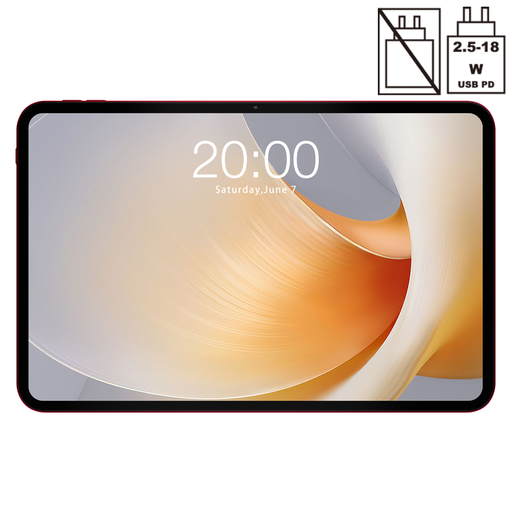
Consider this model if a passenger wants a larger display and plans to arrange mobile data for checks between stops. The title specifies a 13.4-inch 120Hz display, Dual SIM 4G and Android 15; its 5G Wi-Fi description does not mean 5G cellular connectivity.
Confirm the SIM format, supported bands and network coverage, then compare weight and rated brightness against your carrying and viewing needs.
View on Joybuy
 No image available
Apple iPad Pro 13-inch (M5) Wi-Fi + Cellular, 1TB, Standard Glass, Silver
This 13-inch Wi-Fi + Cellular configuration is a larger-screen option for checking travel pages without depending on a phone hotspot. The named variant has 1TB storage and Standard Glass.
Confirm its SIM arrangement, network compatibility and route coverage before planning to use cellular data. Check the exact model’s weight if a compact day-bag tablet is your priority.
View on Joybuy
 No image available
Samsung Galaxy Tab A11+ 8GB/256GB Wi-Fi Gray
This Wi-Fi variant suits occasional flight checks when a suitable phone hotspot or stopover Wi-Fi is dependable. Its title specifies an 8GB/256GB configuration; do not choose it on the assumption that it can connect to mobile data independently.
Check your phone plan’s tethering terms and the items included with the tablet, including whether you need a compatible charger.
View on Joybuy
Common questions
Can I check a flight connection on a tablet while driving?
Not by holding and using the tablet. GOV.UK says this restriction applies while driving, including at traffic lights and in traffic queues. Have a passenger check the information, or park safely before handling the device yourself.
Is a Wi-Fi-only tablet enough for a road trip?
Yes, if you can depend on stopover Wi-Fi or a phone hotspot with suitable data and signal whenever you need an update. If the tablet must connect without either, choose a cellular-capable variant and check its data-plan compatibility.
What should I check before choosing a cellular tablet?
Confirm that the exact variant supports cellular data, not just Wi-Fi, and check its SIM or eSIM requirements against your intended plan. Network coverage along the route and any roaming terms also matter if your journey crosses borders.
Should I choose a compact or a larger screen for flight details?
Choose by how you will carry and use the tablet, not by display size alone. Lenovo describes its 8.7-inch Tab One as approximately 320 g, while Apple lists the 11-inch iPad Air Wi-Fi + Cellular at 465 g; compare the exact models you are considering for weight, viewing space and connectivity.
Does a tablet’s IP68 rating cover its travel accessories?
No. Samsung’s cited IP68 claim concerns the Galaxy Tab S10 FE series, not every case, charger or mount used with it. Check each exact item’s stated protection and conditions before exposing it to rain or dust.


