If you are replacing the screen and want UK broadcaster live and catch-up viewing without an aerial, consider a TV with Freely built in; if your existing TV has an HDMI input, a Freely streaming device offers a way to keep it. Neither route replaces an aerial if you specifically want live terrestrial Freeview through its TV Guide. Check the exact device’s services and the connection in the intended room before buying; GOV.UK says watching or recording live TV, or using BBC iPlayer, requires a TV Licence.
Who each setup suits
Aerial-free live-TV viewers
If you want familiar broadcaster programmes live and on demand in a room without an aerial connection, look for an internet-delivered TV service rather than assuming any smart TV offers the same guide. Freely describes both compatible TVs and plug-in devices for this purpose.
People keeping an existing TV
A usable bedroom, kitchen or wall-mounted TV may only need an add-on device. Freely says its streaming devices connect through HDMI, so check that the TV has an accessible input and that there is room to power the device.
Viewers who need the Freeview TV Guide
If live terrestrial Freeview through its TV Guide is non-negotiable, a Wi-Fi-only setup does not meet that requirement. Freeview says this form of live reception needs an aerial, even though an internet connection can provide catch-up services.
What to check before choosing
TV with Freely built in
Choose it when: You are replacing the display and want internet-delivered live and on-demand viewing without a separate streamer.
Trade-off: Check the exact TV’s services and features; Freely cautions that some players, content and features may not be available.
Freely device over HDMI
Choose it when: The existing screen still suits the room and has a usable HDMI input.
Trade-off: It adds a powered device and its own interface, but lets you keep the screen.
Aerial-based Freeview
Choose it when: Live terrestrial channels through the Freeview TV Guide are the deciding requirement.
Trade-off: Freeview says that live-TV route needs an aerial, so it cannot be a strictly Wi-Fi-only installation.
| Concern |
What to check |
Who this matters to |
| Live and catch-up TV without an aerial |
Check the exact TV or device for your essential broadcaster services and the live-guide and catch-up features you use. Freely warns that availability can vary. |
I want familiar programmes both live and on demand without arranging aerial access; around 31% of consumers would put this viewing route first. |
| Keeping a working TV |
For a plug-in Freely device, check for an accessible HDMI input, nearby power and space behind a wall-mounted screen. |
If my current screen still works for the room, I would rather add the viewing functions than replace it; keeping the TV is the main concern for around 25% of consumers. |
| Connection and picture quality |
Test the connection in the room. Freely specifies at least 10Mbps for its live internet channels or on-demand shows; compare any other service’s guidance with the picture quality you want. |
I need playback to remain usable where the TV will actually sit, particularly if I want higher-resolution streams; reliable viewing comes first for around 25% of consumers. |
| Terrestrial Freeview guide |
Confirm whether you specifically need live Freeview through its TV Guide. Freeview says that requires an aerial; check reception and installation feasibility before choosing this route. |
Streamed channels are not a substitute if I specifically want live terrestrial Freeview through its guide; around 19% of consumers would make that requirement their priority. |
Common buying mistakes
-
Assuming Freeview Play removes the need for an aerial
Freeview says an aerial is required for live terrestrial TV through the Freeview TV Guide. Internet access for catch-up does not change that reception requirement.
Decide whether streamed live channels meet your needs. If the terrestrial guide matters, check local coverage and whether an aerial can be installed.
-
Assuming Wi-Fi viewing avoids TV licensing
GOV.UK bases the TV Licence requirement on viewing: watching or recording live TV on any channel or service, or using BBC iPlayer, requires a licence regardless of the device or connection.
Account for that requirement if either type of viewing is part of your planned setup.
-
Choosing a smart TV without checking its services
An internet-connected screen does not by itself establish that your required player, live guide or feature is available. Freely notes that some players, content, services and features may not be available.
List the services you cannot do without and check support for the exact UK model and its current software before buying.
-
Checking broadband speed but not the room’s connection
Netflix says slow or unstable connections can reduce streaming quality. A connection that works near the router may behave differently at the planned TV position.
Test Wi-Fi where the screen will go. Compare the services you intend to use with their speed guidance, and consider a device with Ethernet if a cable route is practical.
Relevant brands to consider
Hisense
Relevant if you are replacing the screen and want to assess TVs with Freely built in.
- Freely lists Hisense TV options for internet-delivered live and on-demand viewing.
- Check the exact UK model’s applications and features; the platform’s listing does not establish support across every Hisense TV.
Netgem
Relevant if you want to keep an HDMI-equipped TV and consider a separate Freely device.
- Freely describes the Netgem PLEIO 4K Puck as a plug-in device with access to the Google Play Store.
- Check your essential apps and features on the device; access to an app store does not establish that every service you want will work.
Manhattan
Relevant if you are considering an HDMI streamer for Freely on an existing TV.
- Freely describes the Manhattan Aero as connecting by HDMI and Wi-Fi and offering a TiVo OS interface; it also lists Wi-Fi 6 and Ethernet connectivity for this device.
- Confirm the apps you need, the current software features and whether the proposed network connection is practical in your room.
TVs for replacing the screen
These Joybuy TV choices are for replacing a screen in a room without an aerial connection. Their listings name Freely; check the exact model’s required services and the connection at the installation point. If you plan to keep your current screen, assess the HDMI streaming-device route instead.
 Image unavailable
Haier H50S80GUF 50-inch 4K QLED Freely and Fire TV
Consider this model if you are replacing the screen and want a 50-inch TV listed with Freely.
The product name specifies a 4K QLED display, Fire TV and HDR10+. Check that its current UK apps and Freely features cover your viewing needs, and test the room’s internet connection.
View on Joybuy
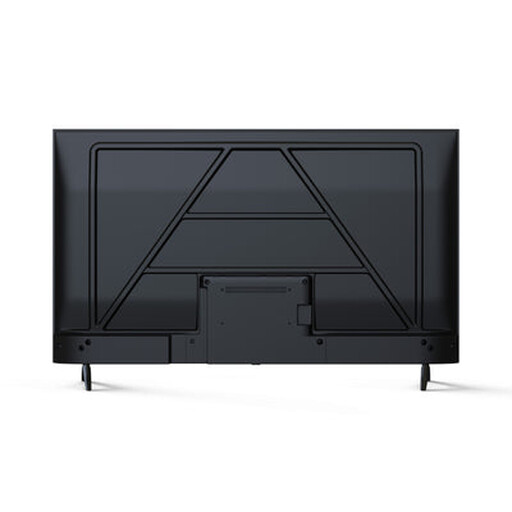 Image unavailable
Haier H43K85GUF 43-inch 4K LED Freely and Fire TV
This is a 43-inch option to assess when replacing a screen in an aerial-free room.
The product name specifies a 4K LED display, Fire TV and HDR10. Confirm that the exact model offers your essential apps and features, and check its dimensions against the intended position.
View on Joybuy
 Image unavailable
Haier H50K85GUF 50-inch 4K LED Freely and Fire TV
Consider this model if a 50-inch replacement screen suits the room and you want to assess a TV listed with Freely.
The product name specifies a 4K LED display, Fire TV and HDR10. Verify the services you intend to use on this exact model and check the connection where it will be installed.
View on Joybuy
 Image unavailable
Coocaa 40CTQH38ZUK 40-inch Full HD QLED Freely TV
This 40-inch model is worth checking if you are replacing a screen and Full HD suits your viewing needs.
The product name lists TiVo, Freely and HDR10. Check the exact model’s current services and features, as well as the available internet connection in the room.
View on Joybuy
 Image unavailable
Toshiba 32WV2553DB 32-inch HD Ready VIDAA Freely TV
Consider this 32-inch screen if you are replacing a TV in a smaller room and HD Ready resolution meets your needs.
The product name lists VIDAA OS, Freely and HDR10. Confirm how the exact model provides your required viewing services; its listed Freely route should not be confused with terrestrial Freeview through an aerial.
View on Joybuy
Frequently asked questions
Do I need a TV Licence for a Wi-Fi-only TV?
Yes, if you watch or record live TV on any channel or service, or use BBC iPlayer. GOV.UK states that these conditions apply regardless of whether you use a TV or another device; using Wi-Fi does not create an exemption.
Can I watch live Freeview through its TV Guide without an aerial?
No. Freeview says live terrestrial TV through the Freeview TV Guide needs an aerial. Internet-delivered live channels are a different viewing route, so check which guide and channels you actually want.
Can I use an older TV for aerial-free live viewing?
Yes, potentially, if it has a usable HDMI input. Freely says a compatible streaming device can connect to an existing TV through HDMI and use home Wi-Fi for its live and on-demand services; check power and space at the TV position too.
What broadband speed should I check?
Check the requirements of the services you intend to watch and test the connection in the TV room. Freely specifies at least 10Mbps for its live internet channels or on-demand shows; Netflix recommends 3Mbps for HD, 5Mbps for Full HD and 15Mbps for UHD/4K, and notes that an unstable connection can reduce quality.


