What matters when choosing?
For a kitchen diner, decide how much daylight reaches the screen and where people sit before comparing display technologies. A feature described for one model or size should not be assumed for another.
Mini LED or LCD with reflection treatment
Consider it when: Daytime viewing is routine and windows or kitchen lights fall across the screen. Sony identifies X-Anti Reflection on BRAVIA 9, an example to assess by exact model rather than a feature of every Mini LED TV.
Trade-off: Brightness alone does not settle whether a particular reflection will remain distracting, and viewing-angle behaviour varies by model.
OLED
Consider it when: You mainly watch with controllable room light and value contrast and a picture visible from off-centre seats. LG describes independently controlled pixels and wide viewing angles for its OLED technology.
Trade-off: Those technology characteristics do not establish how an individual screen handles reflections from your windows or lamps.
| Concern | What to check | Who this matters to |
|---|
| Daylight and reflections |
Check where light lands at your usual viewing time and whether the exact model has anti-reflection or anti-glare treatment. |
If a window or pendant light reflects in darker wildlife scenes, I want to address that distraction before choosing by display type; around 33% of consumers put reflection control first. |
| Views from several seats |
Map the table and island seats, then check viewing-angle information for the exact model or variant. |
When we watch from different sides of the room, I want the picture to remain useful away from the centre; roughly 27% of consumers prioritise off-centre viewing. |
| Wildlife picture detail |
Compare picture modes and contrast under your usual lighting; check HDR compatibility with the programmes you intend to watch. |
If I usually watch after dark, I care most about contrast and detail in shadowed footage; around 20% of consumers make picture detail their primary concern. |
| Size and energy use |
Measure the intended position and compare energy-label consumption figures in kWh per 1,000 hours, not just energy-class letters. |
If space is tight, I need a screen that fits without making electricity use an afterthought; approximately 20% of consumers put size and running use first. |
TVs on Joybuy
These Mini LED, QLED and OLED TVs offer different starting points for a kitchen-diner shortlist. Compare each screen’s stated features with your lighting, seating positions and available space rather than treating the list as a ranking of bright-room performance.
 No image available
Hisense 55U7QTUK Pro 55-inch Mini LED TV
Consider the 55-inch size if it fits your planned viewing position. The title identifies 4K, HDR and VIDAA OS; if daylight is a priority, confirm the exact screen’s reflection treatment before choosing it.
View on Joybuy
 No image available
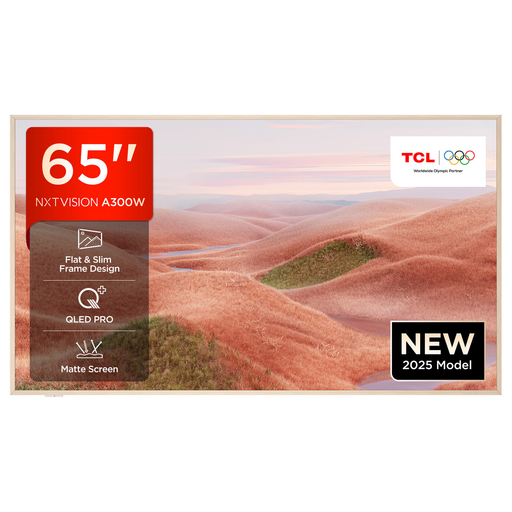
TCL 65A300W 65-inch QLED TV
This 4K Google TV model is worth checking if reflections and screen placement are central to your choice. Its product wording conflicts on whether the matte anti-glare screen is included or optional, so confirm that treatment for this exact variant before relying on it.
View on Joybuy
 No image available
Samsung QE75QN80FAU 75-inch 4K TV
Consider this 75-inch screen only if your kitchen diner has room for its intended position and viewing distance. Its title specifies 4K Ultra HD and Wi-Fi; check the exact model’s reflection treatment and energy-label figure if daytime viewing or electricity use will drive your decision.
View on Joybuy
 No image available
TCL 75Q6C 75-inch QD-Mini LED TV
This larger-screen option calls for careful measurement of the available wall or furniture space. Its title identifies 4K, HDR and Google TV; confirm reflection handling and the energy-label consumption figure for the 75-inch variant before deciding whether it suits the room.
View on Joybuy
 No image available
Sony BRAVIA 8 K65XR80BP 65-inch OLED TV
Consider this OLED model if contrast-focused evening viewing is your priority and the 65-inch screen fits the room. Its title specifies 4K HDR and Google TV; assess the exact model’s reflections and off-centre picture before choosing it for daytime or shared-table viewing.
View on Joybuy
Frequently asked questions
Do I need a TV Licence to watch a wildlife series in the UK?
It depends on how you watch: TV Licensing says you need a TV Licence for live TV and for watching or downloading programmes on BBC iPlayer. On-demand viewing on other services does not by itself require one, provided you are not watching live TV.
Can I put a TV next to the sink?
Do not choose a position where the TV, socket or cables could be exposed to splashes. Electrical Safety First advises keeping kitchen sockets and switches a safe distance from the sink; plan the power supply and mounting position together.
Does a better energy-class letter mean lower electricity use?
Not necessarily when the TVs are different sizes. Energy Saving Trust notes that larger appliances generally use more energy regardless of rating, so compare each TV’s energy-label consumption figure for the same stated period.
What should I check before arranging installation?
Check the exact TV’s stand footprint or compatible wall mount, the intended cable route and what the seller includes in its delivery or installation service. Confirm the applicable warranty and return terms for that purchase rather than assuming they are the same across models or sellers.
What should I do with an old TV?
Use an appropriate electrical-recycling, retailer take-back or local-authority route rather than general household waste. GOV.UK describes the UK’s waste electrical and electronic equipment framework as promoting recovery, reuse and recycling.


