Choose a TV for the room and its viewers before choosing a display label: check the seating positions, reflections, viewing distance and available space. OLED is worth considering when shadow detail in a controllably lit room matters most; for a brighter room with side seating, look for viewing-angle and anti-reflection features on the exact LCD model rather than assuming every Mini LED TV includes them.
Who is this for?
Viewers sharing a sofa or sitting to the side
If flatmates cannot all sit directly in front of the screen, check viewing-angle claims for the exact TV size. Notice where windows and lamps will appear in the screen, too: a feature that helps with side seating does not necessarily address reflections.
Viewers interested in wildlife picture detail
If dark habitats, bright landscapes and fine textures are the main attraction, compare contrast and supported high dynamic range (HDR) formats. A listed format matters only when the programme and viewing service provide compatible content.
Flat sharers balancing space and viewing access
A communal TV needs to fit its furniture or permitted wall space and connect to the household’s devices. Check the exact model for the apps and live-TV services the flat intends to use; a smart-TV platform does not make every service available or included.
What matters when choosing?
The main display routes serve different rooms. Sony UK describes OLED in terms of light-to-dark detail and LCD options in terms of bright-room viewing; those descriptions are a starting point, not a performance verdict on every model.
OLED
Consider it when: Wildlife series are usually watched in a dim or controllably lit room and detail in dark scenes is the priority.
Trade-off: An OLED label alone does not settle how the exact screen will handle a bright, reflective shared room.
Mini LED LCD
Consider it when: Daylight, lamps or off-centre seats make the exact model’s bright-room, anti-reflection and viewing-angle features important.
Trade-off: Samsung lists both Wide Viewing Angle and an Anti-Reflection screen for its 50-inch QE50QN90DATXXU; that specification does not apply automatically to other Mini LED models or sizes.
4K LED smart TV
Consider it when: The household chiefly needs a screen of the right size, compatible viewing services and enough connections.
Trade-off: Check glare and side-seat viewing separately rather than assuming these features accompany 4K resolution or a smart-TV platform.
| Concern | What to check | Who this matters to |
|---|
| Shared-room visibility |
Check the exact size and model for viewing-angle and anti-reflection features; compare the screen position with windows and lamps. |
If several of us watch from different seats, I want the picture to remain comfortable to view without rearranging the room. Around 42% of consumers put shared-room visibility first. |
| Wildlife picture detail |
Compare contrast and HDR formats for the content you watch, particularly if viewing is usually in a dim room. |
When a series moves between bright landscapes and shadowed habitats, I care most about how those scenes look. Picture detail comes first for around 33% of consumers. |
| Fit and viewing access |
Measure the seating distance and stand space; confirm the required apps, live-TV access and device connections on the exact model. |
Our shared TV needs to fit the furniture and give everyone access to the services and devices they use. For around 25% of consumers, that practical setup is the primary concern. |
Common buying mistakes
-
Choosing by diagonal screen size alone
A screen can fit the viewing-distance guidance but still crowd the TV unit or obstruct movement around a shared room.
Measure the main seating distance, furniture and stand footprint, and check wall-mounting permission before ordering. Treat viewing-distance guidance as a starting point for comfort, not a required screen size.
A stand or wall mount may also be needed if the planned setup does not accommodate the TV.
-
Assuming a display label guarantees the same result in every room
OLED, QLED and Mini LED describe different aspects of a TV, but the label alone does not establish the exact model’s reflection handling or side-seat picture.
For a bright or off-centre room, check model-specific viewing-angle and anti-reflection information. For mainly dim viewing, focus on contrast, supported HDR formats and available picture modes.
-
Assuming every smart-TV service is included
An app or TV platform can require an account or subscription. TV Licensing says watching live TV on any service or using BBC iPlayer requires TV Licence coverage.
List the programmes and services the flat will use, confirm their availability on the exact UK model, and check the household’s TV Licence position.
-
Leaving disposal of the old TV until moving day
An old television is electrical waste and needs a suitable disposal route rather than the normal household rubbish.
Ask about retailer take-back when buying and check the local household waste recycling centre arrangements. GOV.UK identifies household waste recycling centres as a route for waste electrical products.
Brands to consider
LG
LG’s OLED and LED ranges offer different starting points for a shared-room TV decision.
- LG describes its OLED77G64LW in terms of black levels, colour and reflection handling; those are manufacturer claims for that model.
- Do not extend those picture claims to LG LED TVs. For the 55UA73006LA LED model, the listing gives webOS and three HDMI inputs but cautions that app availability can change or require updates.
Samsung
Samsung Neo QLED is worth examining when the room has side seating or distracting light sources.
- Samsung lists Wide Viewing Angle, an Anti-Reflection screen and Mini LED local dimming for the 50-inch QE50QN90DATXXU.
- These are specifications for that model and size, not independent picture-test results or features guaranteed across the range.
Hisense
Hisense offers a route to examine when 4K viewing, connections and UK live or on-demand access lead the choice.
- The 50A6STUK is listed with Dolby Vision, Freely, VIDAA and three HDMI 2.1 ports.
- Those listed features do not establish how that TV handles reflections or viewing from side seats.
Sony
Sony’s display guidance helps frame the OLED-versus-LCD choice before comparing exact TVs.
- Sony UK describes OLED as suited to light-to-dark variation and discusses LCD and controlled backlights for brighter rooms.
- This manufacturer guidance is not an independent comparison of every Sony TV or a substitute for checking a particular model.
Joybuy TVs for shared viewing
These 43-inch, 50-inch and 55-inch 4K smart TVs are options to assess against the flat’s seating, light and space. Check each model’s exact features and required services rather than treating screen size or display technology as a complete answer.
 No image available
Hisense 55U7QTUK Pro 55-inch Mini LED 4K TV
Consider this model if a 55-inch screen fits the room and Mini LED is among the display options you want to assess for wildlife viewing.
The product name specifies HDR and VIDAA. Check how the screen faces windows and lamps, and measure the furniture or mounting space before choosing it.
View on Joybuy
 No image available
Samsung QE55QN85FAUXXH 55-inch Neo QLED 4K TV
Consider this 55-inch model when comparing TVs for a shared seating area.
The product name specifies a 4K smart TV with Wi-Fi. Check the exact model’s viewing-angle and reflection features, required UK apps and stand dimensions for your room.
View on Joybuy
 No image available
TCL 50V6C 50-inch Direct LED 4K Google TV
This 50-inch option is worth checking if it suits the flat’s seating distance and available TV space.
The product name specifies HDR and Google TV. Confirm the household’s required UK services and assess side-seat viewing and reflections in the intended position.
View on Joybuy
 No image available
Haier H50S80GUF 50-inch 4K QLED TV with Freely and Fire TV
Consider this model if the household wants to check Freely alongside its other viewing services on a 50-inch screen.
The product name also specifies HDR10+. Confirm current app and channel access, then check whether the stand, viewing angles and screen position work for the shared room.
View on Joybuy
 No image available
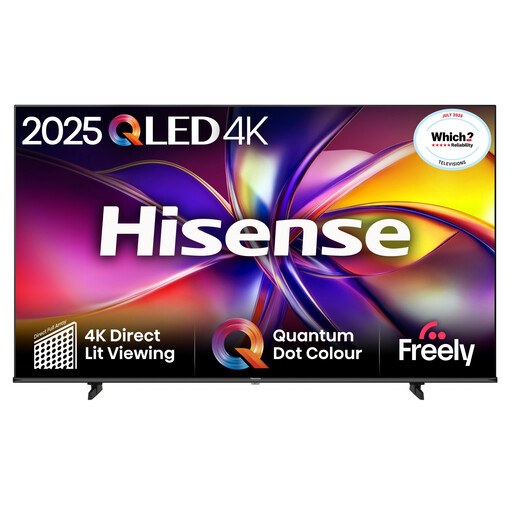
Hisense 43E78QTUK 43-inch 4K QLED VIDAA TV
A 43-inch screen is an option to measure against a smaller shared space, though the seating distance still matters.
The product name specifies HDR and VIDAA. Check the services everyone uses, the stand footprint and whether viewers at the sides can see the picture comfortably.
View on Joybuy
Frequently asked questions
What screen size should we choose for a shared-flat living room?
Choose a size that fits both the seating arrangement and the furniture, rather than relying on the diagonal measurement alone. Sony UK gives approximate minimum viewing distances for 4K TVs of 90 cm at 43 inches, 1 m at 49 or 55 inches, and 1.2 m at 65 inches; check comfort from the seats the flatmates will actually use.
Do we need a TV Licence for wildlife programmes?
TV Licensing says you need TV Licence coverage to watch or record live TV on any service or to use BBC iPlayer, including through a smart TV. It states that a property with a joint tenancy needs one licence for the address; if flatmates have separate room contracts, check how coverage applies to that arrangement.
Does a smart TV include streaming and live-TV services at no extra charge?
No: a smart-TV platform provides access to services, but individual services may require an account or subscription. Confirm the household’s required apps on the exact model and check each service’s access conditions before buying.
What should we do with an old TV when moving out?
Arrange a suitable electrical-waste disposal route rather than putting the TV in normal household rubbish. GOV.UK identifies local household waste recycling centres as an option; retailer take-back may also be worth checking when arranging the new TV.


