Owners of a working Windows 10 laptop
If the laptop still handles your everyday tasks, check Windows 11 eligibility before paying for parts or replacing it. Microsoft Support identifies the processor as a major factor in compatibility.


Check the existing laptop with Microsoft PC Health Check before replacing it: if it qualifies for Windows 11 and still meets your needs, an upgrade may be enough. If you need another laptop, compare a new model’s stated configuration with the exact condition and terms of a refurbished one. Microsoft’s Consumer Extended Security Updates (ESU) can provide eligible home users with a temporary security-update route through 12 October 2027, but not full Windows 10 support.
If the laptop still handles your everyday tasks, check Windows 11 eligibility before paying for parts or replacing it. Microsoft Support identifies the processor as a major factor in compatibility.
Compare the exact model, configuration and condition rather than treating every Windows 11-capable laptop as interchangeable. Which? notes that refurbished stock changes regularly, so check the particular unit and seller’s terms.
If your device qualifies for Microsoft’s Consumer ESU programme, it can provide a temporary route while you back up files and arrange an upgrade or replacement. The programme ends on 12 October 2027 and does not provide full support.
Start with the current laptop, then compare replacement choices against the tasks and files you need to carry across.
| Priority | What to check | Your needs |
|---|---|---|
| Windows 11 eligibility | Run Microsoft PC Health Check and note any reported blocker. Check the processor and security requirements before considering a hardware upgrade. | I would rather keep a useful laptop if it can run Windows 11 and still meets my everyday needs. |
| Replacement condition | For a refurbished unit, confirm the exact model, Windows 11 capability, battery condition, included charger and seller’s warranty terms. Which? notes that refurbished stock changes regularly. | I can consider a refurbished laptop if I know what condition the particular unit is in; otherwise, I want a clearly specified new one. |
| Everyday fit | Check the listed memory, storage, screen size, keyboard layout and ports. Confirm that required applications and peripherals will work with the replacement. | My documents, calls, printer and other regular tasks need to work on the laptop I choose. |
| Files and access | Back up before upgrading or moving. Microsoft Support says its PC-to-PC transfer does not include installed applications, saved sign-in credentials or BitLocker-encrypted drives. | Before retiring the old laptop, I want to open my copied files and know how to reinstall apps and regain account access. |
| Temporary ESU | Check the device’s eligibility and enrolment conditions. Microsoft says Consumer ESU provides critical and important security updates through 12 October 2027, not feature improvements, other fixes or technical support. | I need time to arrange a move, but I do not want to mistake temporary security updates for full Windows 10 support. |
A working laptop may qualify for Windows 11, while a processor incompatibility can change whether spending on other upgrades makes sense. Microsoft Support identifies the processor as a major eligibility factor.
Run PC Health Check, identify the reported blocker and assess whether a supported upgrade would leave the laptop useful for your tasks.
Microsoft says ESU excludes feature improvements, other fixes and technical support. Its consumer programme ends on 12 October 2027.
Confirm that the home device qualifies before relying on ESU, and use the time to plan an upgrade or replacement.
A condition label alone does not tell you whether the exact laptop meets your Windows 11, battery, accessory and application needs. Which? notes that refurbished stock changes regularly.
Ask for the exact model and configuration, and read the seller’s condition, warranty and returns terms for that unit.
Microsoft Support says its PC-to-PC transfer excludes installed applications, saved sign-in credentials and BitLocker-encrypted drives.
Back up first, open the copied files and confirm app licences and account access before resetting the old device.
A range name can help you find candidates, but the exact model and configuration determine whether a laptop meets your needs.
Lenovo presents IdeaPad as a range spanning everyday-use and other configurations.
Dell offers Inspiron laptops and 2-in-1 models for personal use.
HP’s UK laptop listings include home models with differing memory and storage configurations.
These Windows 11 Home laptop listings are options if replacing your Windows 10 laptop makes sense after checking the current device. Compare each configuration with your applications, peripherals and migration plan.
 No image available
A Windows 11 Home replacement option if this configuration fits your work and file-storage needs. The title specifies an AMD Ryzen 5 7535HS, 24GB DDR5 RAM and a 512GB PCIe SSD; check connections for your existing peripherals.
 No image available
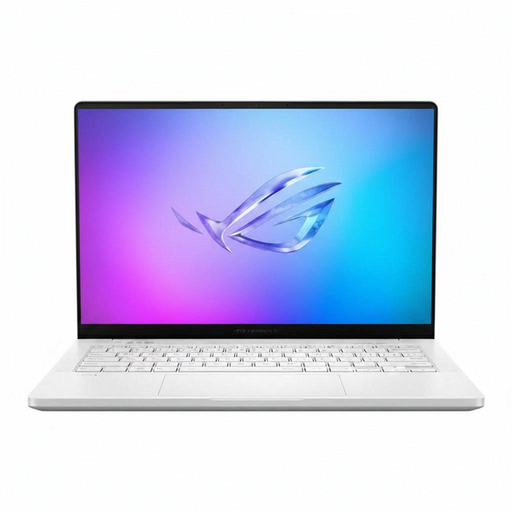
Consider this Windows 11 Home configuration if you need its stated memory, storage and graphics specifications. The title lists an AMD Ryzen AI 9 HX 370, 32GB LPDDR5x-SDRAM, a 2TB SSD and NVIDIA GeForce RTX 5070 Ti graphics; confirm the keyboard layout and ports for your use.
 No image available
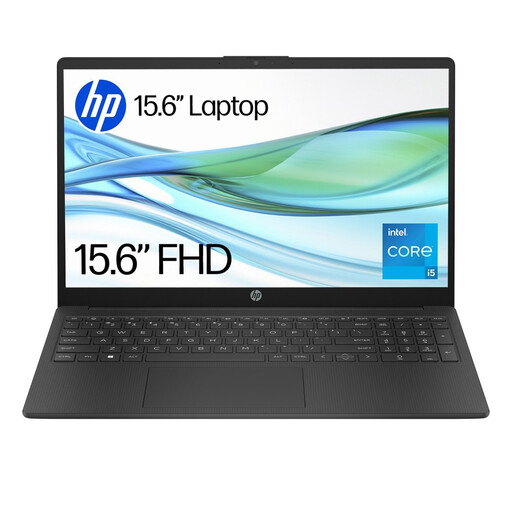
Check whether this Windows 11 Home configuration has enough memory and local storage for your everyday tasks and files. Its title specifies an Intel Core i5-1334U, 8GB RAM and a 256GB SSD; confirm the ports needed for your peripherals.
 No image available
This Windows 11 Home option is worth checking if you want a 15.6-inch replacement and may need to assess memory requirements. The title specifies an Intel Core i5-13420H, 8GB DDR5 RAM and a 256GB NVMe SSD; confirm whether that capacity meets your needs.
 No image available
For a Windows 11 Home replacement, check whether its stated 128GB SSD will hold the files and applications you need. The title also specifies an Intel N150 and 8GB DDR4 RAM; confirm whether S Mode applies to this configuration and suits your required apps.
Run Microsoft PC Health Check and follow up on any requirement it flags. Microsoft Support identifies the processor as a major determining factor, so check the actual compatibility result before buying replacement parts or another laptop.
No. Microsoft says Consumer ESU provides critical and important security updates for eligible devices through 12 October 2027, but excludes feature improvements, other fixes and technical support. Treat it as time to arrange a move, not as a permanent alternative.
No. Microsoft Support says its PC-to-PC transfer excludes installed applications, saved passwords and sign-in credentials, OneDrive files and BitLocker-encrypted drives. Plan to reinstall applications and confirm access to accounts and encrypted data separately.
Use a supported cloud-backup route if your account and available storage suit the files you need to move; use an external drive if you want an offline file copy. Microsoft Support describes external storage as a way to move files. Whichever route you choose, open the copied files before resetting the old laptop.