Owners of potentially Windows 11-ready PCs
Your Windows 10 computer still does what you need. Check its eligibility in Windows Update or Microsoft PC Health Check before deciding whether to buy another one.


Check your current PC with Windows Update and Microsoft PC Health Check before deciding to replace it. Upgrade to Windows 11 if the exact device is eligible and your essential software and peripherals will work; otherwise, compare new and refurbished Windows 11 PCs. Consumer Extended Security Updates (ESU) can provide a temporary transition, while another supported operating system is an option only if it fits the tasks you need to keep doing.
Microsoft ended ordinary Windows 10 support on 14 October 2025, but that date alone does not tell you whether a working PC needs replacing. The next step depends on the device and what you use it for.
Your Windows 10 computer still does what you need. Check its eligibility in Windows Update or Microsoft PC Health Check before deciding whether to buy another one.
A particular program, printer, scanner or accessory is essential to your routine. Hardware eligibility alone will not settle your decision: check support for those items before changing operating systems or computers.
Your current computer cannot take a verified upgrade, or you are considering a replacement. Compare exact models and their supported operating-system routes rather than assuming that a refurbished label or a recent-looking PC is sufficient.
For a household with a still-working Windows 10 PC, establish whether the current device can move to Windows 11, then check the applications and equipment you cannot do without. If replacement is necessary, compare exact new and refurbished configurations and plan how you will transfer your files.
| Concern | What to check | Who this matters to |
|---|---|---|
| Windows 11 eligibility | Run Windows Update and Microsoft PC Health Check on the current PC. If it is ineligible, examine the reported issue, including processor support, TPM 2.0 or UEFI with Secure Boot capability. | My computer still works, so I want to know whether it can take a supported upgrade before replacing it. Around 31% of consumers put device eligibility first. |
| Software and peripherals | List essential applications and connected devices. Check Windows 11 or alternative-OS support with their publishers and manufacturers; test anything you cannot readily replace. | If my printer or a necessary program stops working, a new operating system will not meet my household’s needs. Keeping essential software and peripherals usable comes first for around 25% of consumers. |
| New or refurbished replacement | Get the full model identifier and confirm the installed supported operating system or verified upgrade route. Check the configuration, condition and equipment needed for your setup. | When I need another PC, I want a new or refurbished model that fits my routine rather than buying on its label alone. Replacement value is the primary concern for around 19% of consumers. |
| Files and transition | Back up important files and check that they open before changing PCs. If using Consumer ESU temporarily, confirm Microsoft’s current eligibility and enrolment terms while planning a supported route. | I need time to move my files and check that everyday tasks work before I retire the old computer. Around 25% of consumers place a manageable, secure transition first. |
Microsoft’s Windows 11 requirements include processor compatibility, TPM 2.0 and UEFI with Secure Boot capability. A PC’s apparent speed or available memory does not establish upgrade eligibility.
Check Windows Update and run PC Health Check on the precise machine before committing to an upgrade or replacement.
Microsoft notes that particular features, apps and added hardware may have requirements beyond the Windows 11 minimum. An eligible PC may still need further checks for your established workflow.
Identify the software and peripherals you must keep, then confirm support with each publisher or manufacturer before moving your only working PC.
A broad processor or product-family description does not identify the configuration you will receive or its Windows installation.
Ask for the full model identifier and installed operating system. Confirm the supported Windows route for that exact device with the seller or manufacturer.
A move can interrupt access to documents, photos, accounts and applications if the transfer has not been tested.
Back up important files, check that you can open them, and keep the old PC until the new setup handles your routine tasks.
These laptops and desktops are replacement choices to assess if you decide against upgrading your current Windows 10 PC. Confirm the installed Windows version for the exact configuration, then check your essential applications, peripherals and setup needs before choosing one.
 No image available
A laptop to consider if you need to replace a Windows 10 PC; confirm the installed Windows version and compatibility with your essential software and devices.
This configuration lists 16GB RAM, a 1TB SSD and a 15.6-inch 144Hz FHD display.
 No image available
Consider this Windows 11 Home replacement if a 2-in-1 touchscreen format fits how you use a laptop; check support for the programs and equipment you need to keep.
The listed configuration has a 16-inch touchscreen, 16GB RAM and a 512GB SSD.
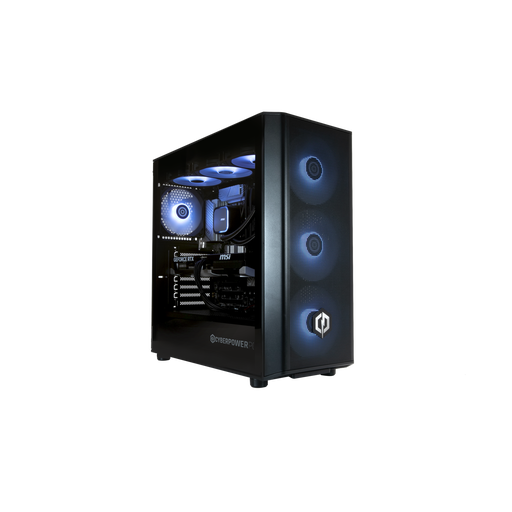 No image available
A Windows 11 Home desktop option for a fixed setup. Check that your applications and peripherals are compatible; a monitor, keyboard and mouse are not included.
This Black configuration lists 32GB DDR5 RAM and a 1TB NVMe SSD.
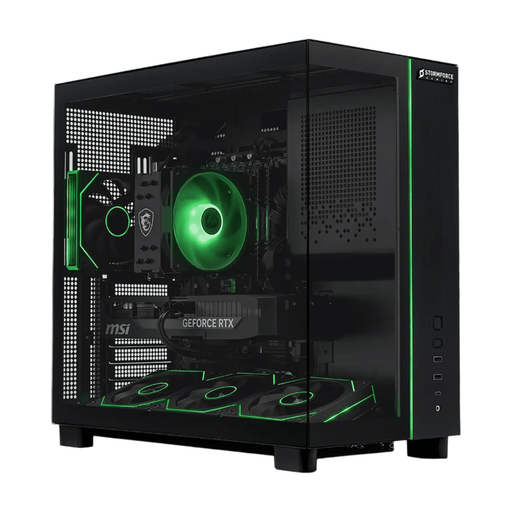 No image available
Consider this Windows 11 desktop for a stationary replacement. Check compatibility with your existing equipment and whether you need to provide a monitor or other peripherals.
The listed configuration has 32GB RAM and a 2TB SSD.
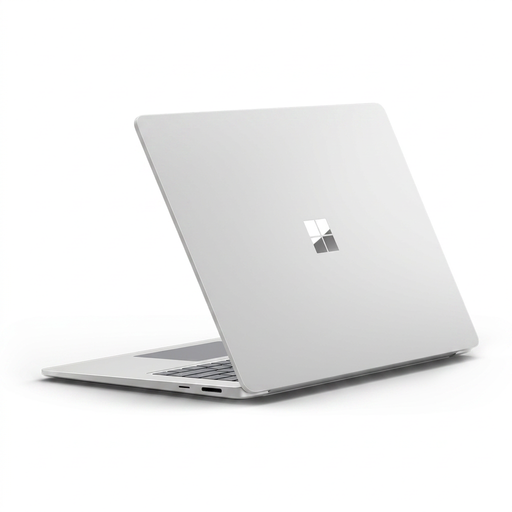 No image available
A touchscreen laptop to assess as a replacement. Check essential applications and peripheral support for this exact Snapdragon X Elite configuration before moving from your current PC.
It lists 16GB RAM and a 256GB SSD; compare that storage capacity with the files and applications you need to transfer.
No. Microsoft says Windows 10 PCs can continue to function, but ordinary support, including security updates, ended on 14 October 2025. Check a supported upgrade or transition route rather than treating continued operation as continued support.
Check Windows Update and run Microsoft PC Health Check on the exact computer. Microsoft’s Windows 11 requirements include a compatible 64-bit processor, 4GB RAM, 64GB storage, UEFI with Secure Boot capability and TPM 2.0; also check your essential software and peripherals separately.
Consumer ESU may provide a temporary security-update route if your PC qualifies and you enrol under Microsoft’s current terms. Microsoft describes ESU as covering critical and important security updates, not new features or ordinary technical support, so use the time to prepare a supported upgrade, replacement or suitable alternative operating system.
Secure your personal data before handing the PC over. If you are buying a replacement, ask the retailer about electrical-equipment take-back arrangements described in GOV.UK guidance, or check the recycling options available locally.