What should you check first?
Start with where the computer will be used and which existing tasks must still work. Then check support dates and the exact configuration, particularly for an older or refurbished device.
New Windows laptop
Consider it: You need particular Windows programs or regularly use accessories with Windows-specific requirements.
Check first: Confirm the supplied Windows version and configuration; meeting installation requirements alone does not establish how a laptop will suit every task.
Chromebook
Consider it: Browsing, streaming and documents fit the web-based services and files you use.
Check first: Windows programs are not interchangeable with ChromeOS apps, and the final update date depends on the Chromebook model.
Refurbished Windows laptop
Consider it: You can inspect the exact model, condition and installed operating system before ordering.
Check first: An older model may need a Windows 11 eligibility check; seller identity and warranty terms also matter.
Desktop and monitor
Consider it: The computer will remain at one home workstation rather than move between rooms.
Check first: Plan space and the monitor, keyboard, mouse and any other accessories you need; this route will not provide laptop portability.
| Priority | What to check | Your needs |
|---|
| Operating-system support |
For Windows, confirm the installed version and exact model’s Windows 11 eligibility. Microsoft lists at least 4 GB memory and 64 GB storage among its Windows 11 minimum requirements; these are not a measure of comfort in everyday use. For ChromeOS, check Google’s final update date for the model. |
I do not want to replace an ageing computer with another device near the end of its update support. |
| Files, apps and accessories |
List required programs, document features, printers and other devices. Google says its Microsoft 365 editing route on a Chromebook requires OneDrive; check the precise files and peripherals you use. |
My usual documents and connected devices need to work without an unwanted change to how I use them. |
| Refurbished condition |
Confirm the exact model, installed operating system, disclosed condition, included charger, seller identity and warranty terms. Citizens Advice says warranties add to legal rights rather than replacing them. |
If I choose refurbished, I want to know what will arrive and who I am buying it from. |
| Portability or desk use |
Decide whether the computer must move around the home. For a fixed setup, check space and compatibility for a separate monitor and input devices. |
Will I carry the computer between rooms, or use it at the same desk each time? |
Joybuy laptop and Chromebook options
These Windows and ChromeOS laptops are options for replacing a home computer used for browsing, video and ordinary documents. Compare their operating systems and exact configurations with your existing tasks; the desktop and refurbished routes discussed above call for different checks.
 No image available
Acer Aspire Lite AL15-36P-C29Z, 15.6-inch Windows laptop
A Windows option for browsing and video on a 15.6-inch Full HD display. The listed configuration has an Intel N150, 8 GB DDR4 RAM and a 128 GB SSD. Confirm whether the supplied Windows 11 Home configuration is in S Mode if you need particular apps, and check that the storage meets your local-file needs.
View on Joybuy
 No image available
Acer Chromebook Plus 514 CB514-5H, Core 5 120U, 512 GB SSD
A ChromeOS option for browser-led tasks and documents, with a listed 14-inch WUXGA (1920 x 1200) display, 8 GB RAM and 512 GB SSD. Check the exact model’s final ChromeOS update date and whether your required files, apps and accessories work with ChromeOS.
View on Joybuy
 No image available
Acer Chromebook Plus 514 CB514-5H, Core i3-1315U, 256 GB SSD
Another ChromeOS configuration for browsing, video and household documents. Its listed specifications include a 14-inch WUXGA (1920 x 1200) display, 8 GB RAM and 256 GB SSD. Confirm its model-specific update date and compatibility with the files and peripherals you use.
View on Joybuy
 No image available
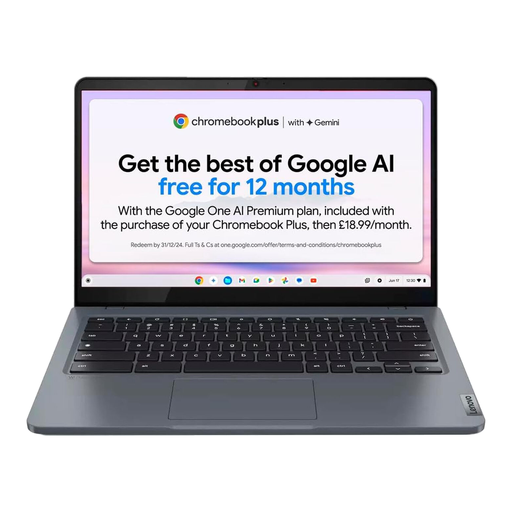
Lenovo IdeaPad Slim 3 Chromebook 14IAN8, 83BN001EUK
A ChromeOS laptop to consider for web-based home tasks. The listed configuration has a 14-inch Full HD display, Intel Core i3-N305, 8 GB RAM and 256 GB eMMC storage. Check the exact model’s final update date and your essential app, file and accessory compatibility.
View on Joybuy
Common questions
Can I keep using a Windows 10 laptop?
It can still run, but Microsoft says Windows 10 support ended on 14 October 2025 and standard free security updates stopped. Microsoft describes Consumer Extended Security Updates for enrolled devices until 12 October 2027; that temporary option does not establish whether the old hardware suits your next computer needs.
What should I check on a replacement Windows laptop?
Confirm the exact device runs Windows 11, then check that it has the connections and capacity your tasks require. Microsoft’s Windows 11 installation minimums include a compatible 64-bit processor, 4 GB memory, 64 GB storage, UEFI Secure Boot capability and TPM 2.0; meeting them does not promise suitability for every workload.
Can a Chromebook edit my Word, Excel and PowerPoint files?
Google describes a Microsoft 365 route for opening and editing those files on a Chromebook, with OneDrive required for editing through that route. Check your actual files, any features you rely on and your preferred storage workflow before switching from Windows.
How do I check a Chromebook’s update end date?
Google says the device’s final update date appears under Settings, About ChromeOS, Additional details, then Update schedule. Check the exact model you intend to buy; its sale date does not tell you when updates end.
Does a refurbished laptop’s warranty replace my rights?
No. Citizens Advice says a warranty or guarantee adds to legal rights rather than replacing them. For a refurbished purchase, identify whether you are buying from a trader, keep the condition description and proof of purchase, and check the warranty’s own terms.


