Owners of a working Windows 10 PC
If your computer still does what you need, check Windows 11 eligibility before replacing it. If it is ineligible, check whether Microsoft’s Consumer ESU programme can cover it while you plan your next step.


Check whether your existing PC can run Windows 11 before buying a replacement: if it is eligible and still meets your needs, upgrading keeps the hardware you have. If it cannot be upgraded, Microsoft’s Consumer Extended Security Updates (ESU) can be a temporary route for eligible Windows 10 devices until 12 October 2027; otherwise, choose a new or refurbished Windows 11 computer that fits your software, files and peripherals.
If your computer still does what you need, check Windows 11 eligibility before replacing it. If it is ineligible, check whether Microsoft’s Consumer ESU programme can cover it while you plan your next step.
If the current machine is ineligible for Windows 11 or no longer meets your storage, portability or connection needs, compare a laptop with a desktop before choosing a configuration.
A refurbished computer calls for a closer look at the exact configuration, Windows installation, physical condition, supplied accessories and seller terms. A product-family name alone does not settle those questions.
Start with the existing PC’s upgrade eligibility, then decide whether its everyday usefulness justifies keeping it; if not, compare replacement formats and plan the move.
| Priority | What to check | Your needs |
|---|---|---|
| Windows 11 upgrade | Use Windows Update or PC Health Check for the exact PC. Microsoft’s minimum requirements include a compatible 64-bit processor, 4 GB RAM, 64 GB storage, TPM 2.0 and UEFI firmware capable of Secure Boot; also check the applicable upgrade requirements. | I would rather keep a computer that still suits me, provided it can take a supported Windows 11 upgrade. |
| Temporary ESU cover | Check Microsoft’s Consumer ESU device, Windows 10 edition, update and account requirements. Microsoft limits ESU to critical and important security updates through 12 October 2027; it does not restore feature updates or technical support. | If I need more time before upgrading or replacing this PC, a time-limited security-update route may help me plan the change. |
| Laptop or desktop | For a laptop, check screen size, storage, connections and the equipment you need away from a desk. For a desktop, check display outputs, USB and network connections against the monitor and peripherals you intend to use. | I need to decide whether carrying the computer matters more than keeping a fixed setup with my existing desk equipment. |
| Files and software | Back up important files and check how they will move. Microsoft says its PC-to-PC transfer does not move installed applications or saved sign-in credentials; BitLocker-encrypted drives also need separate attention. | My replacement needs to be usable with my files, accounts and applications, not merely ready to start Windows. |
| Refurbished condition | Check the exact processor, RAM, storage, Windows edition and condition grade. Confirm licence evidence, included charger or other accessories, and the seller’s warranty and return terms for that listing. | If I choose refurbished, I want to know which individual configuration and equipment I will receive. |
Microsoft’s minimum requirements establish an installation threshold, not whether the computer has enough room for your files or the connections your equipment needs.
After checking eligibility, review available storage, the condition of the PC, your applications, monitor connections, USB ports, printer support and network access before deciding to keep it.
Microsoft limits Consumer ESU to critical and important security updates for eligible devices. It does not provide feature improvements or technical support, and the programme ends on 12 October 2027.
Check the enrolment conditions and use ESU with a plan to upgrade or replace the PC before that coverage ends.
Microsoft’s described PC-to-PC transfer does not move installed applications or saved sign-in credentials. Encrypted drives and files outside the chosen transfer method can require separate handling.
Make a backup before changing computers, identify the applications you must reinstall and confirm that you can access important accounts and encrypted files.
Configurations and cosmetic grades can differ within a product family, as Dell Refurbished UK’s individual Latitude and OptiPlex listings illustrate.
Compare the complete listing, including Windows edition, specification, condition, accessories and seller terms, and keep a copy of the description you ordered from.
Manufacturer information can help with compatibility or listing checks, but a brand name does not establish the condition or configuration of an individual computer.
Dell Refurbished UK lists individual Latitude laptop and OptiPlex desktop configurations with Windows 11 Pro.
HP UK describes a certified-refurbished process, while its UK store also lists new Windows 11 desktop configurations.
Lenovo Support GB provides a model-specific Windows 11 support list for owners assessing an existing Lenovo PC.
These listed laptops and desktops are options if replacing the home PC is the right route for you. Check each configuration against your files, software and existing equipment; an eligible PC may instead be worth upgrading.
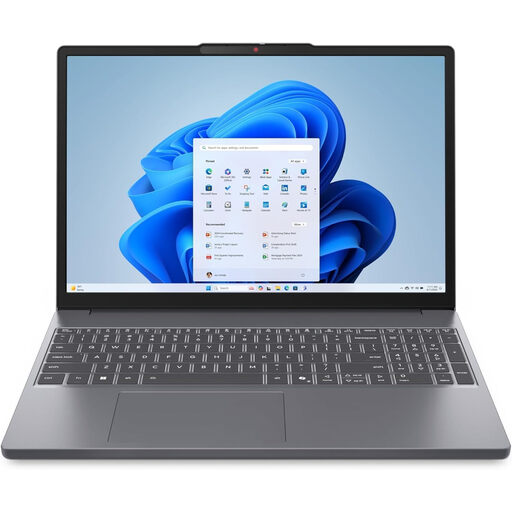 No image available
A laptop option if you need to replace a Windows 10 PC and use it away from a fixed desk. The listed configuration has Windows 11 Home, AMD Ryzen 5 7535HS, 24 GB DDR5 RAM, a 512 GB PCIe SSD, a WUXGA display and Wi-Fi 6. Check its connections against your existing peripherals.
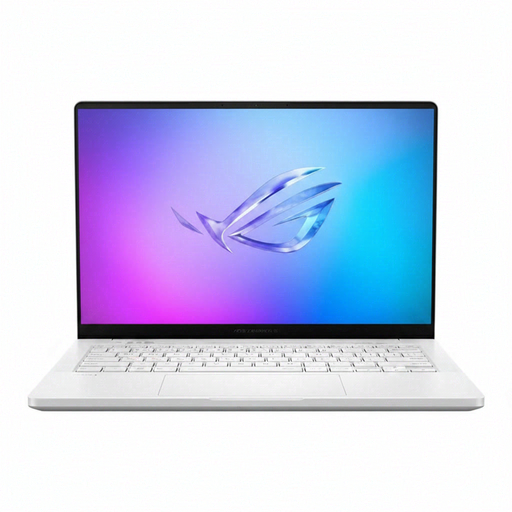 No image available
A 14-inch laptop option for a household choosing a portable Windows 11 replacement. Its title lists Windows 11 Home, AMD Ryzen AI 9 HX 370, 32 GB LPDDR5x-SDRAM, a 2 TB SSD, WQXGA+ display, NVIDIA GeForce RTX 5070 Ti graphics and Wi-Fi 7. Confirm the keyboard layout and connections needed for your equipment.
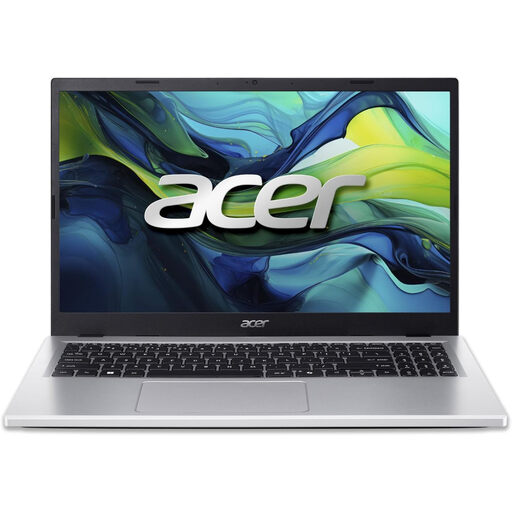 No image available
A portable replacement option if its storage accommodates the files and applications you need. The listed configuration has Windows 11 Home, Intel Core i5-13420H, 8 GB DDR5 RAM, a 256 GB NVMe SSD and a Full HD screen; check that 256 GB meets your storage needs.
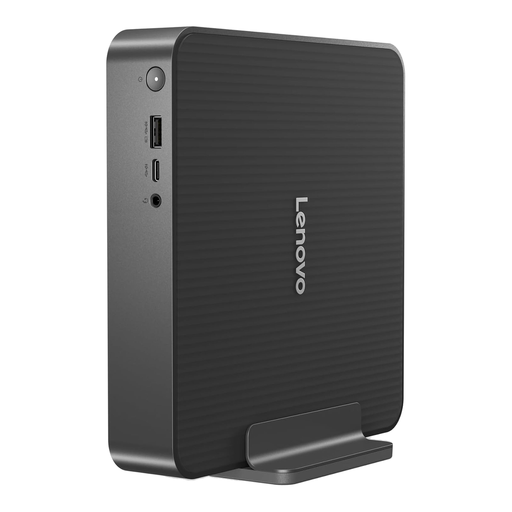 No image available
A compact desktop option for a fixed home setup. Its title lists an Intel Core 5 processor, 16 GB RAM and a 512 GB SSD. You will need an external monitor, keyboard and mouse; check what is included and whether the PC’s connections suit your equipment.
 No image available
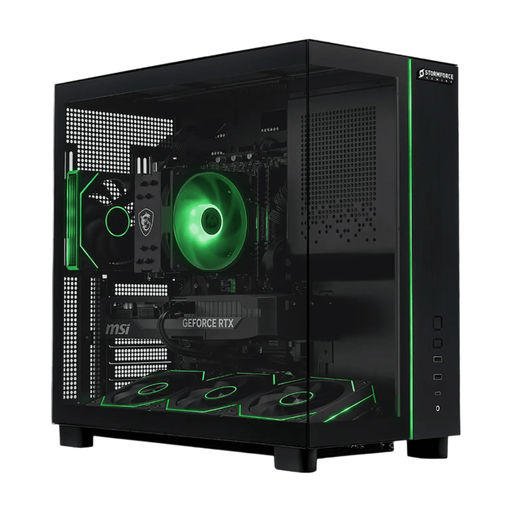
A fixed desktop replacement option if this configuration matches the household’s intended software and setup. The title lists Windows 11, 32 GB RAM, a 2 TB SSD and RTX 5070 graphics. Confirm the required ports, cables and whether a monitor, keyboard and mouse are included.
No. Microsoft says it will continue to function, but Windows 10 support ended on 14 October 2025 and unsupported devices no longer receive its regular security updates. Check Windows 11 eligibility, or whether Consumer ESU is available for the device, rather than treating continued operation as continued support.
Start with Windows Update or Microsoft PC Health Check for that device. Microsoft’s requirements include a compatible 64-bit processor, at least 4 GB RAM and 64 GB storage, TPM 2.0 and UEFI firmware capable of Secure Boot; then check whether the PC still meets your software, storage and peripheral needs. If TPM appears unavailable, follow the device maker’s guidance before changing firmware settings.
No. Microsoft’s Consumer ESU is a temporary programme for eligible Windows 10 devices, providing critical and important security updates rather than feature improvements or technical support. Its coverage ends on 12 October 2027, so you still need a longer-term upgrade or replacement plan.
Do not assume they will. Microsoft says its described PC-to-PC transfer excludes installed applications and saved sign-in credentials; BitLocker-encrypted drives also need separate handling. Back up your files, check account access and plan to reinstall the applications you use.
Check the exact model and configuration, installed Windows edition and licence evidence, physical condition, included charger or other accessories, and the seller’s warranty and return terms. Manufacturer refurbished listings show that specifications and cosmetic grades can vary between individual computers, even within one product family.