Shared-workbook coordinators
If you consolidate entries from several growers, start with the group’s existing file format, formulae and sharing method. The laptop needs to work with that process without forcing everyone else to change it.


Choose a Windows laptop if the group relies on desktop Excel features or an established Microsoft 365 workflow. A Chromebook can suit a Google Sheets or browser-based log once the actual file, sharing process and offline access have been tested. In either case, a shared office calls for approved accounts, sensible screen positioning and a locked device when it is unattended.
If you consolidate entries from several growers, start with the group’s existing file format, formulae and sharing method. The laptop needs to work with that process without forcing everyone else to change it.
If the log includes names, plot details or payments, consider who can see the screen and which accounts and storage systems the organisation approves. A camera shutter does not protect the workbook on display.
If you enter crop weights and dates in Google Sheets or a browser-based system, a compact laptop may suit trips between the office, home and allotment. Check that the agreed file remains usable whenever you need to work offline.
Decide which application holds the authoritative harvest log before comparing laptops. Then consider the office’s data-handling rules and how often the device will travel.
| Concern | Buying checks | Who this matters to |
|---|---|---|
| Spreadsheet compatibility | Open the real log in the proposed application; test formulae, filters, printing and shared editing. Check whether desktop Excel features are required. | If I coordinate everyone’s entries, I need the existing workbook to survive editing without changing the group’s process. Around 45% of consumers would put that compatibility need first. |
| Shared-office privacy | Confirm the approved device, account and storage arrangements, and whether the screen can be positioned away from passers-by. | When the log contains identifiable growers’ details, I need a way to handle it within the organisation’s rules at a shared desk. Roughly 33% of consumers would make safe handling their primary concern. |
| Portability and offline work | Check the exact device’s size, weight and charging arrangement; test access to the agreed file without a connection. For a Chromebook, check its final-update date. | If I move between the desk and allotment, I need to carry the laptop comfortably and keep recording when connectivity is unavailable. About 22% of consumers would prioritise that portable workflow. |
A Google Sheets or browser-based log may work well, but it is not automatically interchangeable with a desktop Excel process.
Open a copy of the real file and test editing, formulae, filters, print layout, permissions and offline work before changing devices.
Converting files or rebuilding formulae, macros and add-in-dependent steps can take time.
A shutter covers the camera; it does not prevent someone nearby from seeing personal information on the screen. The Information Commissioner’s Office advises using approved technology and protecting screen confidentiality.
Use the organisation’s approved account and storage system, position the display thoughtfully and lock the screen whenever you leave the desk.
Google’s final-update date is device-specific. After that date, ChromeOS and browser updates, including security updates, stop arriving.
Check the update schedule for the exact Chromebook before purchase, particularly if you expect to use it for several years.
A device near its final-update date may need replacing earlier than planned.
Models within the same Lenovo, HP or Acer line can differ in memory, storage, operating system and display. A family description is not the specification of every unit.
Compare the full model or part number and check its operating system, RAM, storage, display, ports, keyboard, charger and warranty terms.
The 14-inch ThinkPad E14 Gen 8 line is a Windows option for an established office workbook.
The 14-inch ProBook 440 G11 is a business-oriented Windows line worth examining where the office has device-management requirements.
The Chromebook Plus 514 family is relevant if the group has settled on Google Sheets or a browser-based log.
These Chromebooks are options to examine if the group’s harvest log works in Google Sheets or its chosen browser-based system. Test the shared file before buying; this selection does not address a workflow that requires desktop Excel features.
 No image available
Consider this 14-inch Chromebook if the group uses a tested browser-based harvest log rather than desktop Excel.
 No image available
This variant is another option for an agreed cloud-based log; confirm that its application handles the group’s actual file.
 No image available
Consider this 14-inch Chromebook for browser-based recording if the shared workbook passes your editing and printing checks.
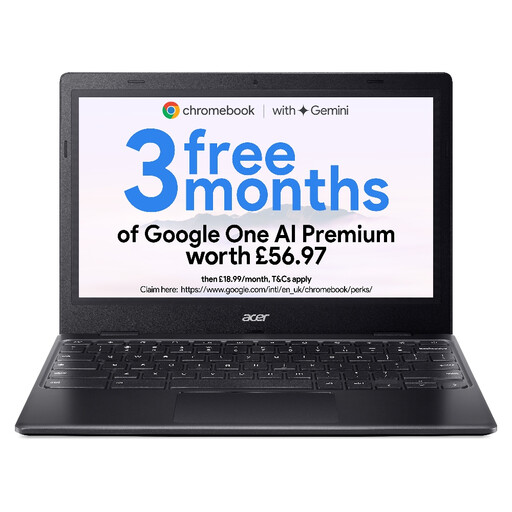 No image available
The smaller screen may suit brief entries while moving between locations; try the actual workbook at a desk before choosing it for longer sessions.
Choose Windows if the group needs desktop Excel, macros, add-ins or its established Microsoft 365 desktop workflow. A Chromebook can suit a Google Sheets or browser-based log, but first test the actual template, printing, sharing and offline access.
Choose memory against the workbook you will actually use rather than assuming one configuration fits every log. Microsoft Support notes that open Excel workbooks are limited by available memory and system resources; a growing file with imports, multiple sheets or add-ins deserves particular attention.
Use the organisation’s approved accounts, storage and device arrangements, not just a laptop with a privacy feature. UK data-protection rules govern organisational use of personal information, and the Information Commissioner’s Office advises using approved technology and keeping screens from being overlooked.
Check the update schedule for the exact Chromebook, including through About ChromeOS and Additional details in its settings. Google says that after the device’s final-update date, ChromeOS and browser updates, including security updates, no longer arrive; its sale date alone does not tell you how much support remains.