
24/7 Customer Support

Free returns

Same-day & Next-day Delivery

Quality Guaranteed

Unlock Your Welcome Offers: FREE Delivery | Up to 80% OFF | Free 30-day JoyPlus trial
Download the APP
Choosing wired headphones and earphones should be straightforward: identify the connection, check the fit and confirm whether the microphone suits your surroundings. Yet marketing language can make a basic purchase surprisingly difficult. A headset designed for occasional calls may not be comfortable for a full working day, while a pair advertised as “universal” may still need an adaptor for your laptop or phone.
This guide explains the practical specifications that matter for UK shoppers, from USB-C wired earbuds and 3.5mm earphones to over-ear headphones, in-ear earphones and office headsets.
A noise-cancelling microphone is designed to reduce some background sound picked up during calls. It does not necessarily block noise reaching your ears. By contrast, active noise cancellation (ANC) affects what the wearer hears and requires electronic processing.
If you work in a busy open-plan office, check whether the product offers ANC, passive isolation, microphone noise reduction or a combination. For quiet rooms and online learning, a clear boom microphone may be more useful than ANC.
USB-C describes the connector shape, not guaranteed audio compatibility. Some phones, tablets and laptops support wired audio through USB-C, while others may require a compatible digital audio accessory or adaptor. Always check the device specification before buying USB-C wired earbuds.
A 3.5mm connection is generally simple where the device includes a headphone socket. However, newer smartphones and thin laptops may omit it, so a separate adaptor could be needed.
Driver size, bass descriptions and branded audio technologies can attract attention, but poor fit quickly becomes frustrating. Tight headbands, shallow ear cushions and unsuitable ear tips can make long meetings or study sessions uncomfortable.
Look for practical details such as adjustable headbands, replaceable or soft ear cushions, supplied ear-tip sizes, cable length and product weight.
For headphones for calls, an adjustable boom mic usually places the microphone closer to your mouth than an in-line microphone. A rotating boom can also support left- or right-sided use. In-line microphones are smaller and more discreet, making them suitable for commuting and casual calls.
For office headsets and headphones for online meetings, check for:
These features do not guarantee a particular call outcome, as room acoustics, software and device settings also affect voice quality.
In-ear earphones are compact and useful for travel, but the ear-tip fit affects comfort and sound isolation. Several supplied tip sizes can make adjustment easier. On-ear headsets are light and breathable, while over-ear headphones surround the ears and can provide greater passive isolation.
For desk use, a cable around 1.8 metres can provide useful movement without disconnecting from a computer. Braided or reinforced cables may resist everyday bending, but all wired products should be disconnected by holding the plug rather than pulling the cable.
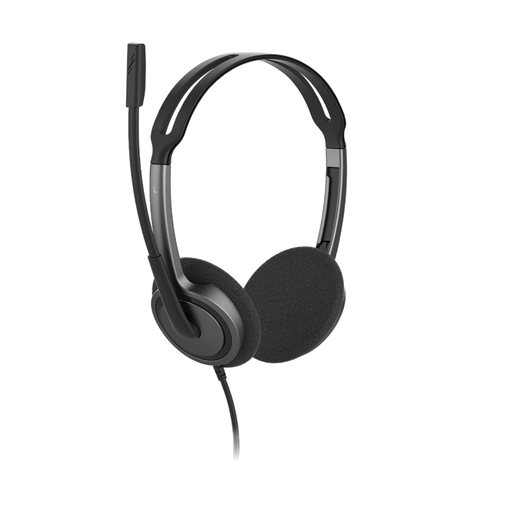
Why This Fits Their Persona: A practical option for students, home workers and families needing one headset for calls, online lessons and everyday audio through a standard 3.5mm port.
Its 3.5mm plug-and-play connection avoids driver installation, while the adjustable headband and soft foam cushions address comfort concerns.
72.5g lightweight design, 1.8m cable, rotating bi-directional microphone and compatibility with Windows, macOS, iOS, Android and ChromeOS.
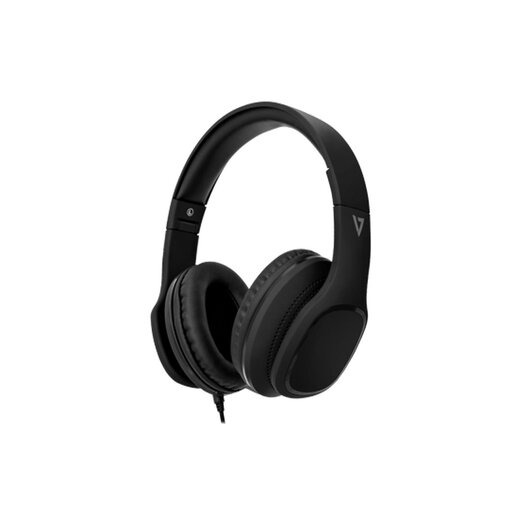
Why This Fits Their Persona: Designed for listeners who want fuller over-ear coverage for music, videos, calls and travel without moving to a wireless setup.
The listing specifies passive noise isolation rather than implying electronic ANC, helping buyers understand what the earcups are designed to do.
40mm dynamic drivers, memory foam ear pads, foldable earcups, detachable 1.8m braided cable and integrated MEMS microphone.
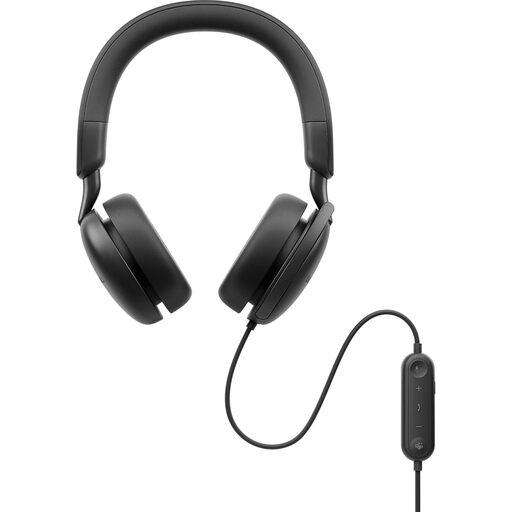
Why This Fits Their Persona: Suited to office professionals, remote workers and frequent meeting users who need ANC, a boom microphone and flexible computer connectivity.
It clearly separates ANC for the wearer from its AI-based and beamforming microphone features, while offering transparency mode for awareness.
USB-C connection with USB-A adaptor, 40mm drivers, replaceable memory foam cushions and in-line controls for ANC, mute and calls.
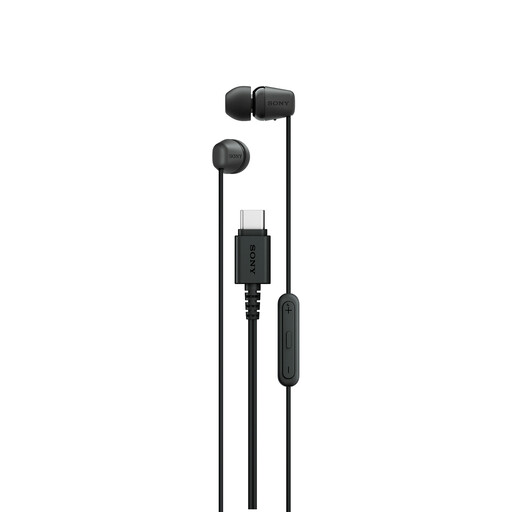
Why This Fits Their Persona: A compact option for commuters and everyday listeners using USB-C phones, tablets or laptops and wanting audio without charging.
The product is specifically described for USB-C audio devices, so compatibility can be checked before purchase rather than assumed from the connector alone.
Lightweight in-ear form, stereo output, built-in microphone and in-line call and audio controls.
We have compiled a complete, real-time list of products that fully satisfy these strict selection criteria and UK safety regulations.
Yes, provided the connector works with your computer and the headset includes a suitable microphone. Stereo headsets with boom microphones are generally practical for meetings, while in-line microphones suit casual calls. Test the microphone input in your meeting software before an important appointment.
No. Standard analogue 3.5mm earphones draw their audio signal from the connected device. USB-C earphones also do not require a separate battery, although the device must support USB-C audio. This makes plug-and-play headphones useful for desk work, travel and study.
Lifespan depends on cable strain, storage, moisture and frequency of use. Avoid wrapping the cable tightly around the device, keep earphones dry and disconnect them by the plug. Detachable cables, reinforced construction and replaceable cushions can make maintenance more practical, but no cable is immune to repeated pulling or bending.