What to check before buying
Start by establishing whether the office already has an Ethernet link to the router; then check usable ports, the connection between network devices and any gateway or phone-service requirements.
For a UK home studio or office with fixed wired equipment, the main priority may be adding sockets, connecting the office back to the router, or changing the gateway without disrupting existing services.
| Concern |
What to check when buying |
Who this matters to |
| Usable Ethernet ports |
Count the uplink as well as device sockets. NETGEAR’s GS308v3 has eight auto-uplink Gigabit ports, so one upstream connection leaves seven for other connections. |
If my office already has an Ethernet feed, I want enough sockets left for the PCs and printer after the uplink. Around 33% of consumers put usable port capacity first. |
| Route back to the gateway |
Trace every connection between desk and router. eero’s guidance notes that devices wired to a wireless node still use Wi-Fi for the upstream hop. |
If I cannot run Ethernet to the office, I need to know whether the mesh node’s own link back to the router will be wired or wireless. Around 27% of consumers prioritise that office-to-gateway connection. |
| Operating mode and service continuity |
Check which device will assign network addresses and whether the provider connection or phone service relies on the existing hub. TP-Link documents that its Deco AP mode leaves address assignment to the root router. |
If I want to keep the current router or phone arrangement, I need to know what changes when new hardware takes over. Around 20% of consumers prioritise network and service continuity. |
| Wired link speed |
Check the Ethernet rating for the exact model, separately from its advertised Wi-Fi class. NETGEAR lists 10/100/1000 Mbps ports for the GS308v3. |
If my wired devices or local transfers have a speed requirement, I want the Ethernet link—not just the Wi-Fi figure—to match it. Around 13% of consumers prioritise wired-link speed. |
| Retiring an older broadband service |
Arrange any service and phone-number transfer with the provider separately from installing the network hardware. Ofcom’s UK switching guidance covers telling the receiving provider which services you want to switch and whether you want to keep your number. |
If I am consolidating an older office broadband arrangement, I need to plan continued connectivity and any number transfer as well as the equipment. Around 7% of consumers prioritise this change. |
Joybuy product choices
These choices focus on adding wired sockets or extending a home network for an office setup. Check whether the office already has a wired uplink before choosing hardware.
 No image available
D-Link DGS-108GL 8-Port Gigabit Unmanaged Desktop Switch
Suitable when the office already has an Ethernet link and needs more wired sockets without replacing the gateway.
Eight 10/100/1000 Mbps ports; unmanaged operation.
View on Joybuy
 No image available
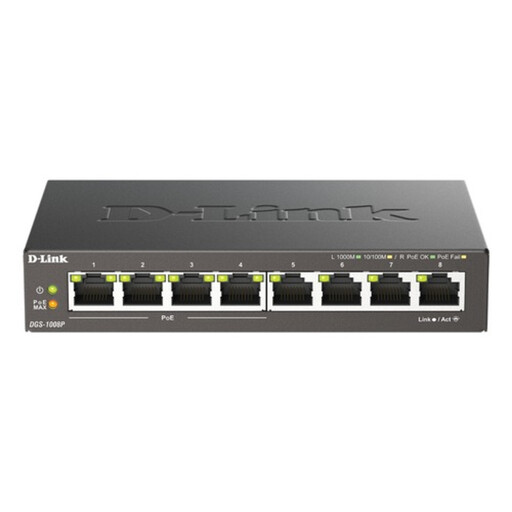
D-Link 8-Port Gigabit PoE Unmanaged Desktop Switch
Suitable when an office needs multiple wired connections and has compatible devices that use PoE+.
Eight Gigabit Ethernet ports, including four PoE+ ports supporting IEEE 802.3af/at; total PoE budget up to 68 W.
View on Joybuy
 No image available
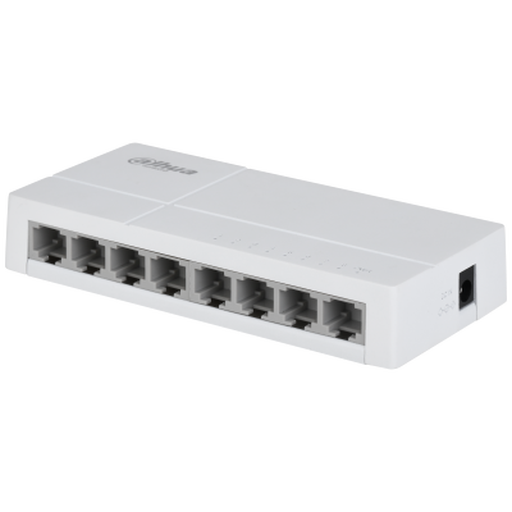
Dahua 8-Port Unmanaged Switch
Suitable for adding wired sockets when the connected equipment and network link can use 10/100 Mbps Ethernet.
Eight unmanaged 10/100 Base-T ports; these are not Gigabit ports.
View on Joybuy
 No image available
NETGEAR Orbi 370 RBE373 WiFi 7 Mesh System, 3-Pack, Dual-Band BE3600, 2.5Gbps Ethernet, White
Suitable when a mesh system with a wired connection at a satellite fits the office layout; check whether its single satellite port is enough for your devices.
Three-piece system with one router and two satellites. Each satellite has one 2.5 Gbps LAN port; the router has a 2.5 Gbps WAN and LAN port.
View on Joybuy
 No image available
TP-Link RE220BE BE3600 Wi-Fi 7 Range Extender
Suitable when access-point operation or a single wired connection alongside Wi-Fi extension fits the setup.
One Gigabit LAN port; the product description identifies Range Extender and Access Point modes. It provides one direct wired connection.
View on Joybuy
Frequently asked questions
Can I keep my existing router and use Deco without adding another routed network?
Yes, if the Deco model and setup support AP mode. TP-Link’s guidance says the root router continues assigning network addresses in that mode; configure the Deco in its app and check which gateway features are unavailable.
Where should I connect a switch when wiring Deco satellites?
In Deco router mode, TP-Link says satellite Ethernet connections should sit downstream of the main Deco’s LAN connection, directly or through a switch. In AP mode, its guidance permits satellite wiring to another Deco or the main router; follow the topology for your selected mode.
How can I check whether Ethernet backhaul is active?
After installation, inspect the satellite’s connection type in the Deco app’s network map. TP-Link’s guidance recommends checking the displayed status rather than assuming that attaching a cable activated Ethernet backhaul.
Can an Ethernet-WAN router replace any EE broadband router?
No. EE’s current guidance distinguishes full-fibre, part-fibre and copper services: full fibre requires Ethernet WAN and PPPoE, while its part-fibre guidance specifies VDSL and VLAN tagging, and copper requires an integrated ADSL modem. Match the replacement to your actual service.
What should I check before removing a BT hub used for Digital Voice?
Check how your phone service is connected before changing the gateway. BT’s documented Digital Voice setup uses its hub, with a handset connected to the hub or a paired Digital Voice Adapter; if you use a healthcare alarm or medical pendant, BT says to consult the device provider and not connect it to the adapter.


