Players who rely on team callouts
If voice chat and game cues matter during arena matches, check the microphone, accessible mute control and audio features available on your gaming platform.


Choose a headset with a dedicated 2.4 GHz connection if a cable would get in the way at your small desk and your gaming device supports its dongle. Choose a wired headset if avoiding charging matters more, but check its connector and microphone compatibility with your PC, console or controller. For either route, consider fit and mute controls alongside audio features that work on your platform.
If voice chat and game cues matter during arena matches, check the microphone, accessible mute control and audio features available on your gaming platform.
If a headset lead would cross your mouse space or other cables, a dongle-based wireless headset may help. You will still need a compatible connection and a charging routine.
Prioritise ear-cup fit, weight and pressure as well as connection type. Published dimensions and materials can guide a shortlist, but they cannot establish how a headset will fit you.
For online arena matches at a small desk, start with the issue most likely to interrupt your play: communication, a cable crossing the desk or discomfort over time.
| Concern | What to check | Who this matters to |
|---|---|---|
| Game cues and team chat | Check microphone placement and mute controls; confirm whether any spatial-audio feature works on your platform. | If I depend on callouts during a match, I need teammates to hear me and audio cues I can use on my device. Around 42% of consumers put communication and game cues first. |
| Desk cable management | Check the dedicated 2.4 GHz connection, dongle compatibility and charging requirements. | With little room around my mouse, I would rather keep a headset lead off the desk. Roughly 33% of consumers make cable management their primary concern. |
| Comfort and simple setup | Consider fit and published weight; for a wired option, check the supplied connector. | For longer sessions, I care most about a comfortable fit or a connection that does not need charging. Around 25% of consumers prioritise comfort and straightforward setup. |
A headset offering both connections may use its dedicated dongle for gaming and Bluetooth for another device. The presence of Bluetooth alone does not tell you how to connect for a match.
Check that your device supports the supplied dongle and select the model's stated gaming connection when playing.
Surround-software requirements can depend on the operating system and model variant. Razer lists a Windows 11 condition for BlackShark V2 X, while a Joybuy listing for a green variant describes a different Windows requirement.
Confirm the current activation and operating-system requirements for the exact variant before making surround sound a deciding feature.
A wired connection does not, by itself, establish that both audio and microphone functions will work through your intended port or controller.
Compare the supplied connectors and accessories with your device before ordering. HyperX lists 3.5 mm, USB-A and USB-C connectivity for Cloud III, but other models may differ.
The World Health Organization notes that hearing risk rises with sound level and exposure duration.
Check the ear-cup fit and keep the volume at a reasonable level, taking breaks during extended sessions.
The Arctis Nova 5 Wireless is relevant if reducing desk cables is a priority.
The wired Cloud III suits consideration when avoiding charging and checking several connector types matter more than removing a cable.
The BlackShark V2 X is a wired option for players considering a lighter, closed-back headset.
The PRO X3 LIGHTSPEED is relevant to players specifically seeking configurable audio and microphone features in a wireless headset.
These headsets offer wired or wireless ways to handle arena-match chat at a small desk. Check each connection against your gaming device before choosing between a clear desk and a charge-free setup.
 No image available
Consider this wireless model if keeping a headset lead away from your mouse is the main goal. Before ordering, confirm that its gaming receiver is supplied and works with your device and available port.
 No image available
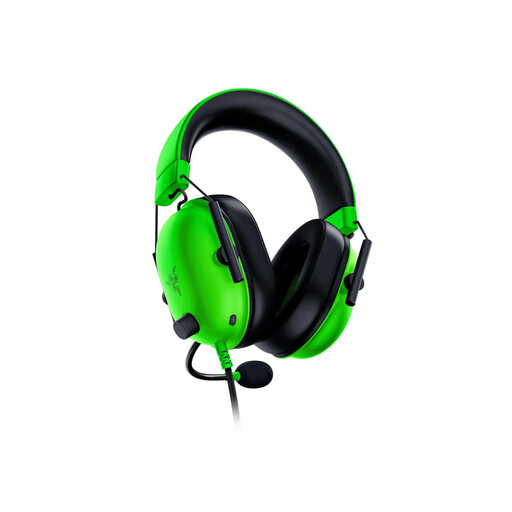
This wired 3.5 mm model is worth considering if you prefer a charge-free connection and can route its cable around your desk. Razer lists the BlackShark V2 X at 240 g; confirm microphone compatibility with your device and the current surround-software requirements for this variant.
 No image available
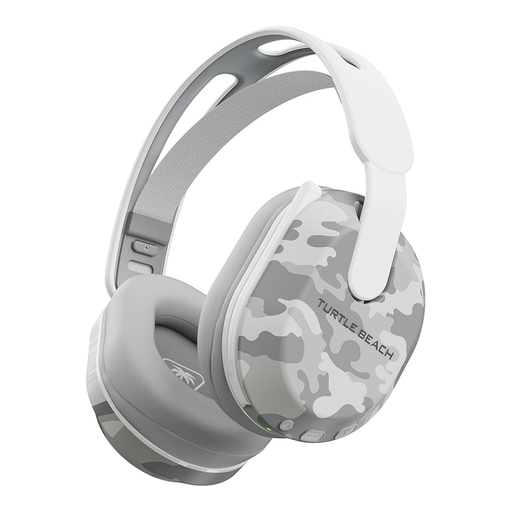
This wireless option is listed for PS5, PS4 and PC, with Bluetooth and a stated battery life of up to 40 hours. If you need its gaming connection for matches, confirm that the transmitter works with your exact device.
 No image available
Consider this wired headset if avoiding a charging routine is more important than removing a desk cable. Check that its 3.5 mm connection carries microphone audio through your intended device or controller.
 No image available
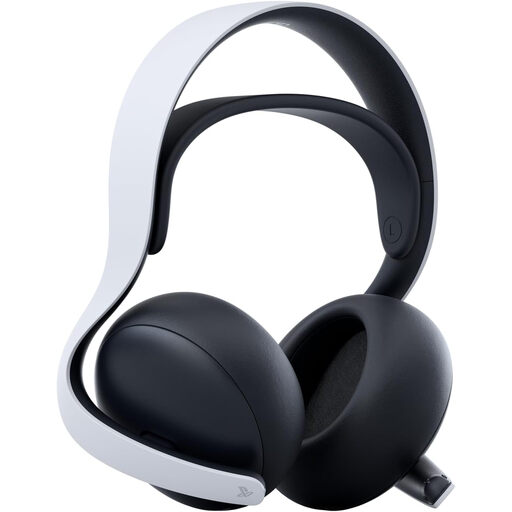
This wireless model is relevant if you plan to use a compatible PlayStation-focused setup. Confirm that PlayStation Link and the supplied adapter support your exact gaming device before relying on it for matches.
Use the dedicated 2.4 GHz gaming connection when your device supports it and the model instructs you to use it for gaming. SteelSeries describes the Arctis Nova 5 as switching between its 2.4 GHz connection and Bluetooth 5.3 for calls or other audio.
Not automatically: check the connector and whether microphone and control functions work on your device. HyperX lists several connectors and supported platforms for Cloud III, but that does not establish compatibility for a different headset.
Only after confirming the software conditions for your exact model and operating system. Razer lists Windows 11 for BlackShark V2 X surround sound, while a Joybuy listing for a green variant describes a different Windows requirement; check current manufacturer instructions before treating the feature as essential.
Keep the volume down and take breaks rather than raising it to overcome a poor fit or room noise. The World Health Organization notes that both sound level and exposure duration affect hearing risk.
Check the seller's change-of-mind process separately from your rights if a headset is faulty or misdescribed. GOV.UK states that sellers must offer a refund for faulty or misdescribed goods; a retailer's voluntary policy does not replace statutory remedies.