Mostly stationary solo narrators
If the narrator stays near a camera or recorder, a wired lavalier keeps the connection straightforward once the microphone input has been checked. A cable still needs securing so it does not tug at the clip.


For a mostly stationary documentary narrator, choose a close-mounted lavalier with a wired connection if the recording device has a compatible input. Choose wireless when the narrator needs to move, but check the receiving device, battery and radio setup; for a take that would be difficult to repeat, transmitter-side recording offers a separate recovery track. Whichever route you take, test the microphone with the narrator’s clothing to catch cable or fabric noise.
If the narrator stays near a camera or recorder, a wired lavalier keeps the connection straightforward once the microphone input has been checked. A cable still needs securing so it does not tug at the clip.
If the narrator walks between positions or demonstrates something on camera, wireless removes the trailing cable. Check the receiver connection and battery arrangements, then test the radio link in the room.
If narration cannot easily be recorded again, a wireless transmitter with its own recording can provide a separate audio track when the camera feed is interrupted. That route also means checking the recording mode and transferring the files afterwards.
Start with where the narrator will stand or move, then trace the connection all the way to the recording device. Treat backup recording as a separate requirement if losing a take would cause a problem.
| Concern | What to check | Who this matters to |
|---|---|---|
| Speech clarity | Check that the lavalier can be mounted close to the narrator and test it with the clothing worn for filming. RØDE’s mounting guidance emphasises proximity to the speaker. | I need the narration to remain intelligible alongside classroom activity, even though a close microphone will not remove room noise. Around 33% of consumers put speech clarity first. |
| Freedom to move | For wireless, check the receiver connection, battery arrangements and operating band; test the link at the filming location. | If I will move between desks, I do not want a cable restricting the shot. Movement is the main concern for around 27% of consumers. |
| Device compatibility | Identify the camera, recorder, computer or phone input, then confirm the microphone output and any required adapter or interface. A 3.5 mm TRS plug is not interchangeable with TRRS. | I already have a recording device and need the microphone to work with its actual input and app. For around 20% of consumers, that connection is the primary concern. |
| Take protection | If choosing local backup recording, confirm that the transmitter records the intended microphone input and that its files can be exported and synced. | When a take would be hard to repeat, I want a recovery recording if the wireless feed or camera audio fails. Around 20% of consumers prioritise that safeguard. |
RØDE notes that similar-looking 3.5 mm TRS and TRRS connections use different wiring. A lavalier intended for a camera input is not automatically ready to plug into a phone.
Check the exact recording device, its microphone input and any required power or supported adapter before buying.
Matching the connection may require an adapter or audio interface.
Ofcom notes that UK licence-exempt wireless-microphone ranges are shared with other low-power equipment and can experience interference. An open-area range figure should not stand in for a classroom test.
Test the complete system in the room and monitor the recording where possible. For a take that cannot readily be repeated, consider a transmitter with local recording.
Fabric touching the capsule or moving against the cable can add noise, while a loose cable can pull the microphone out of position.
Test with the narrator’s filming clothes, keep fabric clear of the capsule and secure the cable with strain relief.
Transmitter-side recording can preserve a separate track, but it cannot correct clothing noise, poor placement or a transmitter that was not recording.
Before filming, check the recording mode, battery and available storage, then plan how to transfer the files.
Its Lavalier GO represents a wired 3.5 mm TRS option, while Wireless PRO offers a two-transmitter wireless workflow with on-board recording.
The EW-D ME2 set is a UHF wireless route comprising a clip-on microphone, bodypack transmitter and receiver.
MoveMic One is a single-channel wireless option designed around recording to a compatible phone through Shure MOTIV apps.
Mic 2 is a compact wireless-system reference for buyers considering transmitters, a receiver and internal-recording features.
These wireless microphone kits are relevant when a classroom narrator needs to move or a phone-led setup is being considered. Match the receiver to the recording device before choosing; the product titles alone do not establish how each kit will work with a particular app or in a particular room.
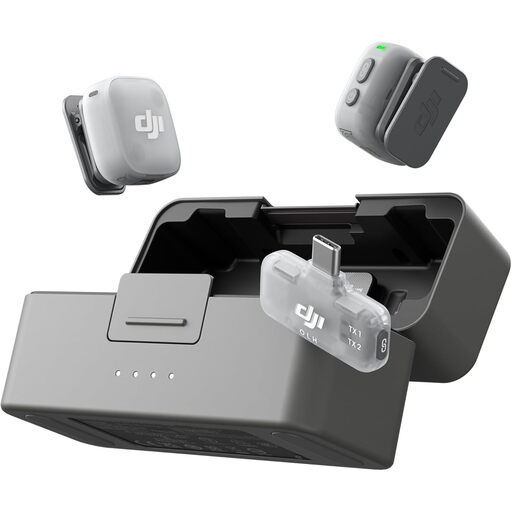 No image available
A wireless kit to consider when one or two speakers need to move while recording. The listed configuration has two transmitters, one mobile receiver and a charging case; confirm how that receiver connects to the intended phone and recording app.
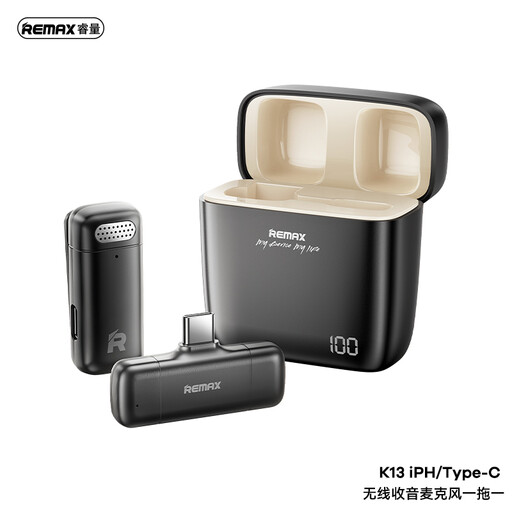 No image available
A cable-free, one-to-one option for a moving narrator using a compatible USB-C recording setup. Check the exact device and app connection before filming.
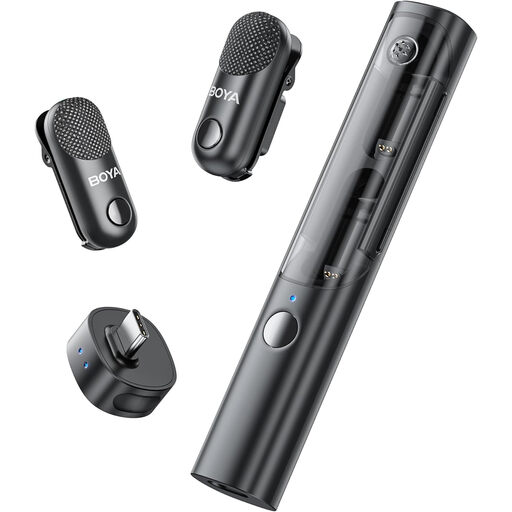 No image available
The two-transmitter configuration is worth considering if narration may involve two speakers. The listed kit includes one receiver and a charging case; check the receiver connection against the intended camera, phone or computer rather than relying on the range of devices named in the product title.
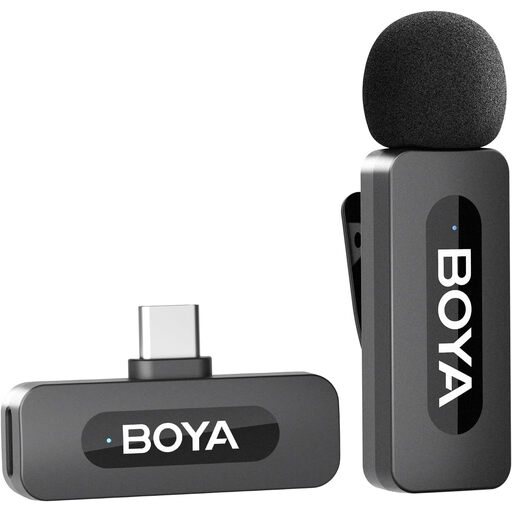 No image available
A one-transmitter kit for solo narration where a USB-C receiver suits the recording setup. Its title states a 9-hour battery life and one-click noise cancellation; plan the session around the stated runtime and make a classroom test recording rather than assuming a particular noise-reduction result.
The operating frequency determines which rules to check; wireless lavaliers are not all covered by the same arrangement. Ofcom identifies 173.8–175 MHz, 863–865 MHz and 2400–2483.5 MHz as ranges that can be used without a wireless-microphone licence. Confirm the exact model’s frequencies and applicable technical conditions before using it, particularly if considering UHF equipment outside those ranges.
No. Placing a lavalier close to the narrator can improve the balance of speech against room sound compared with a more distant microphone, as RØDE’s mounting guidance explains, but the microphone will still pick up its surroundings. Reduce avoidable noise and make a test recording in the classroom.
Start near the top of the chest if the clothing allows, then listen to a test recording with the narrator moving as they will on camera. Shure advises avoiding a position at the throat where the chin can obstruct the sound; secure the cable so fabric movement does not pull on the microphone.
Only if the phone’s input or a compatible adapter supports that microphone’s connection. RØDE distinguishes the TRS wiring commonly used for camera audio equipment from TRRS headset connections, so check the phone, microphone and adapter as one complete recording chain.
It helps when a take is difficult to repeat and a separate recording could recover audio lost from a wireless dropout or clipped camera input. On RØDE Wireless PRO, the stated 32-bit float feature applies to the transmitters’ on-board recordings; it does not automatically change the camera’s recording. Check that recording is running and allow time to export and sync the files.