Small-desk wireless shoppers
If a headset cable gets in the way, a wireless model may suit your setup. Check that its receiver works with your gaming device and that you have room for it in a port; you will still need to charge the headset.


Choose the connection that works with your gaming device before comparing audio features. A compatible 2.4 GHz wireless headset keeps its cable off a small desk but needs a receiver and charging; a wired headset is simpler if your device or controller has the right socket. For detective games, consider fit and dialogue controls, and check spatial-audio support across the game, platform and connection rather than relying on a headset label.
If a headset cable gets in the way, a wireless model may suit your setup. Check that its receiver works with your gaming device and that you have room for it in a port; you will still need to charge the headset.
If dialogue, ambience and location cues matter most to you, look at the audio controls you can use on your platform. Spatial processing depends on the game and platform as well as the headset connection.
If you would rather avoid a receiver and charging, consider a wired headset. A 3.5 mm model needs a compatible socket on your device or controller, and its cable will need a place on your desk.
For detective games at a small desk, start with the device and connection, then decide which audio controls, fit and chat features you will use.
| Concern | What to check | Who this matters to |
|---|---|---|
| Desk space and connection | Check the exact device and headset variant, including the required USB receiver or 3.5 mm socket. | I want fewer cables at my small desk, but I need the headset to connect to the device I play on. Around 36% of consumers put connection and desk fit first. |
| Dialogue and environmental cues | Check the game and platform’s audio options, plus any supported headset audio controls. | I want to follow voices and location cues without choosing by a surround-sound label alone. Roughly 29% of consumers make story audio their primary concern. |
| Comfort during long sessions | Compare stated weight and cushioning, then consider how the headset is likely to fit you. | If I play for a long stretch, I care about how the headband and ear cups feel. Around 21% of consumers place fit and wearing comfort first. |
| Simple play and occasional chat | Check the microphone controls and whether chat works through your chosen connection. | I need game audio and a way to mute occasional chat, without managing features I will not use. About 14% of consumers prioritise that straightforward setup. |
Bluetooth on a headset does not establish console compatibility. Xbox Support says an Xbox One console cannot connect to a headset using Bluetooth.
Check the connection method supported by your exact console and headset variant before ordering.
Platform lists can differ between headsets. SteelSeries lists several devices for the Arctis Nova 5 Wireless but does not list Xbox on the cited standard model page; Turtle Beach lists Xbox among the Recon 70’s 3.5 mm platforms.
Read the compatibility list for the variant you intend to buy, including its connector or transmitter.
Turtle Beach’s guidance describes spatial processing as software-based. A headset label alone cannot tell you what your detective game and platform will provide.
Check the game’s audio options, your platform’s settings and the connection you plan to use together.
These brand examples illustrate different connection approaches; check the exact model and platform rather than treating a brand name as a compatibility guarantee.
The Arctis Nova 5 Wireless illustrates a receiver-based wireless option with a separate Bluetooth mode.
The Recon 70 illustrates a wired 3.5 mm option for devices and controllers with a compatible connection.
The G435 offers another wireless route for shoppers comparing stated weight and connection modes.
These choices include wireless headsets for the devices named on their listings and wired models for shoppers who prefer a cable. Match the exact variant and connection to your gaming setup before choosing.
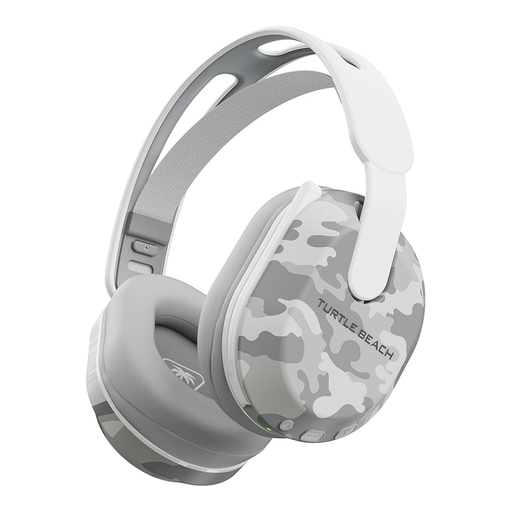 No image available
Consider this wireless model if keeping a headset cable off the desk matters and you play on a compatible PS5, PS4 or PC. Its title also lists Bluetooth and up to 40 hours of battery life; check the connection required for your gaming device and plan for charging.
 No image available
Consider the ROG Pelta if you want a wireless headset for a compact setup. Confirm which connection mode works with your device, particularly if you intend to use it with a console, and assess fit for longer sessions.
 No image available
This wireless variant is listed for PS5, PS4 and PC, making it worth considering if one of those is your gaming device and you want less cable clutter. Check the exact connection and game-audio options; wireless listening still requires charging.
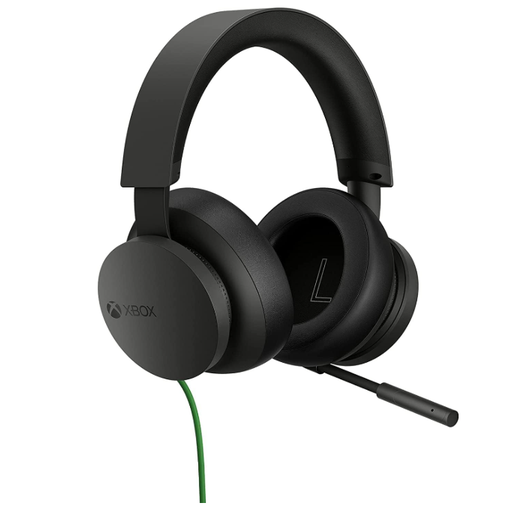 No image available
Consider this wired option if you play on a compatible Xbox setup and prefer not to charge a headset. Confirm the connection on your controller or device, and leave room for the cable at your desk.
 No image available
Consider the wired ASTRO A10 Gen 2 if you want a headset without battery management for story play and occasional chat. Check your device’s headset connection and how you will route the cable across a small desk.
Yes, if your Xbox Wireless Controller has a compatible 3.5 mm port. Xbox Support says a standard 3.5 mm headset can connect directly to a controller with that socket; check your controller and the headset plug before buying.
Not using Bluetooth: Xbox Support says Xbox One consoles do not have Bluetooth functionality for connecting a headset. Look for a connection method supported by both your console and the exact headset variant.
A spatial-audio label alone cannot promise that result. Turtle Beach explains that spatial processing happens in software, so check the game, your platform’s audio settings and the headset connection together.
Use an appropriate electrical-recycling route rather than putting the old headset in household rubbish. GOV.UK guidance says a retailer must accept an old electrical product free of charge on a like-for-like basis when you buy a new one.