Stationary desk-based tutors
If you teach beside one computer, a wired connection and a mute control within reach may matter more than freedom to move. Check the plug against your computer’s ports before choosing a model.


Choose a wired USB headset with a boom microphone if you teach from one position and value a direct connection and accessible mute control. Wireless is worth considering when you need to move around the room or switch between a computer and phone, provided you can manage charging and confirm compatibility. In either case, check what the microphone’s noise-handling claim actually covers: a manufacturer’s test result cannot guarantee what students will hear in your room.
Where you stand during a tutorial, how often you teach and what else happens in the room are more useful starting points than a headset’s general-purpose features.
If you teach beside one computer, a wired connection and a mute control within reach may matter more than freedom to move. Check the plug against your computer’s ports before choosing a model.
If you stand at a board or alternate between a computer and phone, consider wireless connection and device switching. Confirm that both devices and your meeting app work with the exact headset, and plan when to charge it.
For recurring sessions near other people, look closely at boom-microphone positioning, the scope of any microphone noise-handling claim and how the headset fits over time. A feature that reduces noise for the wearer does not necessarily reduce sound sent to students.
Decide whether you need to move while teaching, then check the microphone, connection and fit for the computer and room you will actually use.
Choose when: You teach near one computer and want to avoid pairing and charging before sessions.
Trade-off: The cable limits movement, and the plug must fit your computer or a suitable adapter.
Choose when: You need to use a board or switch between a computer and phone during tutorials.
Trade-off: Charging becomes part of preparation, while connection range and stated talk time depend on usage conditions.
| Concern | What to check | Who this matters to |
|---|---|---|
| Speech clarity near room noise | Look for a positionable boom microphone and check whether noise handling applies to the microphone rather than only the earphones. | If nearby conversation overlaps my explanations, I need students to follow my speech without repeated interruptions; around 37% of consumers put transmitted speech clarity first. |
| Comfort across sessions | Consider headband adjustment, ear coverage and pad materials, then assess the fit for yourself. | When I teach several sessions, pressure or heat could distract me even if the connection works well; roughly 27% of consumers prioritise wearing comfort. |
| Movement and device switching | Confirm the wireless connection, compatibility with your devices and app, and stated talk-time conditions. | If I explain something at a board or take a related call on my phone, I need to stay connected as I move; about 18% of consumers make mobility or device switching their primary concern. |
| Simple setup | Match the plug to your computer’s ports and check cable reach and mute-control placement. | Before a scheduled lesson, I would rather plug in than manage pairing or a battery; around 18% of consumers place low-maintenance setup first. |
A headset can make the room sound quieter to you without establishing that students hear less background conversation. Boom placement and microphone-specific claims address what is sent into the call.
Check the exact product’s microphone description and the conditions behind any quantified noise claim; do not choose solely because its listing says noise cancelling.
Wired headsets can use different plugs, and similarly named variants need not have identical connections. A headset that does not connect to the teaching computer will not solve the tutorial setup problem.
Check the complete model name and your computer’s available ports, including whether its audio socket accepts a microphone.
An adapter may be needed if the chosen plug does not match the computer.
Logitech describes Zone 300 talk time as up to 16 hours. That maximum does not establish how long it will run under every teaching routine or how a connection will behave in a particular room.
Compare your session schedule with the stated conditions, establish a charging routine and try the connection in the intended room before an important tutorial.
Citizens Advice’s guidance for England describes a usual 14-day change-of-mind period for online purchases from a business, subject to conditions and exceptions. Questions about faulty or misdescribed goods are separate from change-of-mind returns.
Read the seller’s terms before ordering and check fit and compatibility promptly. If the headset is faulty, ask about the applicable remedy rather than assuming the change-of-mind terms settle the issue.
These product lines illustrate different connection and wearing choices; the brand name alone does not establish how an individual headset will perform in your meeting room.
Logitech offers contrasting options for a tutor choosing between a straightforward wired computer connection and movement during a lesson.
The wired Evolve2 40 line is relevant to frequent hosts considering call controls, microphone placement and a variant matched to their meeting platform.
HP presents the corded Blackwire 3200 series as a way to choose among wearing and connection configurations for computer calls.
These wired headsets are options for teaching near a computer. The gaming-oriented models call for an extra check of microphone controls and meeting-app fit; the choices below do not replace the wired-versus-wireless decision if you need to move around the room.
 No image available
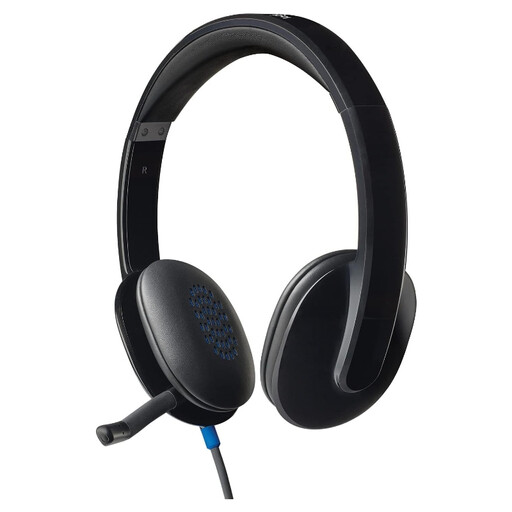
For tutorials taught from one computer position, this wired headset has an inline remote and a microphone described as noise cancelling. Check that its USB-A connection fits your computer; the microphone description does not guarantee how much room noise students will hear.
 No image available
A wired option to consider if you teach at one desk and want to avoid charging. Confirm that the USB-A connection fits your computer and that its mute control and meeting-app compatibility suit your lessons.
 No image available
Its wired USB connection and microphone make it worth checking for stationary computer tutorials, although it is presented as a gaming headset. The title specifies 50 mm drivers and 7.1 surround sound; confirm microphone controls and compatibility with your teaching platform rather than treating those playback features as evidence of call clarity.
 No image available
This wired model may suit a stationary tutor who wants a boom microphone with flip-to-mute operation. Check whether your computer accepts its stated 3.5 mm microphone connection, including whether a splitter is needed, and assess speech pickup in the intended room.
Choose a wired USB headset if you teach beside one computer and want to avoid pairing and charging; consider Bluetooth if you need to move or switch devices. Check the exact computer and meeting-app compatibility either way. Logitech specifies USB-A for H390 and Bluetooth multipoint for Zone 300, but those features do not establish that every headset will suit your setup.
No noise-cancelling label alone establishes that students will not hear room sound. Check whether it describes the microphone, which sends your speech, or the earphones, which affect what you hear. Jabra’s quantified background-conversation result for Evolve2 40 comes from its own testing and is not a guarantee for every small meeting room.
For purchases from a business, Citizens Advice’s guidance for England describes a usual 14-day online change-of-mind period starting the day after delivery, subject to conditions and exceptions. Check the applicable guidance and seller terms before using the headset extensively. If it is faulty or misdescribed, ask about remedies separately from a change-of-mind return.
Check your local council’s or retailer’s electrical-waste collection route for the headset. GOV.UK identifies the UK Waste Electrical and Electronic Equipment Regulations 2013, as amended, as the framework for recovery, reuse and recycling; the practical collection option depends on what is available locally.