Players with crowded desks
If your keyboard, controller and charging cables already compete for space, a wireless connection may make the playing area easier to manage. Check where its receiver will plug in before choosing a headset.


Choose wireless if a headset cable gets in the way at your small desk and your device supports the headset’s receiver; you will also need to keep it charged. Choose wired if avoiding charging matters more and you can route a cable clear of your controls. For long exploration sessions, check fit and accessible controls as well as the connection type.
If your keyboard, controller and charging cables already compete for space, a wireless connection may make the playing area easier to manage. Check where its receiver will plug in before choosing a headset.
If you expect to wear a headset for hours, pay attention to its fit, weight and controls. A light stated weight can help you shortlist models, but it cannot tell you how the headband will feel on your head.
If you alternate between a PC, console, handheld or mobile device, check the connection available on each one. A headset’s basic audio connection does not necessarily bring the same software features to every platform.
For exploration games at a small desk, decide whether the cable or the charging routine would bother you more. Then check fit and the features available on your actual gaming device.
| Concern | What to check | Who this matters to |
|---|---|---|
| Desk cable clutter | Check the wireless receiver type, the port it needs and support for your gaming device. | If a cable would cross my controls or chair, I want it off the playing area. Around 42% of consumers put reducing desk cables first. |
| Long-session fit | Compare stated weight and headband and cushion design; consider how the headset fits with glasses. | When I settle into a long exploration session, pressure from the headset could distract me from play. For around 33% of consumers, fit is the primary concern. |
| Device and feature support | Match the exact model and connection to your device, then check any operating-system conditions for software features. | If I move between devices, I do not want to choose a feature that works only on one of them. Avoiding that mismatch comes first for around 25% of consumers. |
A headset may offer both connections, but the supported gaming connection and switching behaviour depend on the model.
Check the receiver and required port for your gaming device. Treat Bluetooth as an additional connection unless the exact model supports your intended use through it.
A wired headset can carry audio on several devices while a virtual-surround feature remains operating-system-specific. Razer lists 7.1 surround for the BlackShark V2 X on Windows 11.
If that feature affects your choice, check the operating-system and activation requirements for the exact variant you are buying.
Weight does not establish how a headband or ear cups will fit your head, particularly if you wear glasses.
Use weight and construction to narrow your choices, then check the seller’s return terms and assess the fit promptly.
Loudness and listening duration both matter during extended sessions.
Keep the volume comfortable and take listening breaks rather than continually turning it up. Royal Free London advises keeping headphone listening at no more than 60% of maximum volume.
The Arctis Nova wireless range is relevant if you want a receiver-based connection at a compact desk and also use Bluetooth audio.
The G535 and G435 illustrate different wireless choices for players weighing connection options against headset weight.
The wired BlackShark V2 X is relevant if you would rather manage one 3.5 mm cable than charge a headset.
These choices include wireless headsets for keeping a cable off the playing area and wired models for avoiding charging. Check your device’s connection and the fit of any model that interests you.
 No image available
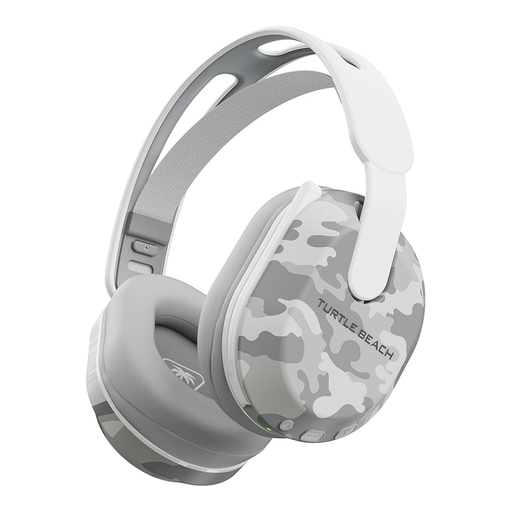
Consider this wireless model if a headset cable would cross your small playing area. Check its receiver and port requirements against your device, and assess the fit if you expect to wear it for long sessions.
 No image available
This wireless option suits a desk where you want the headset cable out of the way. Its product name states up to 40 hours of battery life and lists Bluetooth, PS5, PS4 and PC; confirm how you intend to connect it and whether its fit suits you.
 No image available
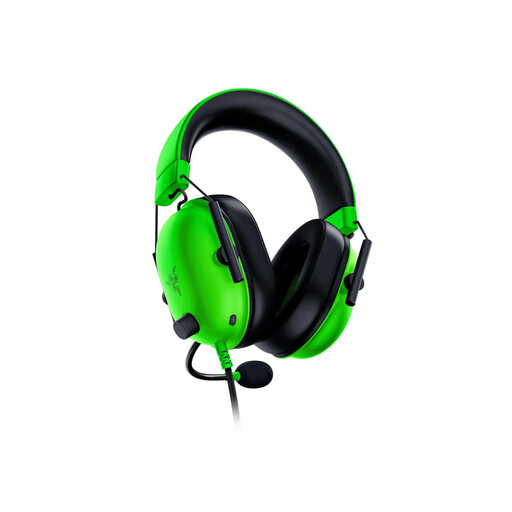
Its wired 3.5 mm connection avoids charging if you can route the cable clear of your controls. If virtual surround matters to you, check the operating-system and activation requirements for this green variant before buying.
 No image available
This wired model suits a setup where avoiding charging matters more than removing the headset cable. Check your device’s audio connection and whether you can route the cable without crossing your controls or chair.
 No image available
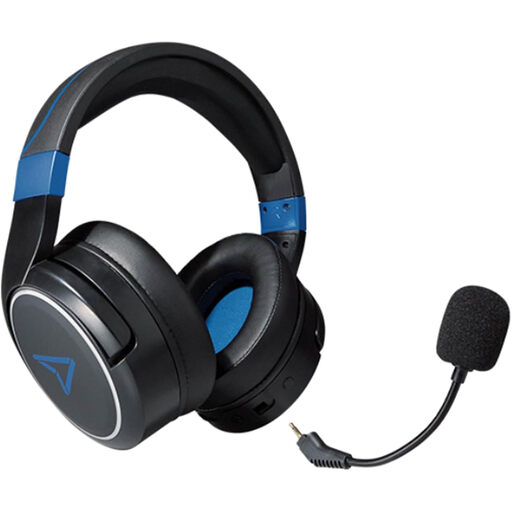
Consider the wireless option if keeping a headset cable off your desk is a priority. Confirm which connection mode works with each device you plan to use, and check fit before relying on it for long sessions.
No. Wireless is worth considering when removing the headset cable matters more to you than charging it, provided its receiver works with your device. A wired headset remains a practical choice if you can keep its cable clear of your controls and chair.
No. An audio connection does not establish support for every software feature. Razer lists 7.1 surround for the BlackShark V2 X on Windows 11; check the exact variant and feature requirements if you plan to use another platform.
Stop listening and take a break rather than turning the volume up further. Royal Free London advises keeping headphone listening at no more than 60% of maximum volume; seek clinical advice if ringing or muffled hearing persists or concerns you.