
24/7 Customer Support

Free returns

Same-day & Next-day Delivery

Quality Guaranteed

Unlock Your Welcome Offers: FREE Delivery | Up to 80% OFF | Free 30-day JoyPlus trial
Download the APP
As a Joybuy Product Recommendation Officer, my role is to help you navigate the crowded market of car accessories. If you own a modern vehicle, you likely appreciate the convenience of Apple CarPlay or Android Auto. However, the daily ritual of plugging and unplugging your phone can lead to a messy console, frayed cables and unnecessary wear on your device's charging port.
The solution seems simple: a wireless CarPlay adapter. But a quick search reveals a flood of options, many of which promise a seamless experience but deliver frustration. Before you buy, it's crucial to understand the common traps that lead to buyer's remorse.
The 3 Pitfalls of Choosing the Wrong Adapter
CarPlay dongle works with all cars. In reality, vehicle infotainment systems are complex. An adapter might work flawlessly in a Ford with SYNC 3 but fail completely in a Volkswagen with an MIB2 system. Without specific, verified compatibility and a clear path for updates, you risk buying a useless gadget.To convert wired CarPlay to wireless effectively, you need to look past the marketing hype and focus on a few key technical specifications. These are the non-negotiable features that separate a reliable device from a frustrating one.
The single most important factor for a smooth wireless experience is the adapter's Wi-Fi capability.
A true plug and play CarPlay device should be exactly that.
While not always advertised prominently, the internal processor and operating system of the adapter are crucial for stability. Devices running a lightweight, stable OS (such as a Linux-based firmware) are less prone to crashing or freezing than those with poorly optimised software. This ensures the adapter works reliably on both short trips and long drives.
We've matched some options to different driver profiles, helping you find a solution that fits your specific needs.

Why This Fits Their Persona: This user values a set-and-forget solution. They want to get in their car and have CarPlay launch automatically without fumbling for cables. This adapter is designed specifically for that seamless, cable-free experience on daily drives.
It uses 5.8GHz Wi-Fi to combat lag and disconnects. It also provides a clear, extensive vehicle compatibility list and supports FOTA updates, directly addressing the compatibility myth.
Supports both wireless CarPlay and wireless Android Auto adapter functionality in one unit. It retains all original car controls, including steering wheel buttons and touchscreens.
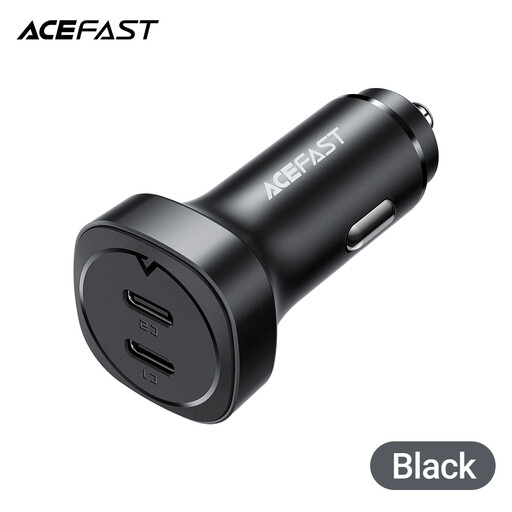
Why This Fits Their Persona: This driver uses their phone heavily for navigation and streaming on long journeys. Going wireless increases battery drain, so a powerful charging solution is just as important as the adapter itself. This charger ensures their phone—and a passenger's—stays topped up.
It solves the secondary problem of going wireless: accelerated battery consumption. It prevents the frustration of arriving at a destination with a dead phone after relying on wireless CarPlay for hours.
Features two powerful 36W USB-C ports, allowing for simultaneous fast charging of two modern devices. It supports multiple fast-charging protocols like Power Delivery (PD) and Quick Charge 3.0.
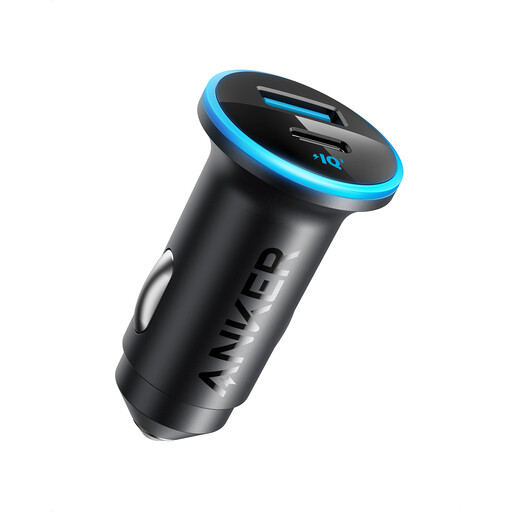
Why This Fits Their Persona: This driver has already invested in a wireless adapter to eliminate clutter. They need a charging solution that is equally compact and efficient, capable of powering their phone and another device (like a passenger's phone or a dash cam) without creating a new mess of cables.
It prevents the need for bulky, multi-plug adapters in the 12V socket. Its compact design and dual-port functionality maintain the clean, tidy aesthetic that motivated the switch to wireless in the first place.
Offers a versatile combination of a 30W USB-C port and a 22.5W USB-A port, catering to both modern and older devices. Anker's ActiveShield 2.0 technology actively monitors temperature for added safety.
We have compiled a complete, real-time list of products that fully satisfy these strict selection criteria and UK safety regulations.
A well-made adapter is designed to enter a low-power sleep mode shortly after the car's ignition is turned off, drawing minimal power. However, some lower-quality models may fail to do this correctly. If you plan to leave your car parked for an extended period (e.g., more than a week), it is a sensible precaution to unplug the adapter to eliminate any risk of battery drain.
While any wireless transmission has some inherent latency compared to a direct cable connection, a quality adapter using 5GHz Wi-Fi minimises this to a point where it is virtually imperceptible for most uses. You are unlikely to notice any delay with navigation instructions or music playback. You might perceive a very slight delay (a fraction of a second) when skipping tracks or during phone calls, but it is generally not disruptive to the overall experience.
The most convenient method, and one you should look for, is FOTA (Firmware-Over-The-Air). This typically involves connecting your phone to the adapter's Wi-Fi, opening a specific web address in your browser (usually 192.168.50.2 or similar) and following the on-screen prompts to check for and install updates. This process is simple and ensures your device stays compatible with future phone and car software updates without needing a computer.