
24/7 Customer Support

Free returns

Same-day & Next-day Delivery

Quality Guaranteed

Unlock Your Welcome Offers: FREE Delivery | Up to 80% OFF | Free 30-day JoyPlus trial
Download the APP
Wireless earbuds can make commuting, video calls and workouts more convenient, but the wrong pair may become uncomfortable, lose connection or require constant recharging. Product pages also use technical terms that can sound more impressive than they are in daily use.
Before choosing a pair, look beyond phrases such as “high-definition”, “3D surround sound” or “noise reduction”. The practical question is whether the design, battery and controls suit your routine.
Bluetooth 5.4 earbuds can offer efficient, stable connectivity, but the Bluetooth version alone does not determine sound quality. Audio performance also depends on the driver, tuning, codec support and the fit of the earbuds. A newer Bluetooth number will not compensate for a poor seal or uncomfortable housing.
For gaming and video, check whether the product description mentions low-latency transmission. For everyday streaming, stable pairing and reliable reconnection may matter more than a headline specification.
Noise-cancelling earbuds with ANC, or active noise cancellation, use microphones and processing to reduce some external sound that reaches your ears. This can be useful on trains or aeroplanes, but performance varies with fit and surroundings.
ENC earbuds generally refer to environmental noise cancellation for microphone calls. This is intended to help your voice sound clearer to the person on the other end, rather than making your own listening environment silent. If calls are important, check the microphone arrangement and call features separately from ANC.
A quoted playtime may refer to one earbud, a particular volume level or use with certain functions switched off. ANC can reduce listening time, while calls may consume power differently from music. A pair advertised as long-battery-life earbuds may still need regular top-ups if used throughout a working day.
Look for both single-charge playtime and total case-supported battery life. An earbuds-and-charging-case package is more convenient when you travel, provided the case itself can be recharged easily.
In-ear wireless earbuds sit partly inside the ear canal and can provide a more enclosed listening experience. They may suit music in quieter spaces, but the correct ear-tip size is important for comfort and sound consistency.
Open-ear earbuds sit outside the ear canal, allowing more awareness of nearby sounds. They can be practical for walking, commuting and office use, although they may not isolate sound as effectively in busy environments.
Clip-on wireless earbuds or ear-hook designs hold the housing around the ear. This can provide extra stability for exercise without relying on an in-ear seal. Fit remains personal, so check the shape and weight before ordering.
An IPX4 rating indicates resistance to water splashes from different directions. It does not mean the earbuds are suitable for swimming, heavy rain or submersion. For sports earbuds, also check whether the charging case must be kept dry, as the case may not share the same protection rating.
A product with no clearly stated rating should be treated cautiously around sweat and moisture. Follow the supplied care instructions and allow earbuds to dry before placing them in the case.
Type-C earbuds use a USB-C charging connection, which is common across many current phones, tablets and accessories. Check whether a cable is included and whether fast charging is specified.
Touch controls can be convenient for play, pause and calls, but accidental touches may occur when adjusting the fit. A case display can make remaining charge easier to check, although it does not necessarily indicate longer battery life.
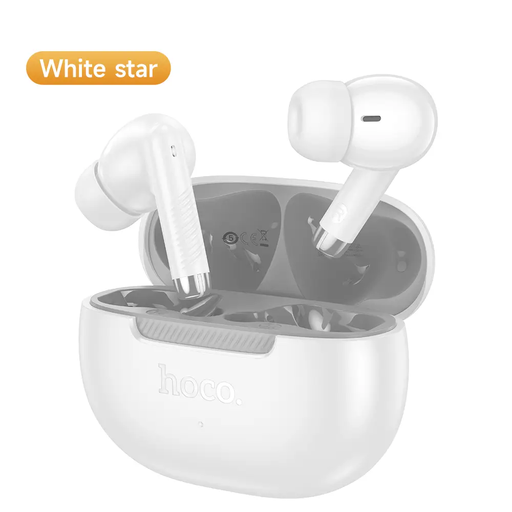
Why This Fits Their Persona: A straightforward option for shoppers wanting true wireless earbuds for commuting, calls and everyday media, with Bluetooth 5.4 and a compact charging case.
Its stated specifications include up to 7 hours of continuous playback and built-in microphones, making the battery and call suitability clearer than vague “all-day” wording.
Bluetooth 5.4; up to 7 hours of playback; listed weight of 46.5 grams for the complete unit.
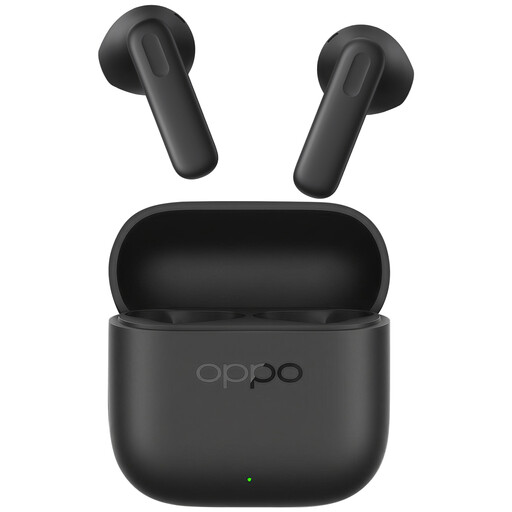
Why This Fits Their Persona: Suited to listeners who prioritise an in-ear fit, dynamic-driver audio and practical charging for music, calls and video.
The specification identifies a dynamic driver and USB-C charging rather than relying only on broad high-definition language. The instructions also recommend selecting a suitable ear-tip size.
Bluetooth 5.4; dynamic driver; touch controls; USB-C charging case.
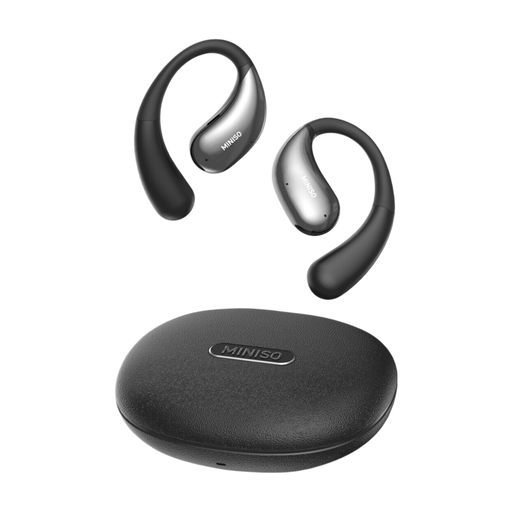
Why This Fits Their Persona: The open-ear hook format is designed for people who want a secure fit for walking, gym sessions or commuting while retaining awareness of their surroundings.
The fit is supported by a wrap-around sport-hook design, while the stated IPX4 rating gives a defined limit for sweat and splashes instead of implying full waterproofing.
Bluetooth 5.4; approximately 5–6 hours per charge; up to 36 hours with the case; Type-C charging; IPX4 rating.
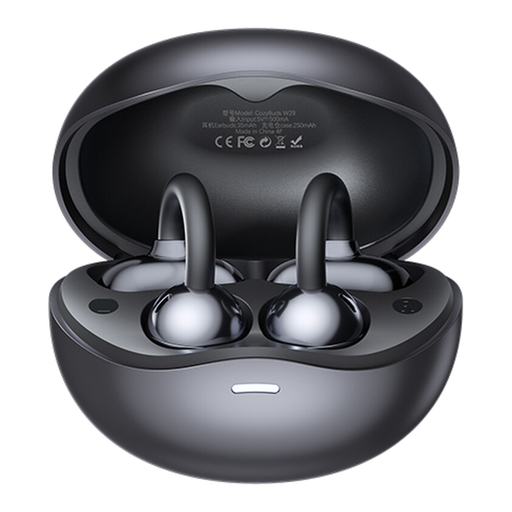
Why This Fits Their Persona: A clip-on alternative for users who find traditional in-ear earbuds uncomfortable or want ambient awareness while walking, working or exercising.
Its open-ear clip design avoids dependence on ear-canal pressure, while the stated call noise-matching feature addresses calls separately from music playback.
Bluetooth 5.4; up to 6.5 hours per charge; touch controls; open-ear ambient awareness.
We have compiled a complete, real-time list of products that fully satisfy these strict selection criteria and UK safety regulations.
The stated figures in this range vary from around four to seven hours for music playback, depending on the model and usage conditions. Volume, calls and ANC can affect the result. The charging case may provide several additional recharges, so compare both figures rather than relying on standby time.
They can suit walking and commuting when awareness of announcements or traffic is useful. However, ambient sound can also reduce perceived music volume, so avoid increasing playback excessively in busy areas. They should not be used in situations where full attention is required.
They require periodic charging, but USB-C charging can be convenient if you already own compatible cables and adapters. Battery capacity, charging frequency and case design affect convenience. To extend service life, avoid heat, moisture and physical impact, and follow the manufacturer’s battery-care instructions.