
24/7 Customer Support

Free returns

Same-day & Next-day Delivery

Quality Guaranteed

Unlock Your Welcome Offers: FREE Delivery | Up to 80% OFF | Free 30-day JoyPlus trial
Download the APP
A wireless gaming mouse can make a desk setup cleaner and movement more flexible, but the headline specifications do not always tell the full story. A high DPI figure may sound impressive while offering little practical benefit, and an 8K polling rate can increase system load and battery use without improving every game or computer setup.
For UK gamers, the right choice depends on more than speed. Grip shape, connection stability, software support, charging arrangements and compatibility all affect whether a mouse remains useful after the initial excitement wears off.
DPI describes cursor sensitivity, not overall tracking quality. A high DPI gaming mouse may offer 26,000 or 40,000 DPI, but many players use a considerably lower setting for FPS games. Sensor consistency, surface tracking and software adjustment are often more relevant than the maximum number printed on the box.
Look for an adjustable range that suits your preferred sensitivity rather than paying solely for the largest figure.
A 8K polling rate mouse reports position more frequently than a 1,000Hz model. This can produce smoother cursor updates, particularly on a suitable high-refresh-rate display. However, higher polling rates can use more battery power and may place additional demand on the computer’s processor and USB controller.
If you mainly play slower-paced games, work from home or use an older PC, a stable 1,000Hz or 2,000Hz setting may be more practical. Check whether the advertised rate applies in wireless mode, wired mode or only with an additional accessory.
A mouse described as wireless may support only a 2.4GHz receiver, while a Bluetooth gaming mouse may be more convenient for laptops and tablets but not always the preferred connection for competitive play. A tri-mode wireless mouse provides wired USB, 2.4GHz and Bluetooth options, but switching procedures and software compatibility still need checking.
Also confirm how the battery is charged. A rechargeable wireless mouse may include a cable, dock or optional charging module. Wireless charging support is not necessarily included as standard.
For fast FPS movements, a lightweight gaming mouse can reduce the effort required for repeated swipes. Current options in this selection range from 47g to 68g, although lighter does not automatically mean more comfortable. A compact symmetrical shape may suit fingertip or claw grips, while a fuller ergonomic gaming mouse can provide more palm support.
Check:
Sensor specifications such as IPS and acceleration indicate the speed and movement range the mouse is designed to handle. They should be considered alongside the software, which may allow DPI stages, button remapping, macros and lift-off-distance adjustment.
For most PC gaming, a well-configured sensor with suitable feet and a consistent surface is more useful than an extreme DPI setting. Mac users should also check whether the configuration software supports macOS, rather than assuming that every Mac-compatible wireless mouse offers identical controls across operating systems.
A 1,000Hz polling rate sends up to 1,000 position reports per second. 4K and 8K modes send more frequent reports, but they may reduce battery duration. Advertised battery figures can also vary according to polling rate, lighting, connection mode and usage.
Before ordering, confirm:

Why This Fits Their Persona: A practical entry point for PC gaming, study and office use, with Bluetooth, 2.4GHz and USB-C connectivity for switching between devices.
Its specifications state a maximum 24,000 DPI and up to 1,000Hz in wired and 2.4GHz modes, rather than implying that 8K is essential for every player.
Tri-mode connection, 65g listed weight, programmable controls and a magnetic charging dock.
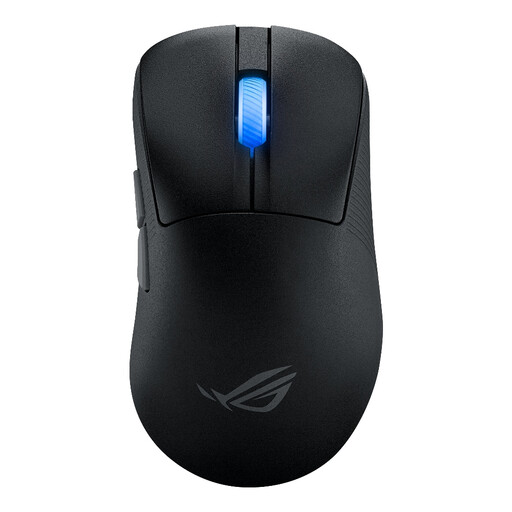
Why This Fits Their Persona: Suits FPS players who want a 54g body, an ambidextrous profile and multiple connection options for gaming and general computer use.
The listed rates distinguish between 4,000Hz wireless and 8,000Hz wired use with the separate Polling Rate Booster, clarifying the accessory requirement.
42,000 DPI sensor, 2.4GHz, Bluetooth and USB connectivity, plus optical switches rated for 100 million clicks.
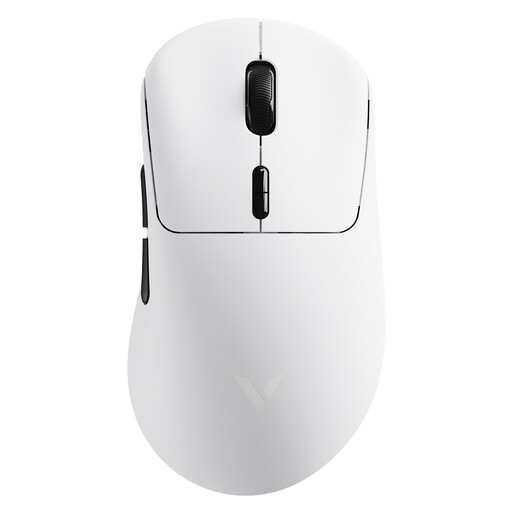
Why This Fits Their Persona: Designed for players who prioritise low weight, extended battery intervals and native high-rate wireless performance.
The product information notes that 8K use can consume more battery and may require a capable CPU and USB controller, making the trade-off clear.
53g weight, native 8K wireless polling and a stated battery life of up to 750 hours at 1,000Hz.
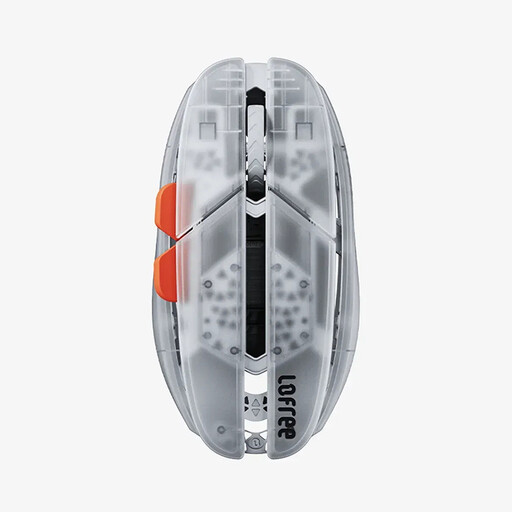
Why This Fits Their Persona: A 47g option for users moving between a Mac, Windows PC, tablet and mobile device, with Bluetooth available for everyday tasks.
Compatibility is specified for macOS, Windows, iPadOS, iOS and Android, with a stated limitation for Mac Boot Camp dual-system mode.
Wired, Bluetooth and 2.4G modes, up to 40,000 DPI through software and up to 100 hours in Bluetooth mode.
We have compiled a complete, real-time list of products that fully satisfy these strict selection criteria and UK safety regulations.
Yes, provided it uses a stable 2.4GHz connection, has suitable sensor tracking and offers a shape you can control consistently. For high-refresh-rate gaming, a 4K or 8K mode may be useful, but confirm that your PC can handle the additional data rate.
Battery duration varies by polling rate, lighting, connection mode and usage. Published figures may range from around 90 hours to 750 hours at a stated setting. Treat these figures as guidance and check the conditions attached to the claim before purchasing.
Many models support macOS through Bluetooth, USB or 2.4GHz receivers. However, button customisation and driver features may differ from Windows. Check the product’s stated macOS version and any exclusions, especially if your Mac uses a dual-system setup.