
24/7 Customer Support

Free returns

Same-day & Next-day Delivery

Quality Guaranteed

Unlock Your Welcome Offers: FREE Delivery | Up to 80% OFF | Free 30-day JoyPlus trial
Download the APP
A wireless gaming mouse can make a desk cleaner and movement more flexible, but the wrong model may create avoidable problems. A high DPI number does not automatically mean better aim, an advertised 8K polling rate may require a particular connection mode and a lightweight shell may not suit every hand or grip.
This guide from the Joybuy Product Recommendation Officer focuses on the specifications that matter in everyday UK gaming setups, including FPS, MOBA, MMO, work and travel use.
DPI describes sensitivity, not complete sensor performance. A mouse rated at 30,000 or 42,000 DPI may offer adjustment range, but many players use considerably lower settings for controlled aiming. Check the sensor’s tracking speed, acceleration rating and adjustment method as well as the maximum DPI.
An 8K polling rate gaming mouse reports its position up to 8,000 times per second, but some models only provide this rate in wired mode. Others support native 8K over 2.4GHz wireless with a compatible receiver. Higher polling rates can increase USB, processor and battery demands, so they are not automatically useful for every computer or game.
A light mouse can feel quick, but a shape that does not suit your hand may cause discomfort during long sessions. Also check whether the mouse uses a rechargeable battery, replaceable cells or a charging dock. Driver support matters too, particularly if you use both a gaming PC and a Mac. Some advanced functions may require Windows software or specific firmware.
For fast FPS movements, a lightweight wireless gaming mouse weighing around 49–62g may reduce the effort needed for broad swipes. However, weight is only one part of comfort. Compare the mouse dimensions with your hand and preferred grip:
An ergonomic gaming mouse can be preferable for right-handed users who want more palm support, while a symmetrical design may suit families sharing one computer.
Look for a named optical sensor, adjustable DPI steps and a stated IPS speed. A high DPI gaming mouse is useful when you want flexible sensitivity settings, but a stable sensor at your chosen DPI is more relevant than the maximum figure.
For example, the ASUS ROG Keris II Ace lists a 42,000 DPI ROG AimPoint Pro sensor and track-on-glass capability. The ASUS TUF Gaming M4 Wireless lists 12,000 DPI, 300 IPS and 35G acceleration. Both specifications can be suitable for gaming, but they target different feature and price priorities.
A low-latency wireless mouse normally uses a 2.4GHz receiver for gaming, while Bluetooth is more convenient for laptops, office work and multi-device use. A tri-mode gaming mouse adds wired USB, 2.4GHz and Bluetooth, allowing you to switch between performance and convenience.
Check the practical details:
For UK use, follow the supplied charging instructions, use a suitable certified cable and stop using a rechargeable mouse if the battery becomes unusually hot, swollen or damaged. Dispose of electronic products and batteries through appropriate local recycling routes.

Why This Fits Their Persona: A straightforward option for students, casual PC users and those wanting one mouse for gaming, study or shared spaces.
It provides five stated DPI levels from 1,000 to 4,000 rather than relying on an inflated headline figure, with plug-and-play USB connectivity.
Silent left and right clicks, blue LED backlighting and an automatic sleep mode after eight minutes of inactivity.
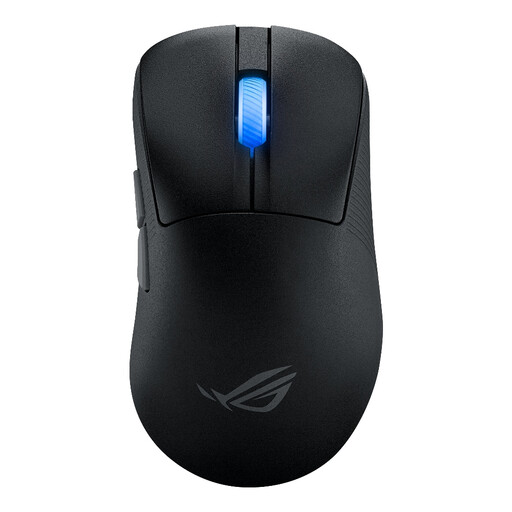
Why This Fits Their Persona: A suitable match for competitive FPS players who prioritise low weight, advanced sensor control and multiple connection options.
Its specifications distinguish 4,000Hz wireless polling from 8,000Hz wired polling, helping buyers understand the connection required for each rate.
54g body, tri-mode connectivity, 42,000 DPI sensor, optical switches rated at 100 million clicks and Bluetooth pairing for up to three devices.

Why This Fits Their Persona: Designed for users who want a lightweight esports gaming mouse with extended battery intervals and configurable controls for PC or Mac.
Its stated battery figure is tied to 1,000Hz operation and low-power mode, so buyers can factor in different usage settings rather than treating it as a fixed result.
53g weight, native 8K wireless polling, 30,000 DPI with independent X/Y adjustment, 10 programmable buttons and a 120-million-click optical switch.
Before ordering, confirm the mouse:
We have compiled a complete, real-time list of products that fully satisfy these strict selection criteria and UK safety regulations.
It can be useful for players with a high-refresh-rate monitor who want frequent cursor updates, but the benefit depends on the game, system and connection mode. Check whether 8K works wirelessly or only through USB and consider battery consumption and software support.
Many models support macOS through Bluetooth or USB, but advanced drivers, macros and profile tools may have narrower compatibility. Confirm the operating-system details and whether programmable functions are available on your Mac before purchase.
A rechargeable gaming mouse avoids repeated purchases of AA or AAA batteries, although it needs charging and its battery will eventually age. A model with a charging dock can make daily top-ups simpler, while a replaceable-battery mouse may be practical for users who prefer quick swaps.