Holiday-cottage hosts serving several devices
If guests charge headphone cases, phones and earbuds at one shared point, consider the mix of leads they may bring, where cables will sit and how you will check the equipment between stays.


For a shared cottage charging point, a station with both USB-C and USB-A ports is a practical starting choice when guests will use compatible leads for their headphone cases. Choose AC outlets if guests need their own power bricks, or a wireless dock only after checking the exact charging case; compare the number of simultaneous connections and shared output before deciding.
If guests charge headphone cases, phones and earbuds at one shared point, consider the mix of leads they may bring, where cables will sit and how you will check the equipment between stays.
A compact station can serve a bedroom or shared counter when a few guests need USB-C and USB-A connections from one mains socket. Check that its port count matches the devices likely to be connected together.
Charging headphones alongside a USB-C laptop makes total output, the relevant port limit and cable requirements more important than they are for headphone cases alone.
Start with the headphone case and its charging lead, then check how many other devices guests may connect at once; assess placement and upkeep before adding laptop charging or a wireless dock to the brief.
| Concern | What to check | Who this matters to |
|---|---|---|
| Cable compatibility | Count USB-C and USB-A ports against the leads guests are likely to use. For a wireless dock, confirm the exact headphone case is compatible. | If my guests bring different headphone cases, I need their leads to connect without relying on a particular wireless-charging standard. Around 33% of consumers put that compatibility need first. |
| Simultaneous charging | Compare usable port types and total output; check per-port limits when several devices will be connected. | When several guests charge cases and phones together, I want enough connections at the shared point without occupying multiple wall sockets. This is the primary need for around 27% of consumers. |
| Safe guest use | Choose a dry, accessible position and plan checks of the plug, lead, casing and ports for damage. | As a host leaving equipment for guests, I need a charging point I can site sensibly and inspect between stays. Around 20% of consumers would prioritise that upkeep. |
| Space and other devices | Check the station’s footprint and whether a laptop is part of the load; if so, compare its required power with the station’s relevant port limit. | With limited shelf space, I want the station to fit neatly, but occasional laptop charging changes the power I need to check. That combined placement-and-device need comes first for around 20% of consumers. |
Ten USB-A ports will not accept a USB-C-to-USB-C lead, and a station’s total output is shared rather than available in full from every port at once.
List the likely leads first, then compare connector counts, total output and the limits of ports that may be used together.
Wireless charging depends on the case and dock being compatible. Belkin describes its Qi2 3-in-1 dock for iPhone, Apple Watch and AirPods, not for wireless headphones generally.
Confirm the exact case against the dock’s compatibility information; otherwise, use a suitable wired lead.
If a case needs its own charging cradle or lead, that accessory still has to be accommodated at the charging point.
Portable chargers and leads can be damaged between stays. The Health and Safety Executive says electrical equipment must be maintained to prevent danger, with checks suited to the equipment and its environment.
Include the charger, plug, mains lead and any supplied cables in between-stay visual checks, and remove damaged equipment from use.
Electrical Safety First advises buying USB chargers from reputable retailers and warns about risks from substandard or counterfeit products.
Keep the supplier and model details, follow the manufacturer’s instructions and register the product for recall information where available.
UGREEN’s UK range includes a mixed-port USB station and a station with both USB ports and AC outlets, covering different approaches to a shared cottage charging point.
Anker’s desktop range is relevant when the same charging point must serve a USB-C laptop or tablet alongside headphones.
Belkin has a USB-A hub for a managed set of leads and a separate Qi2 dock described for specific Apple devices.
These Joybuy choices include mixed-port wired chargers and wireless stands. A wired charger depends on guests having suitable leads; for a wireless stand, check the exact headphone case before relying on its charging area.
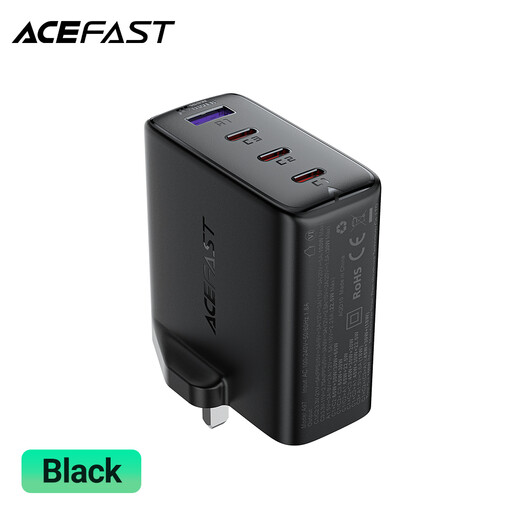 No image available
Consider this for a wired shared charging point when guests use USB-C and USB-A leads.
The title specifies 100W and a UK plug. Check how output is divided between ports when several devices are connected.
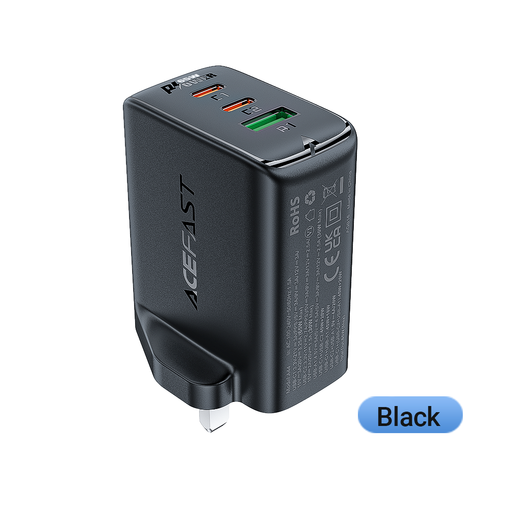 No image available
This three-port wired option suits a charging point where guests bring compatible USB-C or USB-A leads.
Check the per-port limits and shared output against the devices likely to charge together.
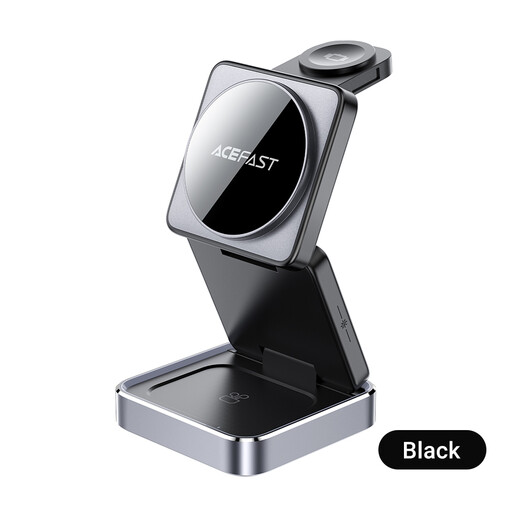 No image available
Consider this phone, TWS-earbud and watch dock only when the intended devices are compatible with its charging positions.
It requires a PD/QC power supply; check whether a suitable one is included. Use it in a dry, ventilated location.
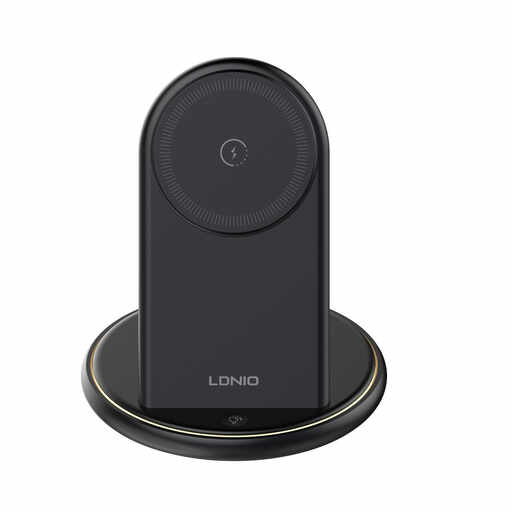 No image available
This stand is worth considering only if the headphone case and other devices you intend to place on it are compatible.
Confirm the required power supply and how its charging positions share power for the intended device mix.
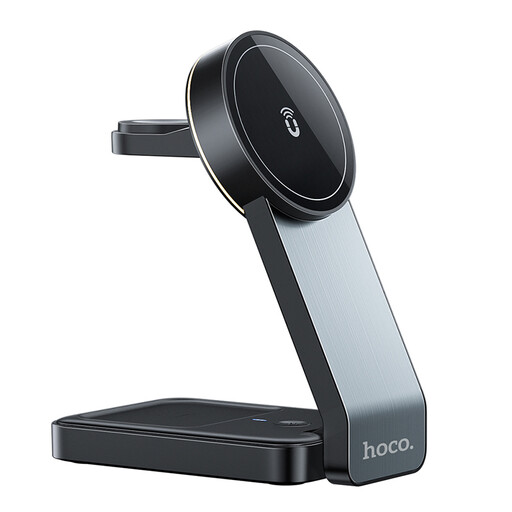 No image available
Consider this magnetic dock only after confirming that the particular earbud case and other intended devices are compatible.
A PD/QC power supply is required; check whether a suitable one is included. Keep the charger away from damp areas.
No: a wired station needs a lead that fits both the case or cradle and an available port, while a wireless dock needs an explicitly compatible case. Check the exact case before choosing a magnetic dock.
For headphone cases alone, start with compatible ports and enough connections rather than laptop-class output. If guests will also charge a laptop, compare its power requirement with the station’s total and per-port limits; Anker says the 100W USB-C output on its A2683 also requires a suitable E-Marker cable.
Set checks according to the equipment, where it is used and what earlier checks have shown, rather than assuming one interval suits every charger. The Health and Safety Executive says electrical equipment must be maintained to prevent danger; GOV.UK directs operators of self-catering holiday homes in England to its electrical-safety guidance.
Check which market the product is intended for: GOV.UK’s electrical-equipment marking guidance distinguishes Great Britain, where UKCA or CE may be used, from Northern Ireland, where CE or UKNI together with CE applies. These are product-market marking rules, not a substitute for checking the charger’s suitability and condition before guest use.