What should you check before buying?
Identify the keyboard’s connection method first, then check operating-system support and where the adapter will sit.
| Concern |
What to check |
Who this matters to |
| Keyboard connection |
Check the keyboard’s model or manual for standard Bluetooth pairing versus a required Unifying, Logi Bolt or other dedicated receiver. |
If my keyboard needs its own receiver, a Bluetooth dongle will not solve the pairing problem. Around 42% of consumers put connection compatibility first. |
| Operating system and drivers |
Match your OS version to the adapter maker’s list and check the installation guidance for that model. |
I need the adapter to work with my computer before I can pair the keyboard, especially if driver installation is involved. For around 33% of consumers, host compatibility and setup are the primary concern. |
| Adapter placement |
Consider the USB port’s position, nearby obstacles and whether a compact or adjustable-antenna design suits the desk. |
With a tower tucked under my desk, I care about where the adapter can sit rather than size alone. Placement is the main concern for around 25% of consumers. |
Joybuy products for Bluetooth keyboards
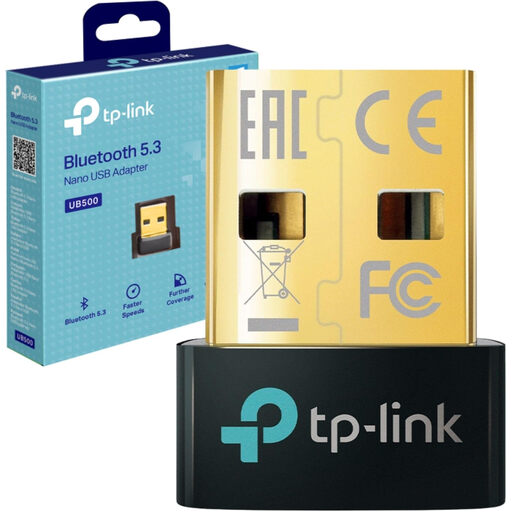
This compact USB adapter is an option for pairing a standard Bluetooth keyboard with a Windows PC that has an available USB port. Confirm the keyboard’s connection method and your Windows version before choosing it.
 No image available
TP-Link UB500 Bluetooth 5.0 Nano USB Adapter
Consider this model for a standard Bluetooth keyboard and a Windows PC with a free USB port; it cannot replace a proprietary keyboard receiver.
TP-Link United Kingdom lists Windows 7, 8.1, 10 and 11 support for the UB500. Check its model-specific driver guidance before setup.
View on Joybuy
Frequently asked questions
Will a Bluetooth USB adapter pair every wireless keyboard?
No. The keyboard must support standard Bluetooth pairing. Logitech describes Unifying as proprietary technology, so a keyboard that requires a Unifying receiver needs a compatible receiver instead.
How do I pair a Bluetooth keyboard in Windows?
Once the adapter is working, turn on Bluetooth in Windows, put the keyboard into its manufacturer-specified pairing mode and select it from the available devices. Follow any on-screen pairing prompts; Microsoft Support confirms that a USB adapter can add Bluetooth to a Windows device that lacks it.
Will I need to install a driver?
Driver requirements depend on the adapter and Windows version. TP-Link’s UB500 guidance describes automatic installation under certain Windows setups and a separate driver requirement for Windows 7, so check the instructions for your exact model and OS before ordering.
Should I disable built-in Bluetooth when using a USB adapter?
Do so only if the adapter maker instructs you to for your setup. TP-Link’s UB-series guidance advises disabling built-in Bluetooth when using one of those adapters on a computer that already has Bluetooth; that is not a universal instruction for every model.
What should I check on the product listing before ordering?
Confirm the exact adapter model, its supported operating systems and the seller’s current warranty and return terms. Check those terms on the listing you intend to use rather than assuming they apply to every adapter.


