
24/7 Customer Support

Free returns

Same-day & Next-day Delivery

Quality Guaranteed

Unlock Your Welcome Offers: FREE Delivery | Up to 80% OFF | Free 30-day JoyPlus trial
Download the APP
A wireless lavalier microphone can make spoken audio clearer without tying you to a phone, camera or computer. It is useful for vlogging, livestreaming, interviews, podcasts, online presentations and social media clips. However, product listings often make similar promises, while important details such as connector type, battery arrangements and receiver compatibility are easy to overlook.
Before buying, watch for these common pitfalls:
A USB-C wireless microphone normally uses a USB-C receiver that plugs directly into a compatible phone, tablet or computer. This is convenient for many Android devices and newer iPhone models, but the connector alone does not guarantee every function will work on every device.
Check the product listing for:
If you record with several devices, a system with interchangeable receivers or direct Bluetooth pairing may offer more flexibility. For camera use, also check for a suitable audio input rather than assuming a phone receiver will work.
A dual wireless microphone includes two transmitters, making it suitable for interviews, two-person presentations and shared livestreams. A single wireless lapel microphone is generally smaller and may be more practical for solo vlogging, online meetings or voiceovers.
Dual systems can also reduce the need to share one microphone between speakers. However, they may require more charging and storage space. Consider whether both transmitters can operate together and whether the receiver records both voices as separate or combined channels.
For livestreaming, interview work and longer recordings, check the operating time of each component, charging method and recharge time. A magnetic charging case can make it easier to keep transmitters ready between shoots, but a stated three-to-six-hour battery range may not cover a full day of filming.
Low-latency transmission helps keep speech aligned with video. A furry wind muff or windscreen is also useful outdoors, although it will not replace sensible microphone placement. Keep the transmitter close to the speaker’s chest, away from rubbing clothing, and test the audio before recording.
Buy products carrying the relevant UK product information and follow the supplied charging and storage instructions. Keep microphones dry, away from extreme heat and out of reach of children, particularly where the kit includes small receivers or magnetic parts.
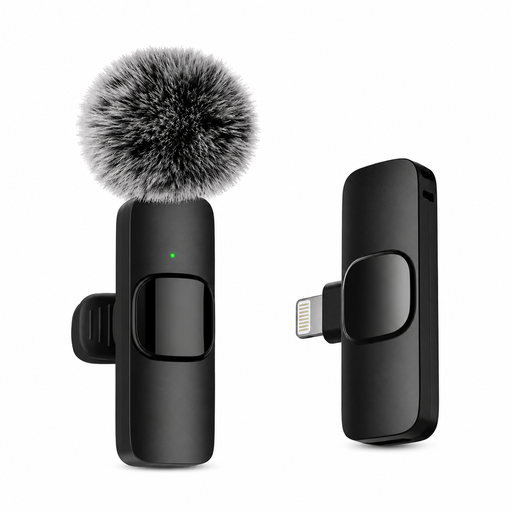
Why This Fits Their Persona: A compact single-mic option for new creators making iOS livestreams, recordings and interviews without needing two transmitters.
The listing identifies an iOS interface and a single microphone, helping buyers avoid paying for unused dual-channel hardware or guessing about the connector.
Single-mic format; listed for live streaming, recording and interviews; includes a noise-cancelling and windproof design description.
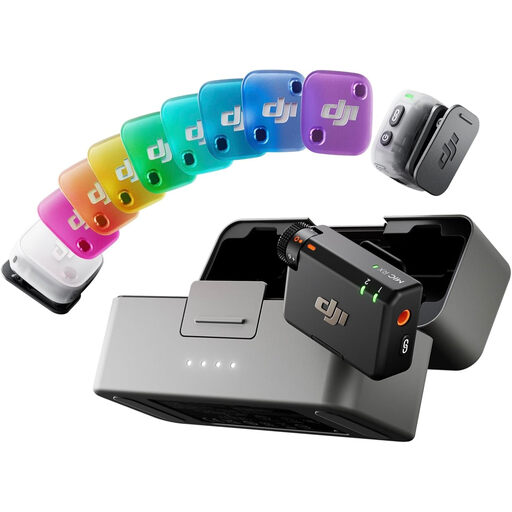
Why This Fits Their Persona: Designed for creators who want a compact dual setup, direct phone connectivity and extended use for vlogging, podcasts or regular livestreams.
The kit specifies two transmitters, a receiver and a charging case, while its listed noise-cancelling and auto-limiting functions are clearer than a generic “studio sound” claim.
Two voice tone presets beyond regular mode; two-level noise cancelling; listed operating time of up to 48 hours with the case.
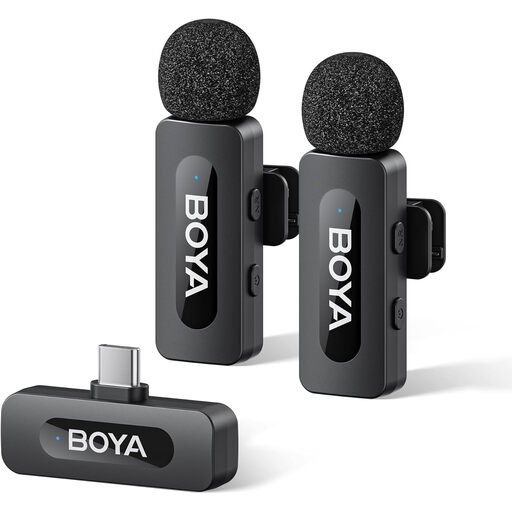
Why This Fits Their Persona: A practical match for two-person interviews, shared livestreams and Android or USB-C creators who need two transmitters in one kit.
Its product name specifies USB-C, two transmitters and one receiver, making the intended setup easier to verify before purchase.
Two-transmitter configuration; one-click noise cancellation; listed nine-hour battery life.
We have compiled a complete, real-time list of products that fully satisfy these strict selection criteria and UK safety regulations.
It can be, provided the receiver matches the iPhone’s port or the product supports a compatible direct connection. For an iPhone 16 or 17, check the listing for USB-C or confirmed iOS compatibility. Do not assume that a USB-C receiver will work with every Apple device without checking the model and app requirements.
The usable lifespan depends on battery care, charging habits, storage and physical handling. Avoid leaving the microphone in heat, moisture or direct sunlight, and follow the supplied charging instructions. A removable or well-supported charging case can also help protect the components during transport.
No. Noise cancellation can reduce some unwanted sound, but results vary with the environment, microphone position and recording software. For outdoor filming, combine the feature with a furry wind muff, close placement and a quiet position where possible.