
24/7 Customer Support

Free returns

Same-day & Next-day Delivery

Quality Guaranteed

Unlock Your Welcome Offers: FREE Delivery | Up to 80% OFF | Free 30-day JoyPlus trial
Download the APP
A wireless microphone can make spoken audio clearer and filming more flexible, but choosing the wrong system often creates more problems than it solves. UK shoppers commonly buy based on phrases such as “noise cancelling”, “long range” or “professional sound” without checking how those features work with their phone, camera or computer.
Three buying traps deserve particular attention:
Start with the device you actually use. For a modern Android phone, iPhone with a USB-C port, tablet or compatible camera, a USB-C wireless microphone can provide a straightforward connection. A dedicated Lightning wireless microphone is more suitable for an iPhone with a Lightning port.
For computers, a plug-and-play receiver may work through USB-C, USB-A with the right cable or another supported connection. Always check whether the receiver is designed for audio input rather than charging only.
If you use a camera, look for a receiver with the required output and confirm whether the camera accepts an external microphone. Wireless systems designed only for direct smartphone connection may not be suitable for every camera.
Most compact wireless lavalier microphone systems use a radio link between the transmitter and receiver. A 2.4 GHz system can be convenient for vlogging, interviews and live streaming, but walls, people, electrical equipment and crowded wireless environments can reduce the practical range.
A stated range should therefore be treated as a line-of-sight figure, not a guaranteed indoor distance. For important interviews, remain within a sensible working distance and check that the receiver remains connected.
Real-time monitoring is also valuable. A receiver with a headphone output lets you listen for clothing rustle, low volume or unwanted noise before recording a long session. Without monitoring, a faulty connection may only become obvious during editing.
For filming away from a desk, consider:
For a desktop podcast microphone, battery life is less important because the unit is corded. Instead, look at the polar pattern, stand or boom arm, headphone monitoring and USB/XLR connectivity.
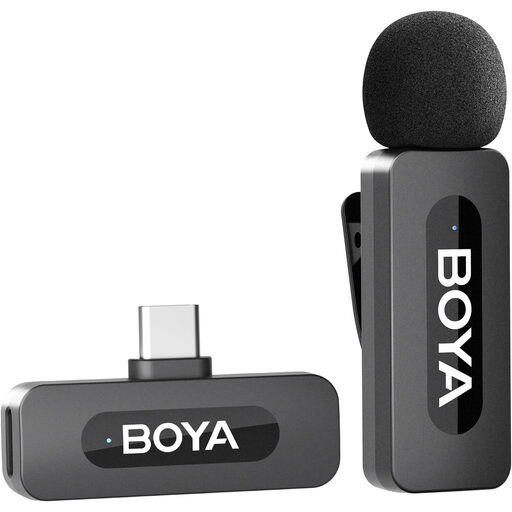
Why This Fits Their Persona: The single-transmitter and receiver format suits a new vlogger, online teacher or smartphone user recording one speaker at a time on a USB-C device.
It clearly uses a USB-C receiver and lists one transmitter with one receiver, reducing confusion about multi-speaker requirements.
One-click noise cancellation and a listed battery life of up to 9 hours provide simple controls for short-form recording.
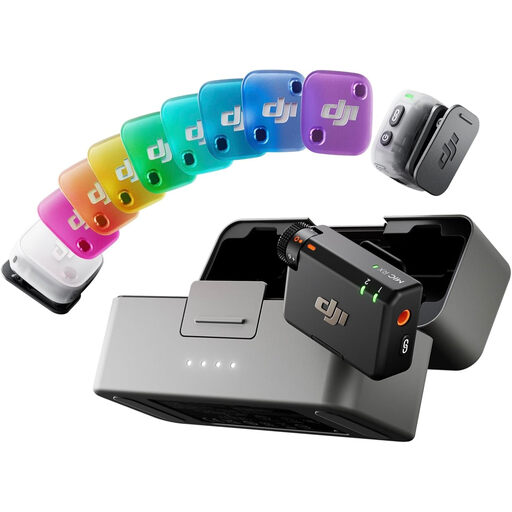
Why This Fits Their Persona: Two transmitters are useful for interviews, co-hosted videos and creators who want a compact kit for regular mobile production.
The kit includes two transmitters, while its listed noise-cancelling and auto-limiting modes address common level and background-noise issues.
The product information lists 11 g transmitters, three voice tone presets and up to 48 hours with the charging case.
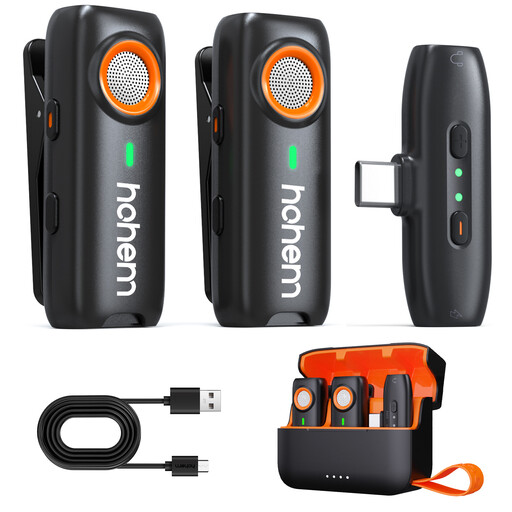
Why This Fits Their Persona: Journalists, outdoor vloggers and mobile crews may value local backup recording and longer operation during extended shoots.
Its listed TF-card backup recording can provide a local copy, while the stated 100 m range is clearly intended for open-space line-of-sight use.
The system lists three DSP noise-reduction levels, 20 hours with the case and remote shutter control.

Why This Fits Their Persona: Podcasters, gamers and musicians recording at a desk may prefer a corded microphone with a boom arm rather than a battery-powered wireless lavalier.
USB and XLR inputs provide a clear upgrade path, while the cardioid pattern is designed to focus on sound from the front.
The kit includes a boom arm, shock mount, headphone jack, mute button and gain control. An XLR cable is not included.
We have compiled a complete, real-time list of products that fully satisfy these strict selection criteria and UK safety regulations.
Yes, provided the receiver matches the phone’s port and operating requirements. USB-C systems suit many newer Android phones and USB-C iPhones. A Lightning wireless microphone is intended for compatible iPhones with a Lightning connection. Confirm the exact connector before ordering.
Operating time varies by model, recording settings and battery condition. The products above list figures ranging from 9 hours for a transmitter system to extended totals when a charging case is included. Battery capacity gradually reduces with repeated charging, so a case, replacement availability and charging method are worth considering.
Neither format suits every user. Wireless lavalier microphones provide freedom of movement for vlogging, interviews and smartphone recording. A USB/XLR gaming microphone is more appropriate for a fixed desk, podcast, voice-over or streaming setup where mains power, headphone monitoring and future mixer connectivity are priorities.