For a two-person interview, look for a wireless kit with two transmitters and a receiver that connects to your actual phone or camera. If a take cannot easily be repeated, transmitter-side recording gives you a separate file to check when the camera track fails; for a solo vlog, a simpler clip-on setup may be enough if its connection and recording app work together. Placement, wind protection and battery life still need attention on location.
Who is this for?
Interviewers and two-person video creators
If two people speak while moving, a transmitter for each person avoids asking them to share one body-worn microphone. Check how the receiver connects to your recording device and whether you need a separate recording of a one-off take.
Phone-first solo vloggers
A small clip-on microphone can keep the setup simple, provided its receiver or connection works with your phone port and recording app. Consider how you will attach it and protect it from wind outdoors.
Creators working in changing locations
Wind, clothing and the distance between speaker and microphone can affect a recording. Close placement, a suitable windshield and a short test clip matter alongside any noise-control setting.
What should you check before buying?
Start with the recording device and number of speakers; then decide whether a separate audio file, discreet placement or longer use between charges matters for the shoot.
| Priority |
What to check |
Your needs |
| Device connection |
Match the receiver output to the phone or camera input. Check any cable or adapter and whether the recording app accepts the connected microphone. DJI lists USB-C, Lightning and 3.5 mm TRS output options for Mic 2; the exact kit and device still matter. |
I switch between a phone and camera, so both recording routes need to work with the equipment I will use. |
| Separate recording |
Check whether the transmitters record their own files, how those files are retrieved and how much recording time is available. RØDE states that each Wireless PRO transmitter can record over 40 hours of 32-bit-float audio onboard; that specification concerns the transmitter file, not the camera track. |
An interview may be impossible to repeat, so I want a separate recording to check if the direct-to-camera track has a problem. |
| Placement and wind |
Check the clip or mount, any supplied windshield and whether a compatible external lavalier can be connected if you need a less visible microphone position. |
I film outdoors or need the microphone to sit unobtrusively without being covered by clothing or hair. |
| Speakers and runtime |
Check the number of transmitters in the exact kit. Compare continuous operating time with charging-case figures separately, and allow for breaks and retakes. |
Two of us speak on camera, or I need the equipment to last through a mobile shoot without assuming the case can recharge it while it is in use. |
| Recording route |
A clip-on transmitter moves with its wearer; a camera-mounted microphone stays with the camera. For an external lavalier, check the transmitter input and connector rather than assuming every 3.5 mm plug will fit the intended system. |
If I walk while speaking, I want the microphone to stay near me. If I remain close to the camera, I can consider a camera-mounted option instead. |
What can go wrong on a mobile shoot?
-
Choosing by the maximum wireless range alone
DJI specifies the Mic 2’s CE maximum transmission distance for an unobstructed outdoor environment free of interference. That condition does not describe every interview location.
Treat range as a secondary check: test the planned device and microphone positions at a comparable location, and consider transmitter-side recording for a take you cannot repeat.
-
Assuming a fitting phone adapter carries audio
A charge-only adapter will not transmit audio from a receiver that needs data transfer. RØDE also does not guarantee every third-party adapter for its Lightning Wireless Micro receiver.
Check the receiver, phone port, adapter and recording app as one combination before the shoot.
An incompatible adapter may need replacing before that recording setup can be used.
-
Relying on noise control instead of microphone placement
A microphone obstructed by clothing or exposed to wind can still produce a difficult recording, regardless of its noise-control features.
Place it near the speaker without rubbing against hair or clothing, use a suitable windshield outdoors and make a short test recording.
-
Assuming a small shoot needs no location check
The British Film Commission advises checking with the responsible local authority about filming on public land. Film London notes that an apparently public location may also have a manager from whom notification or permission is needed.
Identify who manages the exact location before filming, and consider the intended use of identifiable footage and recorded speech separately from access to the location.
Relevant brand references
These examples show why features must be checked at model and kit level; a feature on one system does not apply to every microphone from the same brand.
RØDE
RØDE offers distinct mobile setups, including the Wireless PRO and Wireless Micro Camera Kit.
- RØDE states that each Wireless PRO transmitter supports onboard 32-bit-float recording for over 40 hours.
- The Wireless Micro Camera Kit uses two clip-on transmitters and phone or camera receiver routes; do not assume it has the Wireless PRO recording workflow.
DJI
DJI Mic 2 is a reference point for checking connection options in a two-transmitter setup.
- DJI lists USB-C, Lightning and 3.5 mm TRS output options for Mic 2.
- DJI’s six-hour Mic 2 operating-time figure uses specified test conditions, including no internal backup recording during the test. Plan runtime for the way you will actually record.
Hollyland
The LARK MAX illustrates a wireless setup with transmitter-side storage.
- Hollyland specifies 8 GB of built-in transmitter memory for up to 14 hours of backup recording on LARK MAX.
- Check microphone placement and wind protection for the location rather than treating a noise-control feature as a guaranteed result.
Joybuy wireless microphone options
These options focus on clip-on wireless equipment for mobile filming. The kits with two transmitters are relevant to two-person shoots; the single-transmitter options warrant a closer look for solo recording. Check the exact phone or camera connection before choosing.
 No image available
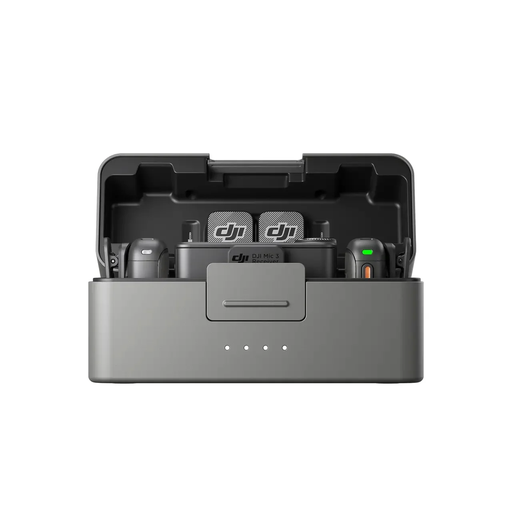
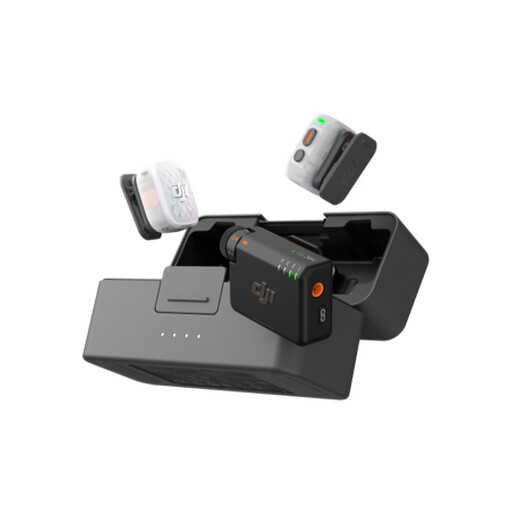
DJI Mic 3 (2 TX + 1 RX + Charging Case)
The two-transmitter kit is worth considering when two people speak on camera. Confirm the receiver connection for your phone or camera and check the recording and runtime details needed for your shoot.
View on Joybuy
 No image available
DJI Mic Mini 2S (2 TX + 1 RX + Charging Case)
The stated two-transmitter configuration addresses two-person filming. Confirm the exact receiver and case contents before ordering, then check the connection against your recording device and app.
View on Joybuy
 No image available
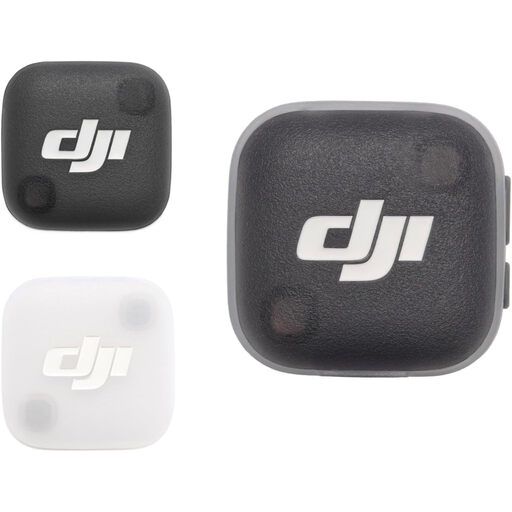
DJI Mic Mini 2 Transmitter
This transmitter is a different purchase from a kit labelled with a receiver. For solo phone filming, confirm the intended connection and recording-app compatibility; for camera use, check which additional components your setup requires.
View on Joybuy
 No image available
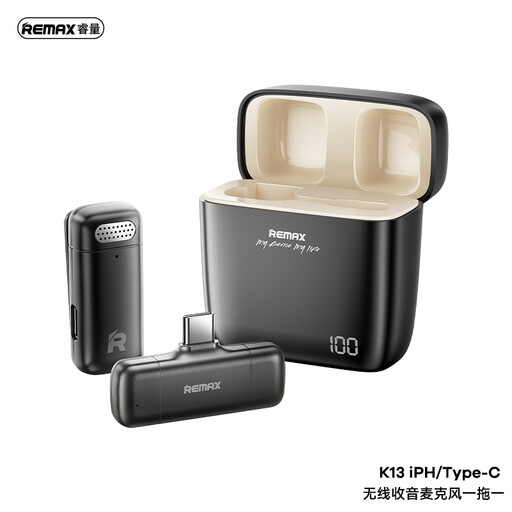
REMAX K13 1-to-1 USB-C Wireless Microphone, Black
The one-to-one USB-C configuration is a route to consider for a single speaker. Check that your device and recording app accept the receiver, and confirm runtime and any backup-recording requirement for longer or unrepeatable takes.
View on Joybuy
 No image available
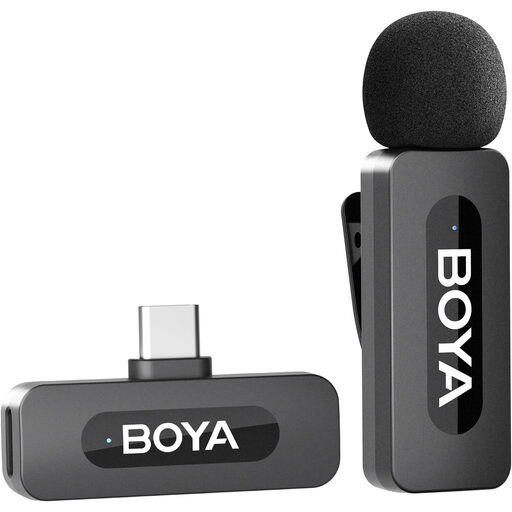
BOYA BY-V10 V2.0 USB-C (1 TX + 1 RX)
The single-transmitter, single-receiver kit is aimed at recording one speaker through a USB-C connection. Its title names iPhone 16/17 and Android devices; check your exact phone and app rather than assuming every device with that connector will work. Confirm how the stated 9-hour battery-life claim is measured if runtime is decisive.
View on Joybuy
Common questions
Can one wireless kit work with both a phone and a camera?
Yes, if the exact kit has connection routes compatible with both devices and the recording app accepts its audio. DJI lists USB-C, Lightning and 3.5 mm TRS output options for Mic 2; RØDE describes separate smartphone and camera receiver routes for the Wireless Micro Camera Kit. Check the components included in the kit you intend to buy.
When do I need a Lightning or USB-C adapter?
Consider an adapter when the receiver connector does not match the phone port, but confirm that it carries data and works with the receiver and app. RØDE says a charge-only adapter will not transmit audio for its Lightning Wireless Micro receiver and does not guarantee compatibility with third-party adapters.
Will 32-bit-float recording rescue a difficult take?
It is not a substitute for a recorded file or sensible microphone placement. Where a system offers 32-bit-float onboard recording, check the transmitter file separately: RØDE’s Wireless PRO onboard recording feature does not change the format of audio recorded directly into the camera.
Do I need permission to film an interview in a public location?
Check the particular location and planned use rather than assuming that public access settles filming permission. The British Film Commission advises checking public-land filming with the responsible local authority or council; Film London notes that apparently public places may be privately managed. Agreement from an interviewee and responsibilities concerning identifiable footage are separate considerations.


