
24/7 Customer Support

Free returns

Same-day & Next-day Delivery

Quality Guaranteed

Unlock Your Welcome Offers: FREE Delivery | Up to 80% OFF | Free 30-day JoyPlus trial
Download the APP
Navigating the world of computer peripherals can feel overwhelming. A wireless mouse seems simple enough, but the market is filled with technical jargon and features that don't always deliver on their promises. As a Joybuy Product Recommendation Officer, my role is to help you identify what truly matters, so you can find a device that fits your needs without overpaying for marketing hype.
Before you add a new mouse to your basket, let's look at a few common pitfalls that can lead to buyer's remorse.
To make an informed choice, it helps to understand the core specifications. Here’s what you should focus on when selecting a new wireless mouse.
This is the most fundamental choice you'll make. Neither is inherently better, but they serve different purposes.
Some models offer both, giving you the flexibility to switch between a dongle-based connection on your desktop and Bluetooth on your travel mouse setup.
DPI determines how sensitive your mouse is to movement. A higher DPI means the cursor moves further on the screen with less physical mouse movement.
The physical design is crucial for comfort and usability.
Based on these practical considerations, here are a few recommendations matched to different user needs.
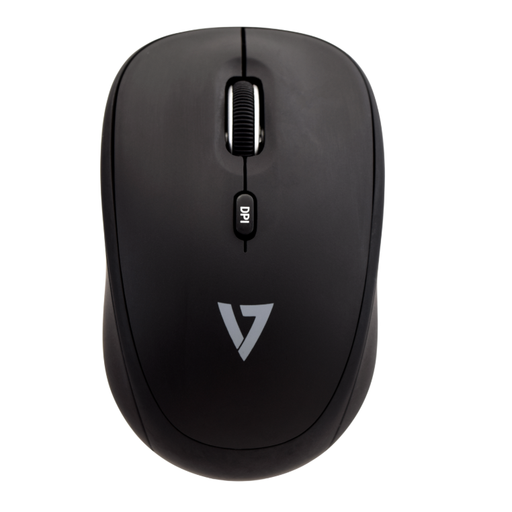
Why This Fits Their Persona: This compact mouse is built for life on the move. Its pocket-sized design makes it easy to slip into a laptop bag and the ambidextrous shape is comfortable for quick tasks whether you're left or right-handed. It's a practical choice for anyone working from coffee shops, libraries or commuting.
It directly solves the "lost dongle" problem with a convenient storage slot in the base of the mouse, ensuring your 2.4GHz receiver is always with you.
Features adjustable DPI (1000/1600) for flexible cursor control and includes a AAA battery, so it's ready to use straight out of the box.
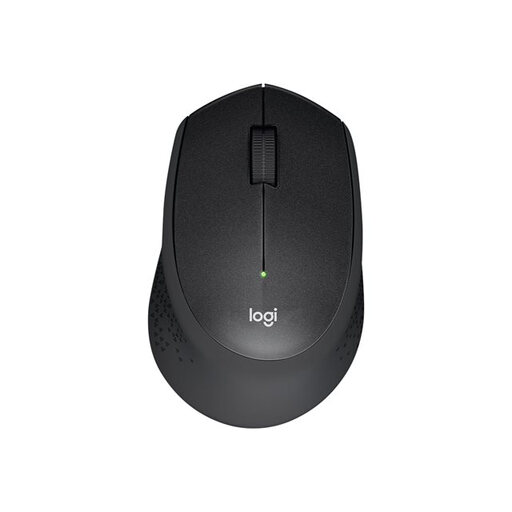
Why This Fits Their Persona: Designed for quiet environments, this mouse is ideal for anyone working in a shared space. Its main appeal is the significant reduction in click noise, allowing you to focus without disturbing colleagues. The contoured shape and soft rubber grips provide comfort for a full 9-to-5 workday.
It tackles the "ergonomic illusion" with a genuinely comfortable, contoured design for right-handed users. It also avoids the battery drain issue with an auto-sleep function and a stated battery life of up to 24 months.
Its SilentTouch technology reduces click sounds by a claimed 90%. The reliable 2.4GHz wireless connection offers a stable 10-metre range.
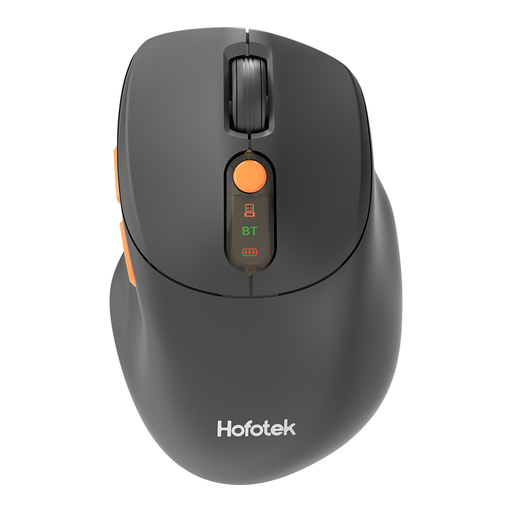
Why This Fits Their Persona: This mouse is for the user who juggles multiple devices—a desktop PC, a work laptop and a personal tablet. Its ability to connect to and switch between three devices (one via 2.4GHz, two via Bluetooth) is its standout feature, streamlining workflow and reducing desk clutter.
It solves the connectivity conundrum by providing a versatile, multi-device solution for those who genuinely need it, rather than just being an underutilised feature. It's also a silent mouse, adding value for varied work environments.
Offers dual-mode (2.4GHz + Bluetooth) connectivity with 3-device switching. It also has a wide, 5-level adjustable DPI range (up to 4000) for maximum control.
We have compiled a complete, real-time list of products that fully satisfy these strict selection criteria and UK safety regulations.
Battery life varies significantly based on the model and usage. A good quality wireless mouse designed for office work should last anywhere from 3 to 24 months on a single set of batteries. Models with power-saving features like an auto-sleep mode will generally last much longer. A travel-focused or high-performance mouse may have a shorter battery life, but should still offer several weeks of use before needing a recharge or replacement.
For most wireless mice, the answer is no. The vast majority, whether they use a 2.4GHz dongle or Bluetooth, are designed to be "plug-and-play." Your operating system (like Windows or macOS) will automatically recognise the device and install the necessary generic drivers. Specialised software is typically only required for advanced gaming mice where you might want to customise button functions, lighting or create complex macros.
Yes, you can. The two technologies operate on different protocols and will not interfere with each other. You can have a 2.4GHz mouse connected via its USB dongle and a separate Bluetooth mouse paired directly with your computer's Bluetooth receiver and both can be used, though typically not at the exact same time. This can be a useful setup if you have a preferred mouse for your desk (2.4GHz) and another for travel (Bluetooth).