
24/7 Customer Support

Free returns

Same-day & Next-day Delivery

Quality Guaranteed

Unlock Your Welcome Offers: FREE Delivery | Up to 80% OFF | Free 30-day JoyPlus trial
Download the APP
A cluttered desk with tangled cables can hinder productivity, while a lagging or uncomfortable mouse can turn simple tasks into a frustrating chore. Whether you are a professional working from home, a student on the go or a gamer seeking a competitive edge, the right wireless mouse can significantly improve your daily computing experience.
Navigating the market can be confusing, with countless options all claiming to be the one for you. This guide is designed to cut through the clutter. As a Joybuy Product Recommendation Officer, my role is to provide clear, practical advice to help you identify the features that matter most for your specific needs, guiding you towards a choice that genuinely fits your workflow and lifestyle.
Before diving into specific models, let's break down the key considerations that will help you narrow down your options.
The way your mouse connects to your device is a fundamental choice.
You will be holding your mouse for hours, so comfort is paramount. While standard ambidextrous mice suit many users, specialised designs can offer significant benefits, especially if you experience discomfort.
An ergonomic mouse is shaped to fit the natural contour of your hand, reducing strain. For those specifically concerned about wrist health, a vertical mouse is a leading solution. It promotes a "handshake" grip, keeping your forearm and wrist in a more neutral position. This can be a game-changer for anyone dealing with or wanting to prevent a mouse for wrist pain.
Not all mice are created equal when it comes to performance. Key specifications to look for include:
Based on these criteria, we have selected a few standout models designed for different users.
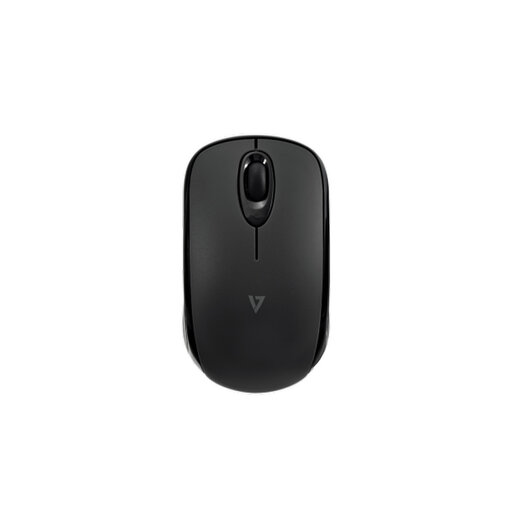
Why It Stands Out: This mouse is the quintessential travel mouse. It uses Bluetooth 5.2 Low Energy technology, which means it connects without a dongle and offers exceptional battery efficiency. Its compact, ambidextrous design makes it easy to slip into any laptop bag.
Pros:
Who is it for?: The hybrid professional, student or frequent traveller who needs a reliable, no-fuss mouse that works seamlessly across laptops, tablets and other Bluetooth-enabled devices.
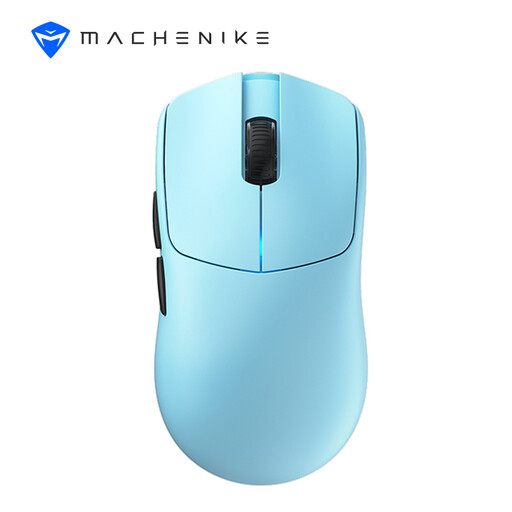
Why It Stands Out: This is a purpose-built, high-performance gaming mouse. Its standout feature is the dual-mode 8000 Hz polling rate, delivering ultra-low latency for lightning-fast responsiveness. Combined with a precision sensor and an incredibly lightweight mouse design, it is engineered for competitive play.
Pros:
Who is it for?: The serious gamer looking for the best wireless mouse for gaming. Its speed, precision and lightweight build provide a distinct advantage in fast-paced e-sports titles.
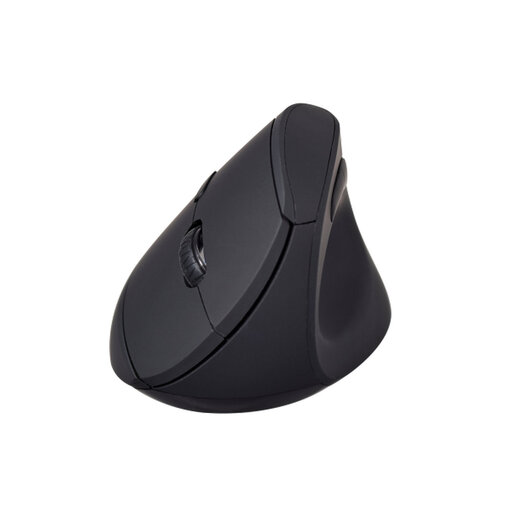
Why It Stands Out: This ergonomic mouse is designed entirely around user comfort. Its vertical "handshake" grip keeps your wrist and forearm in a natural, unstrained posture, making it an ideal mouse for wrist pain and long work sessions. Its dual mode wireless mouse functionality adds valuable versatility.
Pros:
Who is it for?: Office workers, designers, programmers and anyone who spends extended hours at their desk and wants to prioritise long-term wrist health without sacrificing functionality.
While these selections cover key use cases, your perfect mouse might have a different feature set or aesthetic. If you are looking for more choice, we invite you to browse our broader collection.
One is not inherently better than the other; it depends on your priorities. A Bluetooth mouse is excellent for portability and for use with devices that have few USB ports, like a tablet or MacBook. A 2.4GHz mouse with a dongle often provides a very stable connection with a simple plug-and-play setup, which can be ideal for a stationary desktop computer.
Absolutely. In fact, many features of a gaming mouse can enhance office productivity. The high-precision sensors, adjustable DPI and extra programmable buttons can be customised for work-related shortcuts in applications like spreadsheets or design software. The main trade-off might be a more stylised aesthetic compared to a traditional office mouse.
A standard mouse forces you to twist your forearm to lay your palm flat on the desk. A vertical mouse allows you to hold it in a "handshake" position. This keeps the two bones in your forearm (the radius and ulna) in a parallel, neutral alignment, reducing muscle strain in your forearm and pressure on the nerves in your wrist, which can alleviate and help prevent discomfort from long-term use.