Players who charge less often
You want to play without an audio cable and would rather charge a headset periodically than manage one during every session. Compare battery claims for the wireless mode you intend to use.


Choose a platform-compatible wireless headset if you want fewer cables during cinematic games and have a way to charge it periodically. A wired 3.5 mm headset avoids headset charging but keeps a cable in use; for wireless play, check both the required USB port and the battery claim for the connection mode you will use.
You want to play without an audio cable and would rather charge a headset periodically than manage one during every session. Compare battery claims for the wireless mode you intend to use.
You mainly play on PS5 and want to consider PlayStation Link and 3D-audio presentation in supported games. Allow for the USB adapter and a place to charge the headset.
You would accept a cable to avoid charging a headset. Check that your controller or other audio source has a suitable 3.5 mm connection for both sound and microphone use.
If sockets are scarce, decide whether avoiding a cable during play matters more than avoiding another device to charge. Then check the connection against your gaming platform: a wireless adapter may need a free USB port even when charging uses a separate source.
Choose it when: you want cable-free play across the specific devices listed for the headset.
Trade-off: you still need to recharge it, and its gaming adapter may occupy a USB port.
Choose it when: PS5 is your main platform and you want features designed for supported PS5 games.
Trade-off: a PlayStation Link setup needs its USB adapter, while the headset still needs charging.
Choose it when: avoiding headset charging matters more than moving without a cable.
Trade-off: the cable remains in use, and audio and microphone compatibility depend on the connected device.
| Concern | Buying check | Who this matters to |
|---|---|---|
| Platform connection | Confirm the exact headset variant, supported connection method and any required USB adapter. | If my headset cannot connect to the console or PC I own, its other features will not help me play. Around 36% of consumers put connection compatibility first. |
| Time between charges | Compare the maker’s battery claim for the gaming mode you will use and identify a charging source. | I want wireless play without having to stop frequently to recharge. For around 29% of consumers, longer intervals between charges are the primary need. |
| Cinematic audio | Check whether the intended game and platform support any advertised spatial-audio feature. | During a story-driven game, I care most about how dialogue and the game world are presented. Around 21% of consumers prioritise that listening experience. |
| No headset charging | Check for a suitable 3.5 mm connection and support for the headset’s audio and microphone functions. | I would rather keep a cable than add another rechargeable device to my setup. Avoiding headset charging comes first for around 14% of consumers. |
A Bluetooth-capable headset may still require a USB adapter or a console-specific wireless connection. Xbox Support states that Xbox One consoles cannot connect a headset directly over Bluetooth.
Check your exact console and the headset variant’s supported connection method before choosing between Bluetooth, an adapter and a wired jack.
HyperX specifies up to 120 hours over 2.4 GHz for Cloud III S Wireless; its Bluetooth figure describes a different connection mode. A headline runtime should not stand in for the mode you will use while gaming.
Compare gaming-mode claims and make sure you have a suitable USB charging source.
PlayStation describes PULSE Elite’s 3D-audio presentation for supported PS5 games. That does not establish the same feature support on every game or device.
If you also play elsewhere, check each platform’s listed connection options before choosing a PS5-focused model.
GOV.UK advises that batteries and electrical products should not go in household rubbish.
Use an appropriate battery or electrical-waste collection route when the headset reaches the end of its use.
Cloud III S Wireless is a route for players who want infrequent charging and listed support for PC, Mac, PS5, mobile and Switch.
Arctis Nova 5 Wireless offers a USB-C-dongle route with switching between 2.4 GHz gaming audio and Bluetooth.
Barracuda X is aimed at players moving between gaming audio and mobile listening.
PULSE Elite is a PS5-focused option with PlayStation Link and 3D-audio presentation in supported PS5 games.
PRO X 2 LIGHTSPEED offers wireless modes alongside a 3.5 mm wired connection for players who value a cable fallback.
These choices cover a wired option that avoids headset charging, wireless models listed for PlayStation and PC, and a PS5-focused PlayStation Link model. Choose by your device’s connection and the space you have for a USB adapter or charging source, rather than treating the headsets as interchangeable.
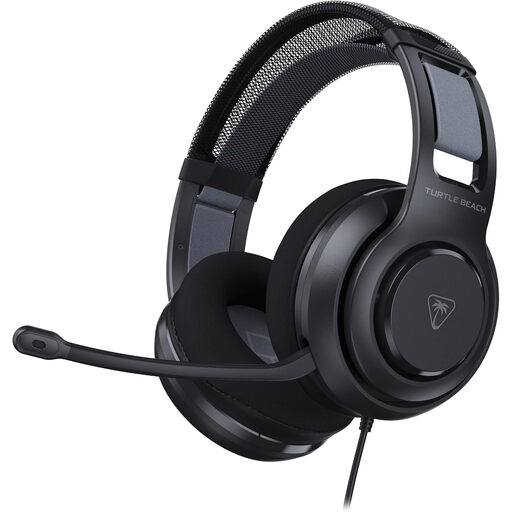 No image available
Consider this wired option if avoiding headset charging matters more to you than cable-free play.
Check that your console, controller, PC or mobile device has a suitable 3.5 mm connection and supports the audio and microphone functions you need.
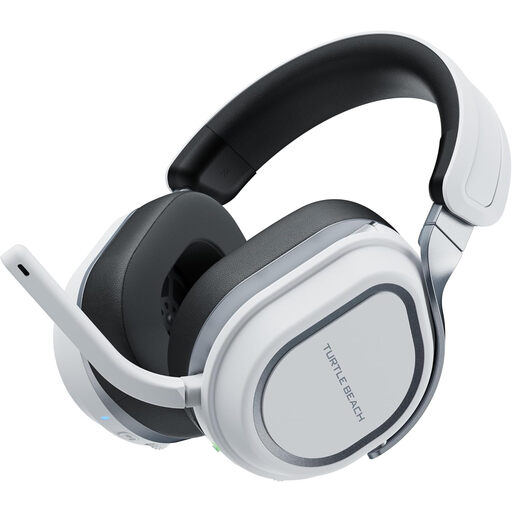 No image available
This wireless model is a choice to consider for PS5, PS4 or PC play when you want to keep an audio cable away from your seat.
Allow for headset charging and check that the connection hardware has a suitable free USB port. Confirm the connection mode for any other device you intend to use.
 No image available
Consider this wireless headset for its listed PS5, PS4 and PC use if cable-free gaming is the priority.
Its gaming connection needs an available USB port, and the headset needs periodic charging. Check the intended connection mode before relying on it with another platform.
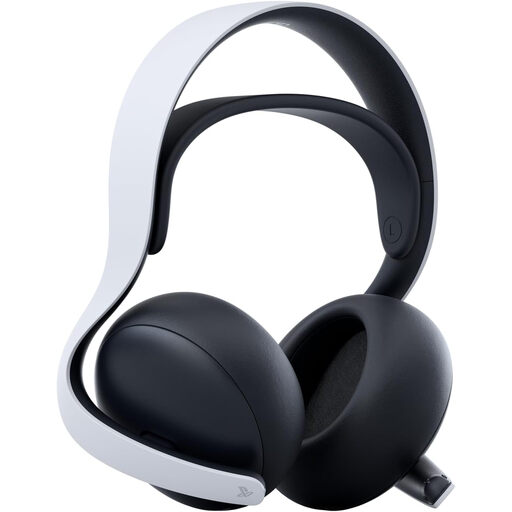 No image available
This PS5-focused option suits players interested in PlayStation Link and 3D-audio presentation in supported PS5 games.
PlayStation specifies up to 30 hours of battery life and a charging hanger. Plan for charging and an available USB port for the PlayStation Link adapter.
No. It removes the audio cable during play, but a rechargeable headset still needs a charging source periodically. Check its charging connection separately from any USB port occupied by a wireless adapter.
No: Xbox Support states that Xbox One does not support connecting a headset directly over Bluetooth. Check whether the particular headset and console can instead use a compatible wireless method or a controller’s 3.5 mm jack.
For PlayStation headsets using a USB adapter, PlayStation Support instructs users to charge the headset with the included USB cable, plug the adapter into the console and switch on the headset for pairing. Check the instructions for your exact model; third-party headsets may connect differently.
No. PlayStation describes 3D-audio presentation in supported PS5 games, so check the game’s support rather than assuming that a headset makes the feature available in every title.
Use an appropriate electrical-waste or battery collection route rather than household rubbish. GOV.UK advises that batteries and electrical products should not be put in household rubbish; check how your local collection service accepts the headset.