Who is this setup for?
The work you are allowed to do on a personal device matters as much as whether you work at home every day or split your time with an office.
Hybrid workers choosing a primary computer
A personal laptop may be relevant if you need approved desktop applications, regular document work or virtual-desktop access at home and away from the office. Confirm the employer's platform, access and security requirements before choosing one.
Workers considering a tablet or phone
A mobile device may cover permitted meetings, browser tasks or other approved work. Check which applications and tasks your employer allows on a personally owned device rather than assuming mobile access includes the full desktop workflow.
Home workers reviewing their screen setup
If you work at a computer for sustained periods, ask about your employer's workstation assessment process before deciding whether a separate display or input devices are needed. Check permission for call accessories and their connections too.
What should you check before choosing?
Start with the employer-approved tasks and access method, then match the device and any accessories to the work you will actually do.
| Priority |
What to check |
Your needs |
| Employer permission |
Confirm permitted tasks, operating systems and access methods. Ask whether personal-device enrolment or management is required and what it would involve. The National Cyber Security Centre says organisations should define which tasks their bring-your-own-device policy allows. |
I need to know that I can use the device for my actual role and accept any work-management arrangement before I buy it. |
| Applications and calls |
Check the approved versions of meeting, document and remote-access applications against the device and operating system. Microsoft lists Teams access on PCs, Macs, mobile devices and browsers; Zoom publishes separate requirements for its desktop and web apps. |
Desktop-only work or substantial typing calls for a different setup from occasional approved mobile meetings. I also need to check that my connection suits the calls I make. |
| Encryption and sign-in |
Check how the device encrypts work data, whether encryption is enabled, and how recovery keys and work-account sign-in are handled. The National Cyber Security Centre advises encryption for home-working devices because they can be lost or stolen. |
When I carry a personal device between locations, I want its work data and account access to meet my employer's requirements. |
| Workstation and accessories |
Ask whether a workstation assessment points to a separate display or input devices. Check the employer's rules for cameras, USB, Bluetooth and storage: the National Cyber Security Centre notes that peripheral connections can introduce security risks. |
A portable screen may not suit my daily work pattern, but an accessory is useful only if it addresses that need and I am allowed to connect it. |
Relevant platform and laptop brands
A brand's platform features can help narrow the choice, but the precise model and your employer's requirements still determine whether it fits.
Microsoft Surface
Windows-based laptops and tablets to consider where an employer supports the relevant Windows applications and management approach.
- Microsoft describes security features across Surface hardware and software, including TPM 2.0.
- Surface branding does not establish approval for a particular model or Windows edition. Microsoft says BitLocker Drive Encryption requires Windows Pro, Enterprise or Education.
Apple
Mac, iPad and iPhone options where an employer supports the relevant Apple operating system and work-access method.
- Apple describes user-owned iPad deployment approaches and FileVault encryption for Mac.
- Those platform capabilities do not establish employer acceptance or confirm that a required desktop application works on an iPad.
Lenovo ThinkPad
A business-laptop and 2-in-1 range for workers considering a portable PC with a physical keyboard.
- Lenovo describes privacy shutters and ThinkShield security features within the ThinkPad range.
- Features vary by model; check the chosen device's operating system, ports, camera and employer compatibility.
Joybuy laptop and display options
These options include personal laptops for employer-approved computer work and an external display to consider if your workstation needs one. Check device approval, application support and connection rules against your own work setup.
 Image unavailable
ASUS ProArt P16 H7606WW-SE006W, 64GB RAM, 2TB SSD
Consider this laptop if your approved work calls for a Windows computer and you want the listed 16-inch 4K OLED touchscreen, AMD Ryzen AI 9 HX 370 and NVIDIA GeForce RTX 5080 16GB.
It lists Windows 11 Home. Microsoft says BitLocker Drive Encryption is not available on that edition; confirm whether this device can meet your employer's encryption and access requirements.
View on Joybuy
 Image unavailable
HP OmniBook X Flip 16-as0004na, 16-inch touchscreen
The listed 2-in-1 form factor may interest someone who wants a laptop alongside occasional touch use for approved tasks. Its title specifies an Intel Core Ultra 5 226V, 16GB RAM and a 512GB SSD.
This model lists Windows 11 Home, which does not include BitLocker Drive Encryption according to Microsoft. Check the employer's application, management and encryption requirements for the exact configuration.
View on Joybuy
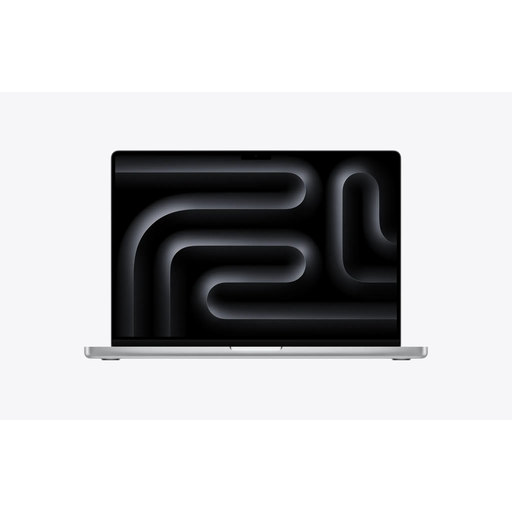 Image unavailable
Apple MacBook Pro 16.2-inch M5 Max, 36GB/2TB, Silver
Consider a Mac laptop for computer-based work only if your employer supports the required Mac applications and access method. This variant lists an M5 Max with an 18-core CPU and 32-core GPU.
Apple describes FileVault encryption for Mac, but you still need to confirm the device's configuration and any employer requirements for management, sign-in and work data.
View on Joybuy
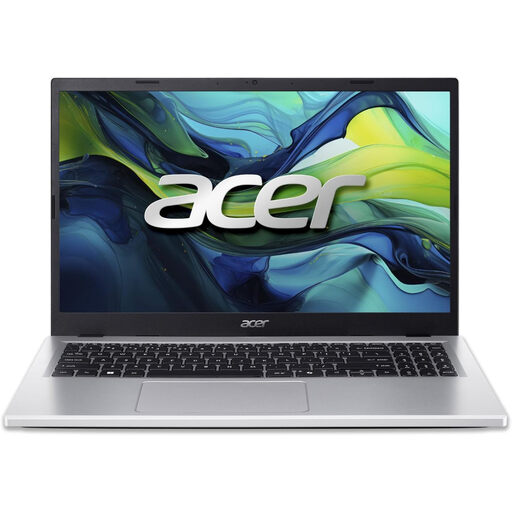 Image unavailable
Acer Aspire Go 15 AG15-71P, Core i5-13420H
This conventional laptop is an option to check for approved document and browser work. Its title lists 8GB DDR5 RAM, a 256GB NVMe SSD and a 15.6-inch Full HD screen.
It lists Windows 11 Home. As Microsoft says BitLocker Drive Encryption is unavailable on Windows Home, verify the exact device's encryption options and your employer's security and application requirements.
View on Joybuy
 Image unavailable
ASUS ProArt PA278CV IPS WQHD display
This external display is worth considering if a separate screen addresses a need identified for your home workstation; it does not replace a work computer.
Check that its connections work with your computer and that your employer permits the display and any connected peripherals. Ask about the workstation assessment process before deciding whether to add a screen.
View on Joybuy
Questions about personal devices for work
What should I ask my employer before buying a personal work device?
Ask which tasks and operating systems are permitted, how you must access work applications, and whether encryption, multi-factor sign-in or device management is required. Check peripheral rules as well. The National Cyber Security Centre advises organisations to define what personal devices may and may not be used for.
Can a tablet replace a laptop for home working?
A tablet may be enough for an explicitly approved mobile workflow, but do not assume it can run every required desktop application or remote-access task. Microsoft lists Teams for mobile devices, while the National Cyber Security Centre notes that employers may restrict which work tasks personal devices can perform. Check your exact applications and permitted tasks.
Should I ask for a workstation assessment when working at home?
Yes, ask your employer about its assessment process if you use a screen regularly for sustained periods at home. The Health and Safety Executive says display-screen equipment rules can apply to permanent, long-term and routine hybrid home workers who use it daily for continuous periods of an hour or more; an assessment can inform whether changes to the setup are needed.
Can I use any webcam, dock or external drive with my work device?
Check your employer's rules first. The National Cyber Security Centre says peripheral connections can introduce security risks, so an otherwise compatible webcam, dock or storage device may not be permitted for work use.
Does a Windows laptop automatically meet work-encryption requirements?
No. Microsoft says BitLocker Drive Encryption is available on Windows Pro, Enterprise and Education, not Windows Home; Windows Device Encryption depends on the device and its setup. Confirm the exact model's encryption status and your employer's required configuration before using it for work data.


