Workers in a weak-signal room
If calls or online tasks struggle away from the router, room layout and whether a cable can reach your desk may shape the choice.


Test the connection near the router over Ethernet and compare it with Wi-Fi where you work: if the problem is limited to distant rooms, address the in-home network; if the wired connection is also inadequate, investigate the broadband service before buying mesh equipment. A cable suits a reachable fixed desk, while mesh may suit several rooms with weak Wi-Fi. Check address-specific service options before changing broadband or considering mobile or fixed wireless.
If calls or online tasks struggle away from the router, room layout and whether a cable can reach your desk may shape the choice.
When work calls compete with other household activity, compare wired performance with Wi-Fi before deciding whether the service or home network needs attention. Ofcom notes that Wi-Fi can affect the speed received on a device.
If the current service is unsuitable, check the options available at your address. Ofcom cautions that predicted availability and mobile reception may differ from what you experience at home.
Compare a wired connection near the router with Wi-Fi where you work before changing equipment or service. Check address-specific availability before considering a different broadband route.
| Concern | What to check when buying | Who this matters to |
|---|---|---|
| Coverage at the work location | Compare Wi-Fi near the router and at your desk; consider router placement and whether mesh nodes can sit where they retain a usable connection. | If calls falter in rooms away from the router, I would prioritise coverage where I work; around 33% of consumers put multi-room coverage first. |
| A fixed desk connection | Check whether a cable can reach and whether the router and work device have compatible ports; allow for an adapter if needed. | For a fixed desk within cable reach, I would look for a direct wired connection; around 25% of consumers prioritise wiring a fixed desk. |
| Capacity during household use | Compare wired performance while the household is active, then check address-specific predicted upload and download speeds and the provider’s offer. | When several people are online, I would check whether the incoming service can meet our needs before adding Wi-Fi equipment; around 25% of consumers put shared-service capacity first. |
| Another connection route | Check fixed-service and fixed-wireless options at the address; compare mobile coverage predictions for the intended hub location and confirm the provider’s actual offer. | If the current service is unsuitable, I would check which alternatives can be ordered and whether reception works where the hub would sit; around 17% of consumers prioritise finding another available route. |
Ofcom explains that Wi-Fi cannot outperform the broadband service feeding it, so adding mesh does not increase that service’s capacity.
Compare wired performance with Wi-Fi before deciding whether to change the in-home network or investigate the service.
Fixed-service availability and received speeds can differ from predictions, and mobile reception can vary inside a home.
Check the offer with the provider and consider reception where the hub would actually be used.
Some units may not support Ethernet backhaul, and some systems have features that differ by operating mode.
Check the ports, supported wiring and mode instructions for the exact kit and each included unit.
A setup that needs wired backhaul or particular features may require compatible equipment and careful placement.
The Deco X50 illustrates mesh coverage with optional Ethernet backhaul; Deco access-point mode can extend a network while retaining an existing router.
The ZenWiFi XD5 is an example of a mesh system that can use a supported wired connection between rooms.
eero documents Ethernet backhaul for supported units with ports.
The Orbi RBK763S illustrates a mesh kit with a router and two satellites for a multi-room layout.
The Halo H80X v1 three-pack is an example of a Wi-Fi 6 mesh system with wired device connections at each unit.
The products below cover mesh Wi-Fi, a 5G router and wired connections for a fixed desk. Check service availability and the connection needs of your home before choosing.
 No image available
A three-unit mesh system for a home where several rooms need Wi-Fi; mesh equipment cannot increase the capacity of the incoming broadband service.
The product name specifies Wi-Fi 7, dual-band BE3600 and 2.5Gbps Ethernet.
 No image available
Consider this route if you are investigating mobile broadband for home; check provider availability and reception where the router will be used.
The product name specifies 5G, AX3000, dual-band Wi-Fi and Gigabit routing. Mobile broadband use requires a SIM and a suitable provider service.
 No image available
A three-unit mesh option for a home where several rooms need a shared Wi-Fi network. The product information states that wired backhaul is supported.
The product name specifies Wi-Fi 7, BE3600 and a three-pack.
Mesh equipment cannot increase the capacity of the incoming broadband service.
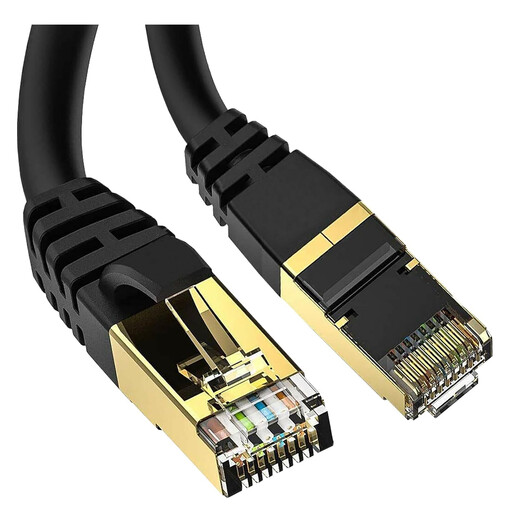 No image available
A wired connection option for a fixed desk if the cable can reach from the router to the work device.
The product name specifies a 5-metre Cat 8 cable with RJ45 connectors. Check that the route fits the cable length.
 No image available
For a computer without a built-in Ethernet port, this adapter provides a wired-connection option. Check that the computer has a compatible USB-A port.
The product name specifies USB 3.0, RJ45 LAN and a 0.2 m cable.
Compare the same device near the router and, where possible, over Ethernet with Wi-Fi at your desk, noting other household use. Ofcom recommends an Ethernet connection as a way to check speeds without Wi-Fi affecting the result; mesh cannot increase the capacity of an insufficient broadband service.
Some systems can extend a network through an existing router, but the connection mode and features vary by product. TP-Link describes Deco access-point mode, in which the root router continues assigning IP addresses; some Deco router-mode app features are unavailable in that mode.
Check which setup and troubleshooting support your broadband provider offers for a separately bought router, and whether included product features depend on a subscription. NETGEAR states that Armor is a subscription service and that one year is included with the cited Orbi kit.
A model name alone does not establish that a particular product meets the requirements for its intended market. Government guidance says radio equipment placed on the Great Britain market must meet the applicable Radio Equipment Regulations; Northern Ireland has separately modified requirements, including 2025 changes affecting certain internet-connected radio equipment. Check the product variant and intended market rather than assuming they are interchangeable.